On this page
About A Little Bit Mockup
A Little Bit Mockup is a free Figma plugin published by Kent Yang in 2022. It works in Figma Design and has 157,742 users and 764 likes on the Figma Community. It ranks #11 in Mockups on our lists.
In the developer's words
Sometimes we just want simple device frames to make our design looks more real, no fancy settings needed.
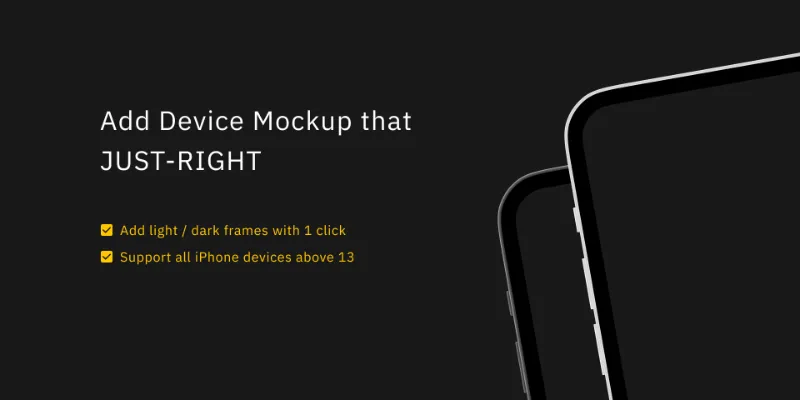
✅ 1 click and add device frames with just-right details
✅ Support light/dark frames
✅ Support all iPhone devices above 13
👾ᴜsᴀɢᴇ
- Select all the frames/instances/components you want to add mockup frames
Plugin > Add Light/Dark Frame(s)- If the width of the selected frame matched possible resolution of supported devices, the plugin will generate a mockup device for it
- If no possible device frame detected, the plugin will create a new one in current viewport
📱 ғʀᴀᴍᴇ ᴡɪᴅᴛʜ
- 375: iPhone 13 mini
- 390: iPhone 13, iPhone 13 Pro, iPhone 14
- 393: iPhone 14 Pro
- 428: iPhone 13 Pro Max, iPhone 14 Plus
- 430: iPhone 14 Pro Max
🍅ғᴜᴛᴜʀᴇ ᴍᴀʏʙᴇ?
- Android devices – let me know if you have any ideas!
Bugs / Improvements -> ✉️ khnkenny@gmail.com
What's new
Version 4 · released Oct 7, 2024
- Small fixes for iPhone 16
Permissions and privacy
Network access
A Little Bit Mockup declares no network access, so it runs entirely inside Figma and can't send your file anywhere.
Extra permissions
None beyond the standard access to the file you run it in.
Read from the plugin's published manifest.
Where A Little Bit Mockup ranks
A Little Bit Mockup alternatives
- 1
Mockup Plugin
by ls.graphics
1.5M users19KFree + paid featuresMost installed mockup plugin. 3800+ device & branding mockups
- 2

Artboard Mockups
by Artboard Studio
935K users9.1KFree + paid featuresDevice mockups, branding mockups, apparel mockups and more
- 3

Clay Mockups 3D
by Hamish
612K users4.6KFreeCreate mockups with 3D clay-style device models. Customize the color, camera angle, and device model
- 4

Mockuuups Studio
by Mockuuups
587K users5.7KFree + paid featuresMockup generator with 5100+ mockups.
- 5

Angle Mockups
by Meng To
467K users3.9KFreeApply perspective mockups to device screen vectors
- 6
3D Transformer
by Jim Raptis
343K users4.2KFreeTurn a frame into a beautiful 3D mockup
A Little Bit Mockup FAQ
What does A Little Bit Mockup do?
Simple device frames to make your design looks more real. It's a Figma plugin by Kent Yang that runs in Figma Design.
Is A Little Bit Mockup free?
Yes. A Little Bit Mockup is free to install and run from the Figma Community, with no paid tier listed.
Is A Little Bit Mockup safe to use?
Figma plugins can only reach the internet through domains listed in their manifest. A Little Bit Mockup declares no network access, so it runs entirely inside Figma and can't send your file anywhere. As with any plugin, check the developer's privacy policy before using it on client work.
How do I install A Little Bit Mockup?
Open it on the Figma Community, or search for it in the Actions menu (Cmd/Ctrl + K) inside any file you can edit. See how to install Figma plugins.
What are the best alternatives to A Little Bit Mockup?
By user count, the closest alternatives are Mockup Plugin, Artboard Mockups and Clay Mockups 3D. Compare all of them on the best Figma plugins for mockups.
Built this plugin?
Use this page as a landing page for A Little Bit Mockup: link to it from your site, README or launch posts, or add a badge. Pick a style and copy the code.

Style
Label
Size
Code
<a href="https://figmaplugins.co/plugins/a-little-bit-mockup/" target="_blank" rel="noopener"><img src="https://figmaplugins.co/badges/featured-dark.svg" alt="A Little Bit Mockup on figmaplugins.co" width="220" height="48"></a>