The best free Figma plugins in 2026
The most-used free Figma plugin is Figma to Code, with 2.3M users. It turns a selected frame into HTML, Tailwind, Flutter or SwiftUI. Every plugin below is listed with no price and no in-app purchases in the Figma Community, so none of them bill you inside the plugin.
Top 20 picks

Figma to Code
#1 · 2.3M users
Quick answer
Our top picks
- #1
Most used free plugin
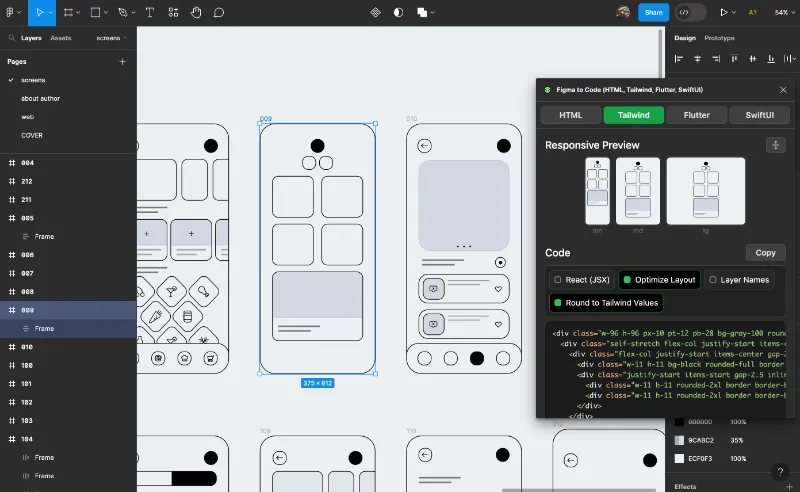
Figma to Code
by Bernardo Ferrari
Figma to Code generates HTML, Tailwind, Flutter and SwiftUI from a selected frame, and runs in both Figma Design and Dev Mode. It suits designers building a quick prototype and developers who want markup to adapt rather than write from scratch. The output follows how the frame is built, so a screen without auto layout gives you code that needs more rework.2.3M 8.5KFree - #3
Best free image utility

Icons8 Background Remover
by Icons8 Team
Icons8 Background Remover cuts the background out of one image, a batch, or everything on the canvas, in Figma Design or FigJam. Its listing promises no image limit, no subscription and no API key. Detection is automatic, so check fine edges before the image goes into a final design.1.3M 13KFree - #5
Best for filling layouts with content

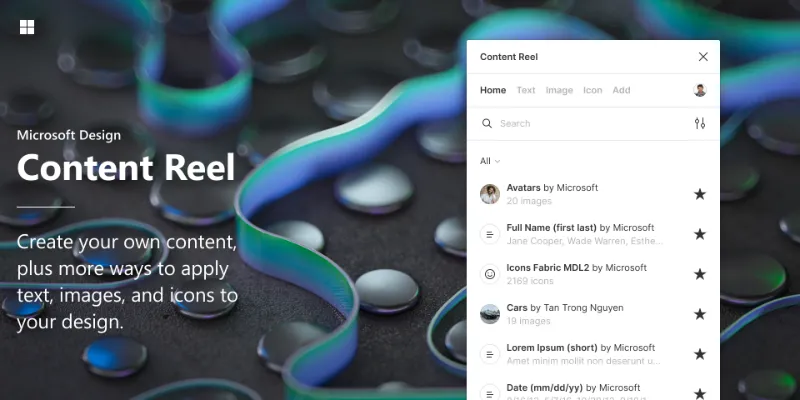
Content Reel
by Eugene Gavriloff
Content Reel pulls text strings, images and icons into your layers from collections that you or other Figma users publish. It's handy for teams that want shared, realistic placeholder content instead of lorem ipsum. Public collections vary in quality, so most teams end up publishing their own.1.1M 16KFree
The full list
The 20 most-used Figma plugins for free
- 012.3M8.5KFree
- 02
 1.8M17KFree
 - 031.3M13KFree
- 04

Builder.io
Export designs to clean, responsive code or turn Figma screens into AI apps and prototypes.
Free · 23K likes
1.3M23KFree - 05
Content Reel
Design layouts more efficiently by pulling text strings, images, and icons.
Free · 16K likes
1.1M16KFree - 06
 1M9.5KFree
 - 07
 990K15KFree
 - 08

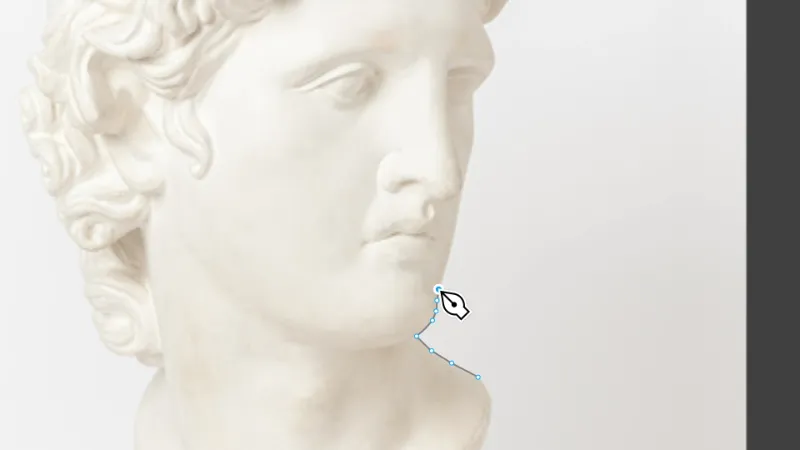
To Path
Free · 12K likes
866K12KFree - 09

Table Creator
Easily create tables that can be edited, resized and maintained using your design system
Free · 6.5K likes
795K6.5KFree - 10
 751K17KFree
 - 11
Font Awesome Icons
Free · 2.9K likes
748K2.9KFree - 12
 670K6.7KFree
 - 13
Noise & Texture
Generate dynamic seamless noise, textures, patterns and animated shaders. Add compound effects.
Free · 15K likes
639K15KFree - 14

Iconoir Icon Library by Iconduck
Iconoir Icon Set is an open source library of 1,188 icons. Free to use in all your designs!
Free · 1.4K likes
615K1.4KFree - 15

Figma to HTML with Framer
Convert your Figma design to HTML code in seconds with Framer.
Free · 11K likes
612K11KFree - 16

Clay Mockups 3D
Create mockups with 3D clay-style device models. Customize the color, camera angle, and device model
Free · 4.6K likes
612K4.6KFree - 17

Locofy Lightning
Convert Figma designs to code in a flash: React, React Native, Flutter, HTML/CSS, Angular, Next, Vue
Free · 5.3K likes
594K5.3KFree - 18

Stark
Fix Color Contrast and Typography issues and add WCAG annotations for a smooth design to dev handoff
Free · 10K likes
577K10KFree - 19
 569K11KFree
 - 20
 516K3.3KFree
Buying guide
What to look for
The free top 20 leans toward big, general tools. Six of them convert designs to code, and four are icon sets (Feather, Material Symbols, Font Awesome and Iconoir). Before you install an icon plugin, look for the same set as a Community library file. A library gives you real components you can swap and update across files.
Our picks favour plugins that do one job well with no setup. Icons8 Background Remover says outright that it needs no registration or API key. Some of the free code exporters work through the vendor's own web app, so a free Community listing can still mean creating an account somewhere else.
- 01
No account wall
Run it once on a test frame. The best free plugins work straight after install; others open a sign-up screen before you see any output.
- 02
Free to use, or free to try
The Community page shows when a plugin has a price or sells features inside the plugin. This list only includes plugins with neither, but plugins elsewhere can start free and add a paywall later.
- 03
Editable output
Check what lands on the canvas. Vectors, text layers and auto layout frames can be restyled; a flattened image can't.
- 04
Recent updates
Free plugins are often side projects. A plugin that hasn't been updated in years may break after a Figma release, so check the version history. Our plugins not working guide covers the usual fixes.
- 05
Where your design goes
Code converters and AI tools usually send your selection to their servers to process it. For client or unreleased work, read the plugin's privacy notes before you run it.
FAQ
Frequently asked questions
Are Figma plugins free?
Most are. Paid plugins show a price on their Community page, and some free plugins sell extra features inside the plugin.
Can I use plugins on Figma's free Starter plan?
Yes. Plugins run in Figma Design and FigJam on every plan, including Starter. Plugins that only run in Dev Mode need a Dev or Full seat on a paid plan. Our install guide shows how to find and run them.
Are free Figma plugins safe?
Figma reviews plugins before they appear in the Community. A plugin can read and edit the file you run it in, and plugins that call external servers can send your selection out. Stick to plugins with a clear creator and a large user base for sensitive work.
Why did a free plugin stop working?
The usual causes are a Figma update the plugin hasn't caught up with, a blocked network request, or running it in the wrong editor. See Figma plugins not working for fixes.
What's the difference between a Figma plugin and a widget?
A plugin runs when you open it and then closes. A widget is an object that lives on the canvas and everyone in the file can see and interact with it. Read plugins vs widgets for when to use each.
Keep exploring
Related lists and guides


AI
AI-powered design
See the top picks


Productivity
speeding up everyday Figma work
See the top picks
Icons
icons
See the top picksGuides
- How to install Figma pluginsFigma plugins don't need installing: open one from the Community or run it inside a file. Steps for Figma Design, Dev Mode, FigJam, Slides, saving and admins.
- Figma plugins not working? How to fix itFigma plugins not loading, missing or greyed out? Check your seat and edit access, org approval, network blocks and cache. A step-by-step checklist that works.
- Figma Keyboard Shortcuts: The Full Mac and Windows ListEvery Figma keyboard shortcut Figma documents, for Mac and Windows: tools, layers, auto layout, components, text, zoom, prototyping and panels, in one list.
- How to add icons in FigmaAdd icons in Figma with an icon plugin, a shared icon library, or by pasting SVG code, which imports as editable vectors. Plus how to recolour and export icons.