The best FigJam plugins in 2026
Flaticon by Magnific is the most-installed FigJam plugin, with 357K users, because it gives whiteboards access to over 5 million icons, stickers and vectors without leaving the board. For running sessions, Timers and a good diagram importer matter more than another asset library.
Top 20 picks



Flaticon by Magnific
#1 · 357K users
Quick answer
Our top picks
- #1
Most used
Flaticon by Magnific
by Freepik: Integrations
Flaticon by Magnific searches over 5 million icons, stickers, shapes and vectors and drops them onto the board. It suits workshop templates, journey maps and anything that needs quick visual markers. It's free with in-app purchases, so check what the free tier includes before building a team template on it.357K 1.9KFree + paid - #10
Best for running workshops
Timers
by Pavel Laptev
Timers chains several timers into one flow, so a whole agenda (warm-up, ideation, voting) runs back to back. You can save templates and load configurations as JSON. FigJam's built-in timer handles a single countdown; this plugin is for facilitators running multi-step sessions. It's free.25K 74Free - #11
Best for importing sketches
Excalidraw to Figma
by Uwarp
Excalidraw to Figma imports hand-drawn diagrams, sketches and flowcharts from Excalidraw into FigJam or Figma. It helps when a team sketched in Excalidraw and needs the result on a shared board. It's free with 24K users, and it only helps if your team already uses Excalidraw.24K 325Free
The full list
The 20 most-used Figma plugins for figjam
- 01
Flaticon by Magnific
Search through 5,000,000+ pixel-perfect icons, stickers and vectors (from Freepik)
Free + paid · 1.9K likes
357K1.9KFree + paid - 02
 201K1.1KFree + $5/mo
 - 03
 196K1.9KFree
 - 04

Simpleflow
🪄 Create flowcharts in Figma with native FigJam connectors — stay perfectly in sync as you design!
Free + $10 · 1.9K likes
107K1.9KFree + $10 - 05

FigmaCharts
200+ Charts from 4 Libraries. AI-Powered. Animate, Export Code & Connect Live Data in Figma.
Free · 310 likes
54K310Free - 06
 46K291Free
 - 07
 44K1KFree
 - 08
 34K177Free + paid
 - 09
 25K125Free
 - 10
Timers
Free · 74 likes
25K74Free - 1124K325Free
- 12
 19K27Free
 - 13

Easy Translator
Translate your designs and Jam session content into over 100 languages
Free · 70 likes
16K70Free - 14
 16K195Free
 - 15

Chart Generator
Generate your charts like Bar, Pie, Line, Area, Scatter and more - even upload CSV files
Free + $5/mo · 44 likes
14K44Free + $5/mo - 16
 13K226Free
 - 17
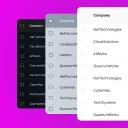
Table Templates with Auto Layout
Customizable, responsive, auto-layout tables in seconds
Free · 103 likes
11K103Free - 18
 10K27Free
 - 19
 8.6K24Free
 - 20
 7.8K45Free
Buying guide
What to look for
FigJam covers the basics natively in 2026: stickies, connectors, tables, a built-in timer and voting, and you can paste Mermaid.js code or describe a diagram to FigJam AI to generate a flowchart. The plugins that still rank either bring in content (icons, emoji, charts), import from other tools (Excalidraw, Mermaid with more layout control), or run facilitation better (multi-step timers, dark boards).
Many of the most useful FigJam add-ons are widgets rather than plugins, since widgets stay on the board for everyone. Our plugins vs widgets guide explains the difference. For diagram-heavy work, the flowcharts list goes deeper.
- 01
Plugin or widget
Plugins run once and leave content behind; widgets stay interactive on the board for everyone. For voting, polls and shared counters, a widget is often the better choice.
- 02
Native FigJam features
Tables, connectors, timers, voting and Mermaid paste are built in. Check that a plugin adds something on top, like chained timers or a different diagram layout.
- 03
Works in Figma Design too
Many FigJam plugins also run in Figma Design and Slides. That matters if the same icons or charts need to travel from workshop to final design.
- 04
Board performance
Large icon or chart imports add many layers. On big boards, insert what you need and avoid plugins that drop whole sets at once.
FAQ
Frequently asked questions
How do I use plugins in FigJam?
Open the Actions menu with Cmd/Ctrl + K, search for the plugin and run it, or browse plugins and widgets from the toolbar. Our install guide covers saving plugins for reuse.
What's the difference between FigJam plugins and widgets?
A plugin runs, does its job and closes. A widget is an object that stays on the board and anyone can interact with it, like a vote counter or a checklist. See plugins vs widgets.
Can FigJam turn Mermaid code into a diagram?
Yes, natively: paste Mermaid.js syntax onto the board and FigJam renders an editable diagram. Mermaid-to-Flow adds its own layouts, edge labels and colour coding if you want more control.
Does FigJam have tables?
Yes, FigJam has native tables, including merged cells. Plugins like Table Generator & Creator are more useful in Figma Design, where you need styled, auto layout tables.
Can I use FigJam in dark mode?
FigJam boards are light by default. (Free) FigJam Dark Mode adds a large, locked dark background behind the board to get a similar effect.
Keep exploring
Related lists and guides


Flowcharts & User Flows
flowcharts, user flows and connector arrows
See the top picks



Figma Slides
Figma Slides presentations
See the top picks


Productivity
speeding up everyday Figma work
See the top picksGuides
- Figma plugin vs widget: what's the difference?A Figma plugin runs for one person and closes when done. A widget is an object on the canvas everyone can see and use. When to pick which, with examples.
- How to Make Flow Arrows in FigmaFigma Design has no connector tool, but you can still draw flow arrows that stick to frames. The native options, the FigJam copy trick, and plugins, explained.
- How to install Figma pluginsFigma plugins don't need installing: open one from the Community or run it inside a file. Steps for Figma Design, Dev Mode, FigJam, Slides, saving and admins.