The best Figma to code plugins in 2026
Figma to Code by Bernardo Ferrari is the most-used Figma to code plugin, with 2.3M users. It's free and exports HTML, Tailwind, Flutter and SwiftUI from a selected frame, which covers most prototypes and one-off pages.
Top 20 picks

Figma to Code
#1 · 2.3M users
Quick answer
Our top picks
- #1
Most used, and free
Figma to Code
by Bernardo Ferrari
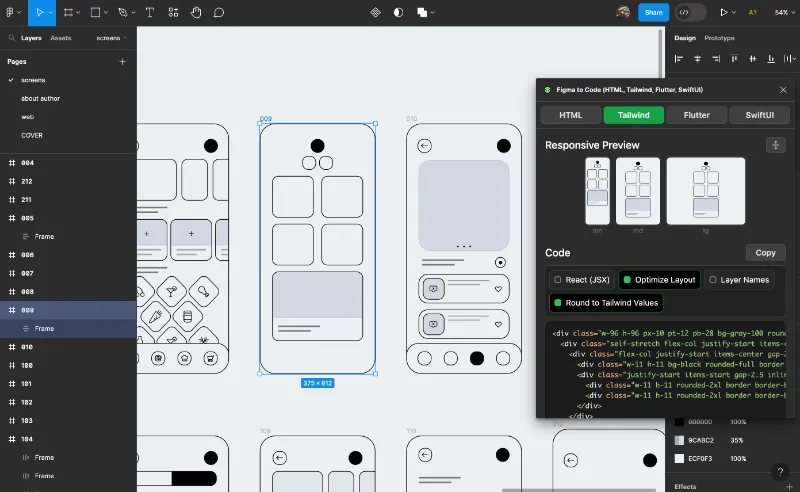
Figma to Code outputs HTML, Tailwind, Flutter and SwiftUI and runs in Figma Design and Dev Mode. It suits designers and developers who want readable starter code without signing up for a platform. It converts what you select, so expect to split the output into components yourself.2.3M 8.5KFree - #3
Most liked

Builder.io
by Steve Sewell
Builder.io has 23K likes, the most of any plugin in this top 20. Its listing says it converts Figma frames to React, Next.js, Vue, Tailwind and other frameworks with no special file prep, and it can also turn screens into AI-built apps. That breadth is the trade-off: if you only want a component snippet, it's more tool than you need.1.3M 23KFree - #6
Widest framework support

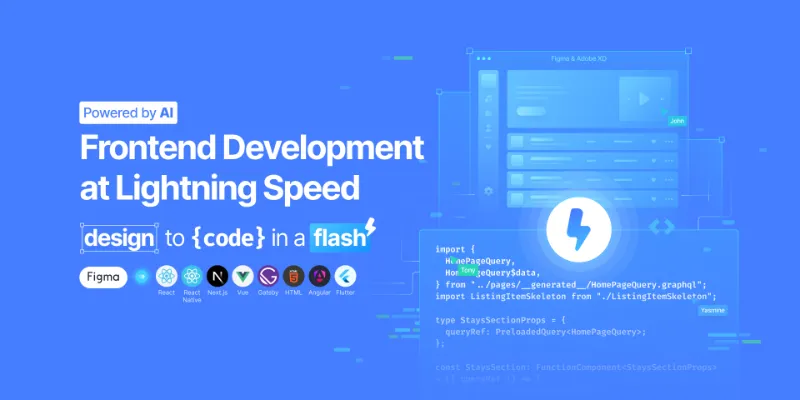
Locofy Lightning
by Locofy.ai
Locofy Lightning targets React, React Native, Flutter, HTML/CSS, Angular, Next.js, Gatsby and Vue, the longest list among the top converters. It fits teams shipping the same design to web and mobile. Locofy splits React Native work into a separate Classic mode, so check which one your project needs before you start.594K 5.3KFree
The full list
The 20 most-used Figma plugins for Figma to Code
- 012.3M8.5KFree
- 02
 1.8M17KFree
 - 03
Builder.io
Export designs to clean, responsive code or turn Figma screens into AI apps and prototypes.
Free · 23K likes
1.3M23KFree - 04
 670K6.7KFree
 - 05

Figma to HTML with Framer
Convert your Figma design to HTML code in seconds with Framer.
Free · 11K likes
612K11KFree - 06
Locofy Lightning
Convert Figma designs to code in a flash: React, React Native, Flutter, HTML/CSS, Angular, Next, Vue
Free · 5.3K likes
594K5.3KFree - 07
 408K3.4KFree
 - 08
 389K8KFree
 - 09
 200K1.6KFree
 - 10
 194K899Free + $6/mo
 - 11
 181K838Free
 - 12

Codia AI Figma to code: Figma to full-stack Web and Mobile apps
Design. Develop. Deliver full-stack Web and Mobile apps
Free · 2.3K likes
148K2.3KFree - 13

Figma to Flutter, HTML, Next.js, and React
Build mobile & web apps at blazing-fast speed with stable code quality and developer experience.
Free · 1.3K likes
144K1.3KFree - 14

Export Figma to Websites and HTML by Siter.io
Publish Figma designs as websites without the need for coding. Embed HTML code into your website.
Free + paid · 1.8K likes
137K1.8KFree + paid - 15

Figma to WordPress
Figma to WordPress! Create WordPress websites online and download WordPress themes in a few clicks!
Free + paid · 2.1K likes
101K2.1KFree + paid - 16
 93K755Free + paid
 - 17
 89K425Free + paid
 - 18

FigmaToFlutter
Free · 1.2K likes
79K1.2KFree - 19

Figma to Elementor
Convert Figma to Elementor in WordPress. Best way to convert Figma to Elementor in no time
Free · 1.2K likes
74K1.2KFree - 20
 72K321Free + paid
Buying guide
What to look for
Check what Figma already gives you before adding a converter. Dev Mode shows CSS, SwiftUI, UIKit, Compose and XML snippets for any layer to people with a Dev or Full seat, and the Figma MCP server lets coding agents like Claude Code, Cursor or Copilot in VS Code read a frame's layout, variables and components directly. Those cover property-level code. A plugin earns its place when you want a whole screen as components in one framework, or a page you can publish.
Every converter depends on how the file is built. Frames in auto layout map cleanly to flexbox; loose layers become absolute positioning. The list also splits in two: general converters (Anima, Builder.io, Locofy) and exporters tied to a platform (Framer, Webflow, WordPress, Elementor). Choosing one of the second group is really choosing where the site will live.
- 01
Output frameworks
Match the plugin to your stack: React, Vue, Angular, Flutter, SwiftUI, React Native or plain HTML and CSS. Check whether it writes Tailwind classes or plain CSS, and whether it uses TypeScript.
- 02
Respect for auto layout
Good converters turn auto layout into flexbox or grid and keep fill and hug sizing. Run one on a real screen, resize the browser, and see whether it holds together.
- 03
Code ownership and lock-in
Some tools hand you files to commit; others host the result or expect you to keep editing on their platform. If the code must live in your repo, confirm you can export it without a subscription.
- 04
Pricing per export or per seat
Many converters are free to install and charge for exports, projects or AI credits on their own site. Price the plan for the volume of screens you'll actually convert.
- 05
Variables and components
The better tools turn Figma variables into CSS variables or theme tokens, and reuse a component instead of repeating its markup. That's the difference between a draft and something a developer can maintain.
FAQ
Frequently asked questions
Can Figma export code without a plugin?
Partly. Dev Mode gives CSS, SwiftUI, UIKit, Compose and XML snippets for a selected layer, with a Dev or Full seat on a paid plan. Figma Make can export code from prompt-built prototypes. Converting a whole existing screen into a framework's components still needs a plugin or the Figma MCP server with a coding agent.
Is Figma to code output production ready?
Rarely as-is. Converters produce good layout and styling when the file uses auto layout and variables, but naming, state, accessibility and data wiring are still a developer's job. Treat it as a head start on markup.
Which Figma to code plugin is best for React?
Anima, Builder.io and Locofy Lightning all export React and have the most users among React-capable converters. Figma to React from Quest is a smaller React-focused option. Try two on the same screen and compare the markup.
What's the difference between Figma to code plugins and the Figma MCP server?
A plugin generates code inside Figma for you to copy or export. The MCP server gives an AI coding agent structured access to your design (layers, variables, components, Code Connect mappings) so the agent writes code in your own codebase.
Can I export Figma designs straight to a website?
Yes, with platform exporters like Figma to HTML with Framer, Figma to Webflow, Figma to WordPress or Siter.io. Your site then lives on that platform. For the opposite direction, see HTML to Figma plugins.