
On this page
About Chart generator by Designbase
Chart generator is a free Figma plugin published by Designbase in 2024. It works in Figma Design and has 47,349 users and 346 likes on the Figma Community. It ranks #6 in Charts on our lists.
In the developer's words
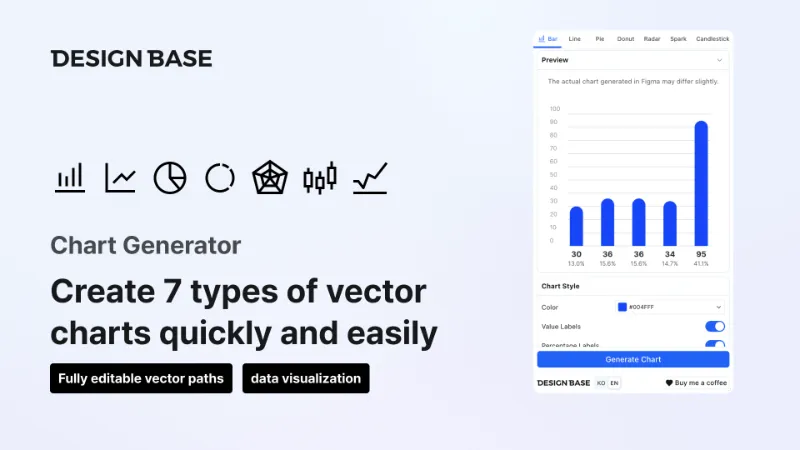
Chart Generator helps you build data charts directly in Figma—no external tools required. Pick a chart type, enter your data, tweak styles, preview the result, then insert the chart into your file with one click.
What you can create
- Bar (single, grouped, or stacked with multiple series)
- Line (single or multi-series)
- Pie and Donut (including donut ring thickness and style options)
- Radar
- Sparkline
- Candlestick
How to use
- Open the plugin and select a chart type.
- Enter values manually, use bulk paste, or randomize sample data where supported.
- Adjust Chart Style: colors (presets, random, or transparency), labels, axes, line weight, bar width, legend, and more—options depend on the chart type.
- Use Preview to check the look before committing.
- Click Generate Chart to add the chart to your Figma canvas.
Do you have any feedback?
If you have any inquiries, feel free to contact us anytime at designbasekorea@gmail.com.
Website: https://designbase.co.kr/
YouTube Channel: https://www.youtube.com/c/designbase
Instagram: https://www.instagram.com/designbasekorea/
© 2024 DesignBase. All rights reserved
What's new
Version 20 · released May 10, 2026
- Donut: 7-step thickness slider with end hints (thin ↔ thick) and step labels. Candlestick: style panel with axis & date labels, wick thickness, body width, and candle spacing.
Permissions and privacy
Network access
This plugin's manifest doesn't declare its network access, which is common for older plugins. Figma shows a warning on the Community page for plugins like this.
Extra permissions
None beyond the standard access to the file you run it in.
Read from the plugin's published manifest.
Where Chart generator ranks
Chart generator alternatives
- 1

Chart
by Chart Plugin
425K users4.9KFree + paid featuresCreate any chart in Figma without spending time on setup
- 2

i Charts Generate
by Tutu
170K users2KFreeexcel data to generate any chart with autolayout and variables- has never been so easy
- 3

Datavizer
by Amelia Wattenberger 👋
84K users802Free - 4

Chart Master 3001
by CringeTech
55K users134Free + $15 upgradeCreate any chart you want and insert it into your Figma file with easy!
- 5

FigmaCharts
by Amila Sampath
54K users310Free200+ Charts from 4 Libraries. AI-Powered. Animate, Export Code & Connect Live Data in Figma.
- 6

UCharts
by Uwarp
44K users1KFreeMake Stunning Chart with AI in Minutes
Chart generator FAQ
What does Chart generator do?
This is a plugin that makes creating charts easy. It's a Figma plugin by Designbase that runs in Figma Design.
Is Chart generator free?
Yes. Chart generator is free to install and run from the Figma Community, with no paid tier listed.
How do I install Chart generator?
Open it on the Figma Community, or search for it in the Actions menu (Cmd/Ctrl + K) inside any file you can edit. See how to install Figma plugins.
What are the best alternatives to Chart generator?
By user count, the closest alternatives are Chart, i Charts Generate and Datavizer. Compare all of them on the best Figma plugins for charts.
Built this plugin?
Use this page as a landing page for Chart generator: link to it from your site, README or launch posts, or add a badge. Pick a style and copy the code.

Style
Label
Size
Code
<a href="https://figmaplugins.co/plugins/chart-generator/" target="_blank" rel="noopener"><img src="https://figmaplugins.co/badges/featured-dark.svg" alt="Chart generator by Designbase on figmaplugins.co" width="220" height="48"></a>