
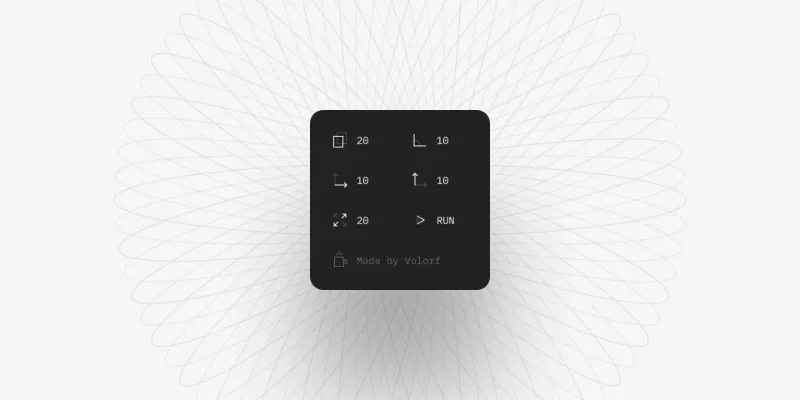
About Cloner
Cloner is a free Figma plugin published by Oleg Frolov in 2022. It works in Figma Design and has 11,321 users and 488 likes on the Figma Community. It ranks #9 in Patterns on our lists.
In the developer's words
Cloner helps create generative art works with a simple easy-to-use interface.
What's new
Version 5 · released Apr 14, 2024
- — Minor improvements.
Permissions and privacy
Network access
Cloner can only connect to the 2 domains declared in its manifest: fonts.googleapis.com and fonts.gstatic.com.
- fonts.googleapis.com
- fonts.gstatic.com
Extra permissions
None beyond the standard access to the file you run it in.
Read from the plugin's published manifest. Questions about data handling go to the developer's support page.
Where Cloner ranks
Cloner alternatives
- 1

Wave & Сurve
by Andreslav Kozlov
178K users3KFree - 2

Pattern Creator
by Viachas Kul
59K users763FreeCreate a background pattern from segments in seconds
- 3

Patterns generator
by reemo
57K users219Free🔄 Generate repeat patterns in a single click
- 4

Sine wave
by Varun
46K users318FreeAdd sine (or cosine) waves to your designs to make them standout a bit.
- 5

WaveCraft: Beautiful backgrounds, banners and headers
by Amila Sampath
42K users183FreeGenerate SVGs macOS Big Sur waves within Figma and create beautiful backgrounds, banners and headers
- 6
Grid Patterns
by Ilias Manolis
15K users168FreeQuickly create simple grid patterns for your designs.
Cloner FAQ
What does Cloner do?
Create generative art just like that. It's a Figma plugin by Oleg Frolov that runs in Figma Design.
Is Cloner free?
Yes. Cloner is free to install and run from the Figma Community, with no paid tier listed.
Is Cloner safe to use?
Figma plugins can only reach the internet through domains listed in their manifest. Cloner can only connect to the 2 domains declared in its manifest: fonts.googleapis.com and fonts.gstatic.com. As with any plugin, check the developer's privacy policy before using it on client work.
How do I install Cloner?
Open it on the Figma Community, or search for it in the Actions menu (Cmd/Ctrl + K) inside any file you can edit. See how to install Figma plugins.
What are the best alternatives to Cloner?
By user count, the closest alternatives are Wave & Сurve, Pattern Creator and Patterns generator. Compare all of them on the best Figma plugins for patterns.
Built this plugin?
Use this page as a landing page for Cloner: link to it from your site, README or launch posts, or add a badge. Pick a style and copy the code.

Style
Label
Size
Code
<a href="https://figmaplugins.co/plugins/cloner/" target="_blank" rel="noopener"><img src="https://figmaplugins.co/badges/featured-dark.svg" alt="Cloner on figmaplugins.co" width="220" height="48"></a>