
On this page
About Datavizer
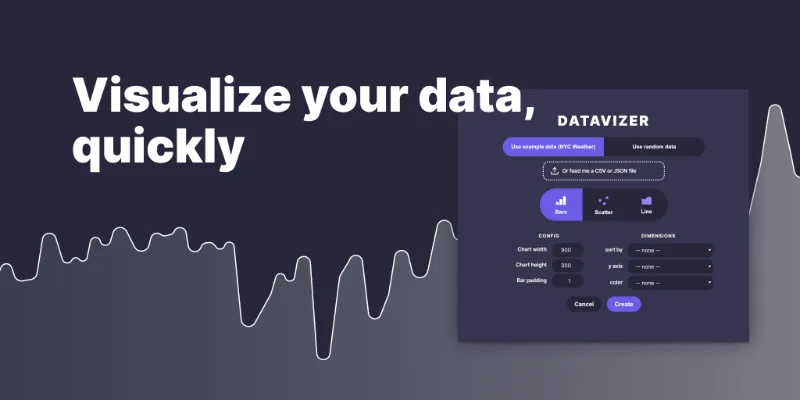
Datavizer is a free Figma plugin published by Amelia Wattenberger 👋 in 2019. It works in Figma Design and has 85,667 users and 806 likes on the Figma Community. It ranks #7 in Charts on our lists.
Create a bar chart, scatter plot, or line chart easily with your own data! Or use a random set of data to quickly create shapes or dummy data (for example, sparklines for a dashboard mockup).
What's new
Version 8 · released Jan 26, 2022
- Add interpolation options for line charts
Permissions and privacy
Network access
This plugin's manifest doesn't declare its network access, which is common for older plugins. Figma shows a warning on the Community page for plugins like this.
Extra permissions
None beyond the standard access to the file you run it in.
Read from the plugin's published manifest.
Where Datavizer ranks
Datavizer alternatives
- 1

Charts
by Sam Mason de Caires
592K users3.8KFree - 2

Chart
by Chart Plugin
427K users5KFree + paid featuresCreate any chart in Figma without spending time on setup
- 3

NB Charts
by NB Charts
242K users1.8KFreeCreate Chart
- 4

i Charts Generate
by Tutu
184K users2.1KFreeexcel data to generate any chart with autolayout and variables- has never been so easy
- 5

Chartline
by Ruben
146K users947FreeCreate beautiful chart lines with ease
- 6

Custom Graph
by Sergei Vaskov
111K users350Free
Datavizer FAQ
What does Datavizer do?
It's a Figma plugin by Amelia Wattenberger 👋 that runs in Figma Design.
Is Datavizer free?
Yes. Datavizer is free to install and run from the Figma Community, with no paid tier listed.
How do I install Datavizer?
Open it on the Figma Community, or search for it in the Actions menu (Cmd/Ctrl + K) inside any file you can edit. See how to install Figma plugins.
What are the best alternatives to Datavizer?
By user count, the closest alternatives are Charts, Chart and NB Charts. Compare all of them on the best Figma plugins for charts.
Built this plugin?
Use this page as a landing page for Datavizer: link to it from your site, README or launch posts, or add a badge. Pick a style and copy the code.

Style
Label
Size
Code
<a href="https://figmaplugins.co/plugins/datavizer/" target="_blank" rel="noopener"><img src="https://figmaplugins.co/badges/featured-dark.svg" alt="Datavizer on figmaplugins.co" width="220" height="48"></a>Want it featured on figmaplugins.co? Submit it for review