
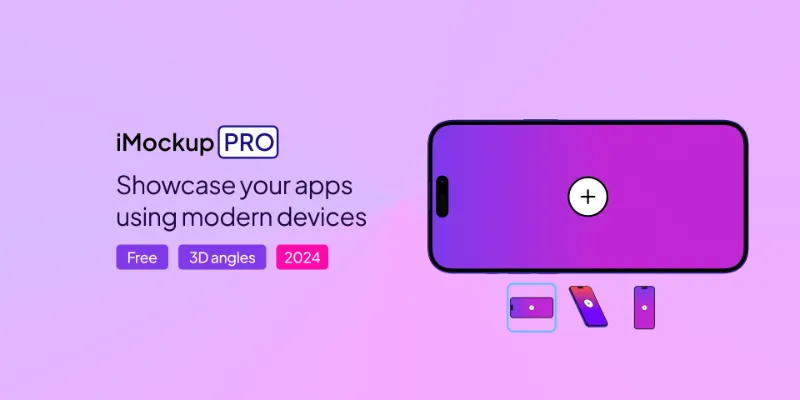
About iMockup
iMockup is a free Figma plugin published by Sasha in 2023. It works in Figma Design and has 155,047 users and 918 likes on the Figma Community. It ranks #14 in Mockups on our lists.
In the developer's words
About iMockup Device Generator
iMockup is the simplest way to create device mockups to showcase app UI.
Getting started
- Install and run the plugin
- Select your device: Choose from the latest phones such as iPhone 15 Pro Max and Google Pixel 8 Pro
- Customise everything: Pick your device angle, tweak color, add shadows. Drag and drop your screenshots to embed them into the device.
- Export to Figma: As a transparent PNG in 4K res.
- Post-process in Figma: Rotate or scale your exported device mockup to an appropriate size and angle.
About
Powered by iMockup.pro: a device mockup generator for creating device mockups. Try iMockup online.
License
All free exports are created under the CC 4.0 License. You must include a link to iMockup.pro as a source for the mockups, wherever device mockups are used. If you don’t want to attribute, upgrade to a standard license.
What's new
Version 1 · released Nov 13, 2023
The developer didn't publish release notes for this version.
Permissions and privacy
Network access
iMockup can only connect to the 2 domains declared in its manifest: storage.googleapis.com/ and imockup.pro/.
- storage.googleapis.com/
- imockup.pro/
Extra permissions
None beyond the standard access to the file you run it in.
Read from the plugin's published manifest.
Where iMockup ranks
iMockup alternatives
- 1
Mockup Plugin
by ls.graphics
1.6M users20KFree + paid featuresMost installed mockup plugin. 3800+ device & branding mockups
- 2

Artboard Mockups and Animations
by Artboard Studio
965K users9.3KFree + paid featuresDevice mockups, branding mockups, apparel mockups and video mockups with animation templates
- 3

Mockuuups Studio
by Mockuuups
627K users5.9KFree + paid featuresMockup generator with 5100+ mockups.
- 4

Clay Mockups 3D
by Hamish
625K users4.7KFreeCreate mockups with 3D clay-style device models. Customize the color, camera angle, and device model
- 5

Wireframe Designer
by Chenmu Wu
580K users5.1KFree + $5/mo upgradeGenerate wireframe mockups with AI at lightning speed.
- 6

Angle Mockups
by Meng To
480K users4KFreeApply perspective mockups to device screen vectors
iMockup FAQ
What does iMockup do?
#1 Plugin for device mockups. Clay and real styles. Isometric 3D angles. Customizable. It's a Figma plugin by Sasha that runs in Figma Design.
Is iMockup free?
Yes. iMockup is free to install and run from the Figma Community, with no paid tier listed.
Is iMockup safe to use?
Figma plugins can only reach the internet through domains listed in their manifest. iMockup can only connect to the 2 domains declared in its manifest: storage.googleapis.com/ and imockup.pro/. As with any plugin, check the developer's privacy policy before using it on client work.
How do I install iMockup?
Open it on the Figma Community, or search for it in the Actions menu (Cmd/Ctrl + K) inside any file you can edit. See how to install Figma plugins.
What are the best alternatives to iMockup?
By user count, the closest alternatives are Mockup Plugin, Artboard Mockups and Animations and Mockuuups Studio. Compare all of them on the best Figma plugins for mockups.
Built this plugin?
Use this page as a landing page for iMockup: link to it from your site, README or launch posts, or add a badge. Pick a style and copy the code.

Style
Label
Size
Code
<a href="https://figmaplugins.co/plugins/imockup/" target="_blank" rel="noopener"><img src="https://figmaplugins.co/badges/featured-dark.svg" alt="iMockup on figmaplugins.co" width="220" height="48"></a>