The best Figma 3D plugins in 2026
Vectary is the top Figma 3D plugin, used by 792K designers, because it loads real 3D models, lets you set the camera and materials, and links Figma frames to textures on the model. If you only need a flat design tilted into isometric or perspective, a lighter tool like Isometric or Perspective Toolkit is faster.
Top 20 picks

Vectary
#1 · 792K users
Quick answer
Our top picks
- #1
Best for real 3D scenes
Vectary
by VECTARY
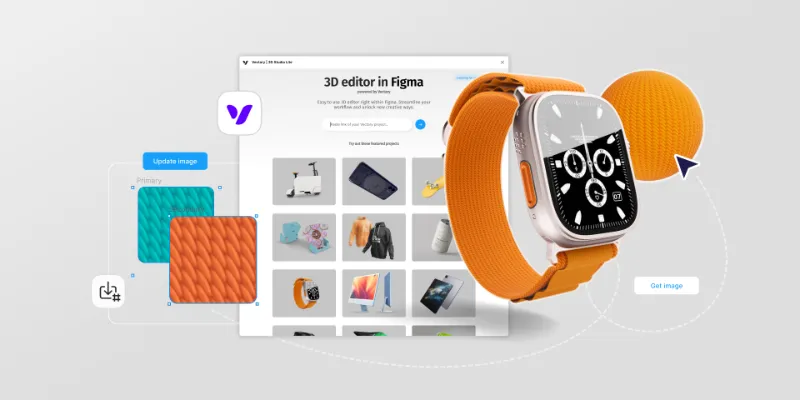
Vectary loads 3D models, sets the view and materials, and exports the result to a frame, with Figma frames usable as live textures. It suits product shots and hero images. It's free with in-app purchases, and like any renderer the result lands as an image rather than editable layers.792K 10KFree + paid - #2
Best for 3D device mockups

Clay Mockups 3D
by Hamish
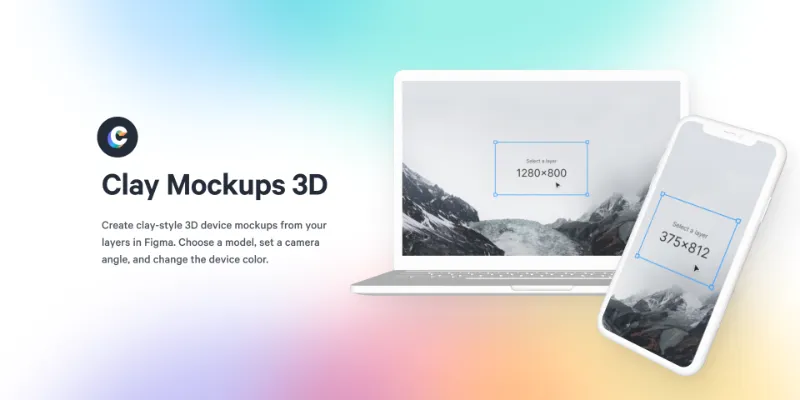
Clay Mockups 3D places your screen on clay-style device models and lets you change colour, camera angle and model. It's free and used by 612K designers. The bundled models are older devices (iPhone 11, Pixel 4, MacBook Pro), so it fits a stylised look better than a current-hardware showcase.612K 4.6KFree - #7
Best for isometric illustration

Fast Isometric
by Ren Yi
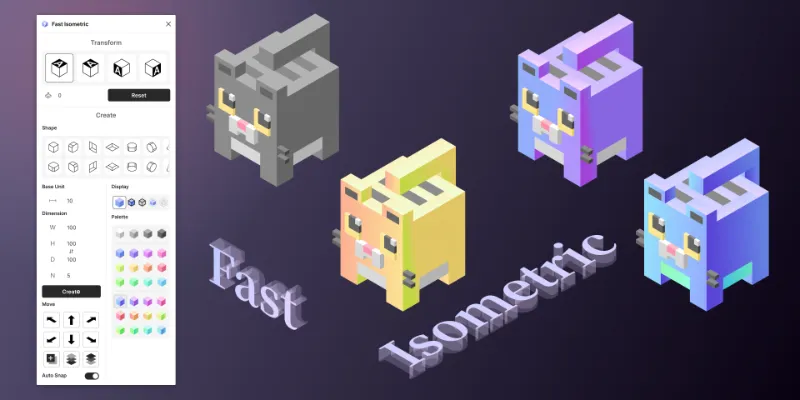
Fast Isometric turns designs into isometric views, extrudes shapes with thickness and moves selections along the isometric axes. That combination makes it good for building isometric scenes piece by piece. With 125K users it's smaller than the one-click Isometric plugin, which is enough if you only need a quick tilt.125K 2.3KFree
The full list
The 20 most-used Figma plugins for 3d
- 01
Vectary
Load your 3D models, set your view and materials as you desire and export it to a frame!
Free + paid · 10K likes
792K10KFree + paid - 02
Clay Mockups 3D
Create mockups with 3D clay-style device models. Customize the color, camera angle, and device model
Free · 4.6K likes
612K4.6KFree - 03

Isometric
Free · 4.6K likes
375K4.6KFree - 04

Isometric & Perspective Toolkit
Quick apply a top, left or right perspective or using the modal to modify your layer.
Free · 5.5K likes
363K5.5KFree - 05
 349K5.1KFree
 - 06

Rotato [MacOS] 3D Mockups + Explosions
Rotato for Mac companion plugin. Real 3D. Exploded layers.
Free · 1.6K likes
207K1.6KFree - 07125K2.3KFree
- 08
 94K982Free
 - 09
 94K1.8KFree
 - 10
3D Wave: Soften everything like fabric
Free · 1.5K likes
87K1.5KFree - 11
 80K707Free
 - 12
 71K1KFree
 - 13
 59K507Free
 - 14
 53K537Free
 - 15
 52K341Free
 - 16
 41K589Free
 - 17
 34K448Free
 - 18
 22K223Free
 - 19
 19K42Free
 - 20
 17K304Free
Buying guide
What to look for
Figma's canvas is 2D: there are no 3D models, cameras or lights built in. That's why this category splits into two groups. Real 3D renderers (Vectary, Clay Mockups 3D, Rotato, Vertex 3D) build a scene and return an image. Projection tools (Isometric, Isometric & Perspective Toolkit, Fast Isometric, 3D Vector) skew or extrude your vectors so they stay editable.
Choose by output. A rendered image looks more convincing but you can't edit its contents afterwards; skewed vectors look flatter but survive later design changes. For device frames specifically, the mockup plugins list goes deeper.
- 01
Rendered image or editable vectors
Renderers like Vectary, Shapes 3D and 3D Materials add a raster image. Projection tools keep vectors. Decide whether you'll need to edit the text or colours later.
- 02
Export resolution
If the 3D asset goes on a landing page or in a deck, check the render size the plugin allows. Rotato's companion plugin, for example, advertises 4K device renders, but it needs the Mac app.
- 03
Model library
Some plugins let you bring your own models, others give you a fixed set of devices or primitives. Check the library before you commit a whole project to one look.
- 04
Browser and platform support
WebGL-heavy plugins can be picky. Shapes 3D, for example, says Safari isn't supported and recommends Chrome or the Figma desktop app.
FAQ
Frequently asked questions
Can you make 3D designs in Figma?
Not natively. Figma has no 3D objects, cameras or lighting, so 3D comes from plugins that either render a real scene (like Vectary) or project 2D vectors into isometric or perspective views.
How do I make an isometric design in Figma?
Select a layer and run a plugin like Isometric or Isometric & Perspective Toolkit to apply a top, left or right view. For extruded blocks and full scenes, Fast Isometric adds thickness and axis-aligned moves.
How do I extrude text or icons into 3D in Figma?
3D Vector extrudes paths, text, polygons and stars into shapes you can adjust after applying. For a rendered, material look, Shapes 3D and 3D Materials produce an image instead.
What's the best free 3D plugin for Figma?
Every plugin in our top 20 is free to install. Vectary has in-app purchases for more features; Clay Mockups 3D, Isometric and Perspective Toolkit are free outright.