
On this page
About Animate Text
Animate Text is a free Figma plugin published by Aamir Shaikh in 2023. It works in Figma Design and has 59,082 users and 1,091 likes on the Figma Community. It ranks #14 in Animation on our lists.
In the developer's words
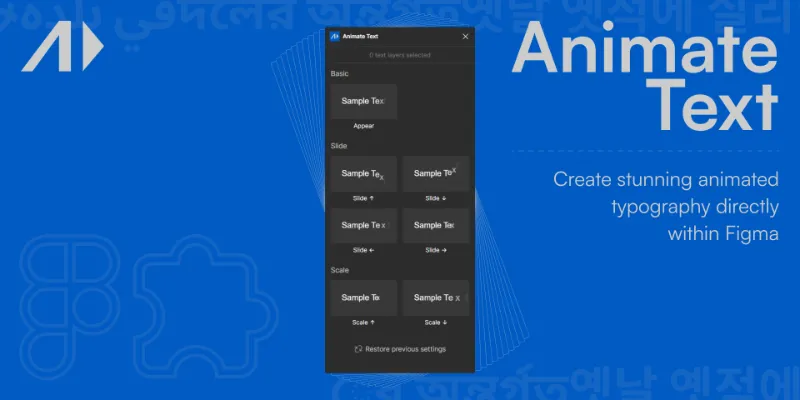
Animate Text is a Figma plugin for creating highly customizable animated text, right inside Figma.
🚀 What it does: This plugin works on text layers inside Figma. It can animate text by letters, words, lines, or paragraphs, and there are a lot of properties to play with. It also works on multiple text layers at once.
This plugin creates the animations using Figma’s components and variants, which makes the process fast and convenient (no need to leave Figma, and no need to save gifs/videos on the computer).
⚙️ Additional capabilities:
- Customize properties like direction, duration, delay, stagger, easing, offset, clipping, scale, etc.
- Animate in, out, or in + out
- Repeat animations
📝 Instructions: Using this plugin is a breeze! Just follow these simple steps:
- Select text layer(s)
- Run the plugin, and choose the animation type
- Customize the properties as per your liking, and click on the 'Animate' button!
🔗 Additional Links/Resources:
- Easing curves: easings.net
- Create your own cubic bezier: cubic-bezier.com
Please note
- Animating text with emojis and lists might not work
- When animating text with multiple lines, please ensure that you have added line breaks at the end of each line
What's new
Version 2 · released Dec 13, 2023
- bug fix
Permissions and privacy
Network access
Animate Text declares no network access, so it runs entirely inside Figma and can't send your file anywhere.
Extra permissions
None beyond the standard access to the file you run it in.
Read from the plugin's published manifest. Questions about data handling go to the developer's support page.
Where Animate Text ranks
Animate Text alternatives
- 1

LottieFiles
by LottieFiles
990K users15KFreeAnimate Your Designs with Lottie Animations
- 2

Figmotion
by L
513K users7.4KFreeBringing motion to your Figma designs
- 3

Jitter
by Jitter
507K users12KFreeAnimate your Figma designs, export to video / GIF / Lottie, handoff animation specs to developers
- 4

Motion
by Pavel Babkin
367K users5.6KFree + paid featuresAnimate UI in Figma. Export to video, GIF, SVG.
- 5

Export to GIF/Video
by Evan at CreativeFlow
311K users3KFree + paid featuresExport animations to GIF or Video in one-click
- 6

Aninix
by Tony Pinkevych
160K users2.4KFree + paid featuresCreate motion design within Figma. Export Lottie animations, GIFs, or mp4.
Animate Text FAQ
What does Animate Text do?
Create stunning animated typography directly within Figma. It's a Figma plugin by Aamir Shaikh that runs in Figma Design.
Is Animate Text free?
Yes. Animate Text is free to install and run from the Figma Community, with no paid tier listed.
Is Animate Text safe to use?
Figma plugins can only reach the internet through domains listed in their manifest. Animate Text declares no network access, so it runs entirely inside Figma and can't send your file anywhere. As with any plugin, check the developer's privacy policy before using it on client work.
How do I install Animate Text?
Open it on the Figma Community, or search for it in the Actions menu (Cmd/Ctrl + K) inside any file you can edit. See how to install Figma plugins.
What are the best alternatives to Animate Text?
By user count, the closest alternatives are LottieFiles, Figmotion and Jitter. Compare all of them on the best Figma plugins for animation.
Built this plugin?
Use this page as a landing page for Animate Text: link to it from your site, README or launch posts, or add a badge. Pick a style and copy the code.

Style
Label
Size
Code
<a href="https://figmaplugins.co/plugins/animate-text/" target="_blank" rel="noopener"><img src="https://figmaplugins.co/badges/featured-dark.svg" alt="Animate Text on figmaplugins.co" width="220" height="48"></a>