
On this page
About Apply variables
Apply variables is a free Figma plugin published by Jan Six in 2023. It works in Figma Design and has 11,799 users and 455 likes on the Figma Community. It ranks #18 in Variables & Tokens on our lists.
In the developer's words
Already have your variables set up and want to bulk apply them to your work? You can swap styles with variables or apply variables that match raw number values to elements in any file with access to your variables collections!
Watch a demo video of the plug-in in action here.
Swap with variables by name
- Example: elements with color style
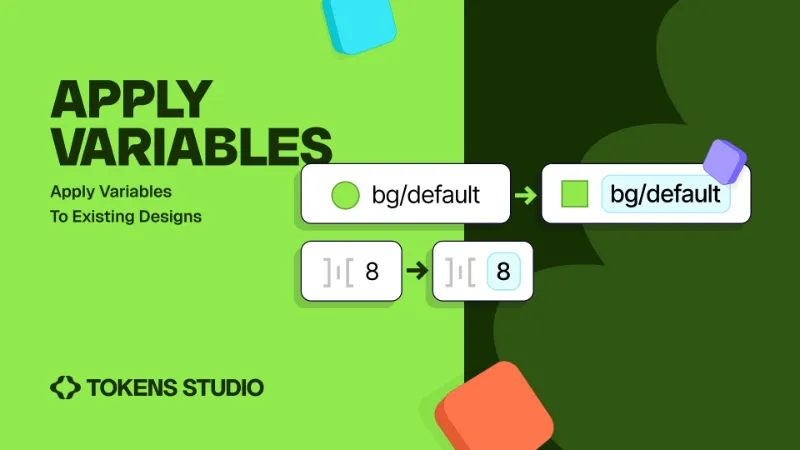
background/defaultapplied to them will have the variable calledbackground/defaultapplied to them after the plug-in works its magic. - Reads names from applied color styles or applied variables and lets you swap that with a variable of a given collection with the same name
- Currently available for color variables.
Apply matching variables (autofix) to radius or AutoLayout dimension properties
- Example: you have a variable called
container-radius/defaultwith a value of8. After the plugin runs, all containers with8as their corner radius would have thecontainer-radius/defaultvariable applied. - Currently available for number variables (corner radius, item spacing, padding and row gap).
- If there are several variables with the same value, it chooses the first variable with the same scope settings as the property would need. If no variable matches the scope, it picks the first one that has generic scope that matches.
- We rank variables by name, meaning a variable with
paddingin its name will be preferred for the auto layout properties. One withgaporspacingin its name will be preferred for the gap properties. One withradii, cornerRadiusorradiuswill be preferred for the radius properties
Learn more about variable scoping from the Figma docs here
How to use
1. Ensure you have access to variables in your local file or through a published team library.
2. Select the elements on the canvas that you want to apply your variables
3. Run the plugin and choose which kind of variable you want to apply: Swap with variables by name or Apply matching variables (autofix)
4. Select the name of the library with the variables you want to apply. It automatically lists all shared libraries that are active. If your library doesn't show up, reload/reopen the Figma file. You can also pick "Local" if your collection is local to this file.
5. Select the name of the collection that has the variables you want to apply
6. Choose where you want the variables to be applied
- Selection (optimal performance) - If you’ve selected specific elements on the Figma canvas to apply variables
- Page - scans all elements on the current page and apply variables
- Document - scans all elements on every page within the Figma File and applies variables (can be slow)
7. Check the status message at the bottom of the page
Made with ❤️ from your friends at Tokens Studio
What's new
Version 10 · released Mar 12, 2025
- Autofix: Sometimes radius wasnt applying correctly, fixed an issue that should make this more predictable
Permissions and privacy
Network access
Apply variables declares no network access, so it runs entirely inside Figma and can't send your file anywhere.
Extra permissions
- Reads your team's published libraries
Read from the plugin's published manifest.
Where Apply variables ranks
Apply variables alternatives
- 1

Styles & Variables Organizer
by Chenmu Wu
134K users3.2KFree + $15 upgradeApply styles and variables to all your designs with one click!
- 2

Export/Import Variables
by Honza Toman
85K users1.7KFreeExport variables from one file and import them to another. Supports modes, references, and scopes.
- 3

Design Tokens
by Lukas Oppermann
62K users1.9KFreeExport design tokens to JSON or GitHub.
- 4

Figma Tailwindcss
by Jan D'Hollander
53K users606FreeExport design tokens to tailwind theme
- 5

Kigen
by vijay verma
34K users1.7KFreeCreate Design System Variables, Tokens, Styles and more with documentation
- 6

variables2css
by Kai-Uwe Hella
28K users353FreeConvert Figma Variables to CSS, Sass, Tailwind, Json, Javascript (Styled-Components), Less or Stylus
Apply variables FAQ
What does Apply variables do?
Automatically convert applied styles or untokenized properties to variables of a remote collection. It's a Figma plugin by Jan Six that runs in Figma Design.
Is Apply variables free?
Yes. Apply variables is free to install and run from the Figma Community, with no paid tier listed.
Is Apply variables safe to use?
Figma plugins can only reach the internet through domains listed in their manifest. Apply variables declares no network access, so it runs entirely inside Figma and can't send your file anywhere. As with any plugin, check the developer's privacy policy before using it on client work.
How do I install Apply variables?
Open it on the Figma Community, or search for it in the Actions menu (Cmd/Ctrl + K) inside any file you can edit. See how to install Figma plugins.
What are the best alternatives to Apply variables?
By user count, the closest alternatives are Styles & Variables Organizer, Export/Import Variables and Design Tokens. Compare all of them on the best Figma plugins for variables & tokens.
Built this plugin?
Use this page as a landing page for Apply variables: link to it from your site, README or launch posts, or add a badge. Pick a style and copy the code.

Style
Label
Size
Code
<a href="https://figmaplugins.co/plugins/apply-variables/" target="_blank" rel="noopener"><img src="https://figmaplugins.co/badges/featured-dark.svg" alt="Apply variables on figmaplugins.co" width="220" height="48"></a>