On this page
About Automatic Style Guides
Automatic Style Guides is a free Figma plugin published by Jordan Geizer in 2020. It works in Figma Design and has 102,074 users and 2,008 likes on the Figma Community. It ranks #7 in Design Systems on our lists.
In the developer's words
🔥 Style Guide Generator 🔥
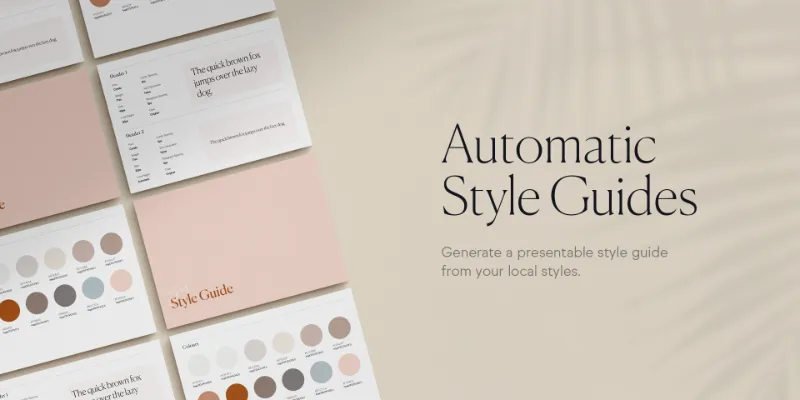
Preparing formal style guide documentation from your local styles (and keeping it updated!) has always felt like double entry to me. But thanks to the Figma API you can now prepare a presentable style guide for clients & developers with a click of a button.
🎥 Watch the tutorial 🎥
https://www.youtube.com/watch?v=2svaCq4xmHw
💪 How It Works 💪
Generate Color Swatches
- Create some local text & color styles
- Press Automatic Style Guides > Generate Color Swatches
- A new page called "Style Guide” has been added to your document
Generate A Style Guide
- Create some local text & color styles
- Press Automatic Style Guides > Generate Style Guide
- A new page called "Style Guide” has been added to your document
…or keep your own style guide updated with moustache tags!
- Create some local text & color styles
- Find the text layer you want updated with your local style property value
- Rename that text layer something like {{myTextStyle.fontSize}}
- Press Automatic Style Guides > Update Moustache Tags
- The text layer named {{myTextStyle.fontSize}} will have its contents updated to myTextStyle's font size (ie. 12px).
Available Merge Tags
Text Styles
- {{myTextStyle.id}}
- {{myTextStyle.type}}
- {{myTextStyle.name}}
- {{myTextStyle.description}}
- {{myTextStyle.fontFamily}}
- {{myTextStyle.fontStyle}}
- {{myTextStyle.fontSize}}
- {{myTextStyle.letterSpacing}}
- {{myTextStyle.lineHeight}}
- {{myTextStyle.textCase}}
- {{myTextStyle.textDecoration}}
- {{myTextStyle.paragraphSpacing}}
Color Styles
- {{myColorStyle.id}}
- {{myColorStyle.type}}
- {{myColorStyle.name}}
- {{myColorStyle.description}}
- {{myColorStyle.key}}
- {{myColorStyle.paints}}
- {{myColorStyle.r}}
- {{myColorStyle.g}}
- {{myColorStyle.b}}
- {{myColorStyle.a}}
- {{myColorStyle.rgba}}
- {{myColorStyle.hex}}
- {{myColorStyle.hsla}}
🚨 Warnings 🚨
- Styles that start with a space are not supported.
- Only the first fill of a local paint style will be used.
- Ensure that all styles are uniquely named. If not, it will be skipped.
- Everything is sensitive to case. If something isn't working, double check your sentence case.
- Please ensure there are no missing fonts in your file before running the plugin.
💥 Bugs or Feature Requests? 💥
Email support@jordangeizer.com - I'd love to hear of any ideas or issues you may have!
What's new
Version 16 · released Dec 5, 2022
- Bug Patch -
- Letter spacing values are now rounded
Permissions and privacy
Network access
This plugin's manifest doesn't declare its network access, which is common for older plugins. Figma shows a warning on the Community page for plugins like this.
Extra permissions
None beyond the standard access to the file you run it in.
Read from the plugin's published manifest.
Where Automatic Style Guides ranks
Automatic Style Guides alternatives
- 1

Styler
by Andrei Iancu
237K users3.5KFreeBulk management of styles based on layer properties.
- 2

Design Lint
by Daniel Destefanis
147K users5.8KFreeFind and fix errors in your designs
- 3

Styles & Variables Organizer
by Chenmu Wu
140K users3.3KFree + $15 upgradeApply styles and variables to all your designs with one click!
- 4

Specs Classic
by Directed Edges Plugins
139K users5.6KFree + $8/mo upgradeGenerate component specs including anatomy, props and layout & spacing
- 5

Figr Identity
by figr.design
136K users4.2KFreeGenerate production-grade design systems with components, variables & style sheets setup in Figma
- 6

Typography Style Guide
by hiloki
116K users1.3KFreeCreate the Typography Style Guide page in one shot.
Automatic Style Guides FAQ
What does Automatic Style Guides do?
Generate style guides. It's a Figma plugin by Jordan Geizer that runs in Figma Design.
Is Automatic Style Guides free?
Yes. Automatic Style Guides is free to install and run from the Figma Community, with no paid tier listed.
How do I install Automatic Style Guides?
Open it on the Figma Community, or search for it in the Actions menu (Cmd/Ctrl + K) inside any file you can edit. See how to install Figma plugins.
What are the best alternatives to Automatic Style Guides?
By user count, the closest alternatives are Styler, Design Lint and Styles & Variables Organizer. Compare all of them on the best Figma plugins for design systems.
Built this plugin?
Use this page as a landing page for Automatic Style Guides: link to it from your site, README or launch posts, or add a badge. Pick a style and copy the code.

Style
Label
Size
Code
<a href="https://figmaplugins.co/plugins/automatic-style-guides/" target="_blank" rel="noopener"><img src="https://figmaplugins.co/badges/featured-dark.svg" alt="Automatic Style Guides on figmaplugins.co" width="220" height="48"></a>