
On this page
About Codia AI Figma to code: Figma to full-stack Web and Mobile apps
Codia AI Figma to code: Figma to full-stack Web and Mobile apps is a free Figma plugin published by Codia.AI in 2023. It works in Figma Design and Dev Mode and has 147,633 users and 2,325 likes on the Figma Community. It ranks #6 in AI and #12 in Figma to Code on our lists.
In the developer's words
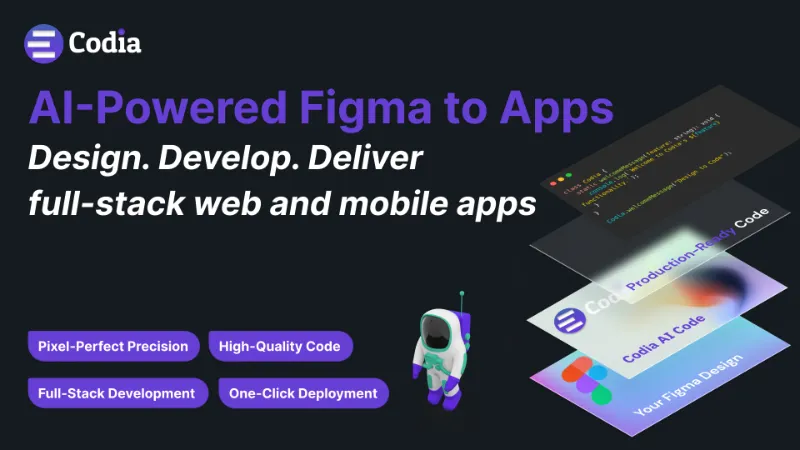
Join thousands of designers and developers worldwide who’ve generated over 400 million lines of code with Codia AI. Our newly upgraded AI model instantly converts your Figma designs into production-ready code for the web and mobile—so you can build, iterate, and deploy faster than ever.
Key Advantages
1. Pixel-Perfect Precision
Enjoy a seamless transfer of design details. Every spacing, color, and layout is accurately translated into code—no manual tweaks needed.
2. High-Quality Code
Our AI produces clean, readable code with intelligent naming conventions, ensuring a developer-friendly workflow and easy maintenance.
3. Full-Stack Development
Generate both front-end and back-end components for modern tech stacks. Codia AI supports a variety of web frameworks (React, Vue, Tailwind, TypeScript) and mobile technologies (Swift, Kotlin, Flutter, Jetpack Compose UI, and more).
4. One-Click Deployment
Streamline your release process. Deploy your new app or website instantly and get your product in front of users in record time.
How It Works
- Design in Figma – Create your UI with the same precision you always do.
- Run Codia AI– Convert your design into fully functional code with a single click.
- Tweak & Deploy – Make quick edits if needed and ship your product in minutes.
Your Privacy Matters
Your Figma designs are 100% private and never used to train our models. Just like ChatGPT, we rely on our own generated datasets. We’re committed to safeguarding your work and ensuring only you can access your designs and code outputs.
More Codia AI Capabilities
- Responsive Layouts: No more absolute positioning. Codia AI ensures every layout adapts to different screen sizes.
- Vision Engine: Advanced AI that accurately interprets document structure for optimized component generation.
- Smart Layer Merging: Clean, minimal code—automatically merged layers mean fewer headaches for developers.
Call to Action☎️
For support issues: Slack Twitter Email Codia.AI
The Codia team is based in Singapore, united by a passion for AI-driven development. We’re here to help you turn designs into reality faster than ever before.
Try Codia AI Figma to Code now and supercharge your design-to-development workflow!
What's new
Version 156 · released Oct 15, 2025
The developer didn't publish release notes for this version.
Permissions and privacy
Network access
Codia AI Figma to code: Figma to full-stack Web and Mobile apps's manifest allows network access to any domain ("*"), so Figma doesn't limit where it can send data.
- *
Extra permissions
- Reads your Figma name and avatar
Read from the plugin's published manifest.
Where Codia AI Figma to code: Figma to full-stack Web and Mobile apps ranks
Codia AI Figma to code: Figma to full-stack Web and Mobile apps alternatives
- 1

Anima
by Anima
1.8M users17KFreeAnima - AI Powered Design to code
- 2

Builder.io
by Steve Sewell
1.3M users23KFreeExport designs to clean, responsive code or turn Figma screens into AI apps and prototypes.
- 337K users1.9KFree
Convert Figma to Fully Responsive HTML CSS / React / Vue / Tailwind with AI
- 309K users5.8KFree
Capture, Transform, Create! Transform Screenshot into Stunning Editable Figma Designs with Ease!
- 5

Relume
by Relume
302K users6.2KFreeWebsites designed & built faster with AI
- 6

Text to Design
by Ollie Martynov
136K users1.3KFree + paid featuresTurn your ideas or images into Figma designs with AI.


Codia AI Figma to code: Figma to full-stack Web and Mobile apps FAQ
What does Codia AI Figma to code: Figma to full-stack Web and Mobile apps do?
Design. Develop. Deliver full-stack Web and Mobile apps. It's a Figma plugin by Codia.AI that runs in Figma Design and Dev Mode.
Is Codia AI Figma to code: Figma to full-stack Web and Mobile apps free?
Yes. Codia AI Figma to code: Figma to full-stack Web and Mobile apps is free to install and run from the Figma Community, with no paid tier listed.
Is Codia AI Figma to code: Figma to full-stack Web and Mobile apps safe to use?
Figma plugins can only reach the internet through domains listed in their manifest. Codia AI Figma to code: Figma to full-stack Web and Mobile apps's manifest allows network access to any domain ("*"), so Figma doesn't limit where it can send data. As with any plugin, check the developer's privacy policy before using it on client work.
How do I install Codia AI Figma to code: Figma to full-stack Web and Mobile apps?
Open it on the Figma Community, or search for it in the Actions menu (Cmd/Ctrl + K) inside any file you can edit. See how to install Figma plugins.
What are the best alternatives to Codia AI Figma to code: Figma to full-stack Web and Mobile apps?
By user count, the closest alternatives are Anima, Builder.io and Figma to Fully Responsive HTML & Clean Code 20x Faster with AI. Compare all of them on the best Figma plugins for ai.
Built this plugin?
Use this page as a landing page for Codia AI Figma to code: Figma to full-stack Web and Mobile apps: link to it from your site, README or launch posts, or add a badge. Pick a style and copy the code.

Style
Label
Size
Code
<a href="https://figmaplugins.co/plugins/codia-ai-figma-to-code-figma-to-full-stack-web-and-mobile-ap/" target="_blank" rel="noopener"><img src="https://figmaplugins.co/badges/featured-dark.svg" alt="Codia AI Figma to code: Figma to full-stack Web and Mobile apps on figmaplugins.co" width="220" height="48"></a>