
On this page
About Codia AI VectorMagic: Image to Full-Color Vector/PNG to SVG
Codia AI VectorMagic: Image to Full-Color Vector/PNG to SVG is a free Figma plugin published by Codia.AI in 2024. It works in Figma Design and FigJam and has 25,353 users and 247 likes on the Figma Community. It ranks #19 in SVG & Vector on our lists.
In the developer's words
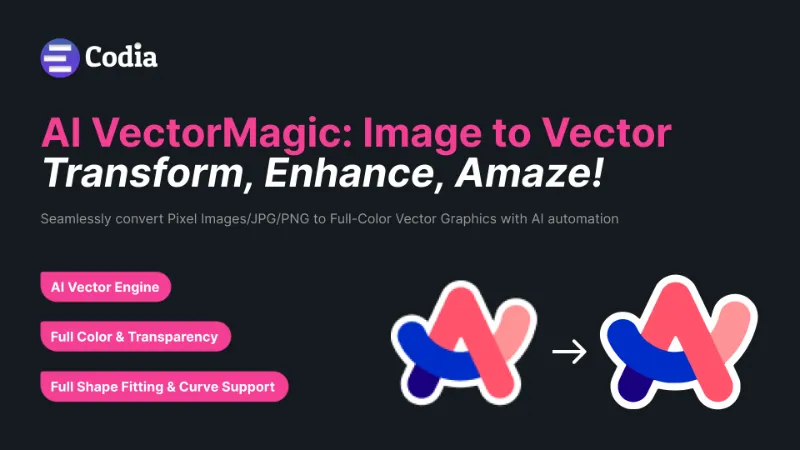
Transform your bitmap images into stunning, scalable vector graphics with the click of a button. Codia AI VectorMagic leverages advanced AI to offer a seamless transition from pixelated images to crisp, clean vectors. Perfect for designers, illustrators, and anyone looking to elevate their digital graphics.
How It Works
- PICK: Drag and drop any JPEG or PNG into the plugin. Starting with a pixel-based image, prepare to watch the magic happen.
- PROCESS: Our AI dives deep, converting your image into geometric shapes for flawless scalability. Say goodbye to blurs and hello to precision.
- DOWNLOAD: Preview the transformation, tweak if necessary, and download in SVG or PNG. Ready for any project.
Full Featured
- AI Vector Engine: Powered by the latest AI technology, combining deep learning with classical algorithms for unparalleled vectorization.
- Vector Graph: Unique computational geometry for automated edits and optimizations, achieving results beyond conventional methods.
- Full Shape Fitting & Curve Support: From Bezier curves to complex shapes, our technology ensures perfect fit and consistency.
- Clean Corners & High Performance: Meticulously crafted corners and high-speed processing for natural-looking vectors without waiting.
- Sub-Pixel Precision & Full Automation: Capturing the finest details automatically, requiring no manual input for a hassle-free experience.
- Versatile Image Types & Pre-Crop Feature: Ideal for logos, sketches, and even photographs. Maximize quality with smart cropping.
- Full Color & Transparency: Embrace the full spectrum of 32-bit color, including transparency for vibrant, true-to-life vectors.
Elevate your design workflow with Codia AI VectorMagic. Experience the future of vectorization today and bring unparalleled clarity and scalability to your digital art.
Call to Action☎️
What's new
Version 35 · released May 19, 2026
The developer didn't publish release notes for this version.
Permissions and privacy
Network access
Codia AI VectorMagic: Image to Full-Color Vector/PNG to SVG's manifest allows network access to any domain ("*"), so Figma doesn't limit where it can send data.
- *
Extra permissions
- Reads your Figma name and avatar
Read from the plugin's published manifest.
Where Codia AI VectorMagic: Image to Full-Color Vector/PNG to SVG ranks
Codia AI VectorMagic: Image to Full-Color Vector/PNG to SVG alternatives
- 1

To Path
by last night
866K users12KFree - 2

Image Tracer
by Dave
809K users7.8KFree + paid featuresEasily convert images into vector layers directly in Figma.
- 3

Vectorize Bitmap
by Patrik Schiller
242K users1.3KFreeA tool for converting raster images to vector images
- 4

Vectorized
by HurryFlash
214K users1.2KFreeConvert bitmap-type images into vector graphics
- 5

Vectorize
by Liam McCabe
212K users1.2KFree - 6

BlendingMe
by Anashkin Andrey
159K users2.4KFreeBlendingMe is a user-friendly plugin that allows you to blend two paths, lines, ellipses, rectangles
Codia AI VectorMagic: Image to Full-Color Vector/PNG to SVG FAQ
What does Codia AI VectorMagic: Image to Full-Color Vector/PNG to SVG do?
Seamlessly convert Pixel Images/JPG/PNG to Full-Color Vector Graphics with AI automation. It's a Figma plugin by Codia.AI that runs in Figma Design and FigJam.
Is Codia AI VectorMagic: Image to Full-Color Vector/PNG to SVG free?
Yes. Codia AI VectorMagic: Image to Full-Color Vector/PNG to SVG is free to install and run from the Figma Community, with no paid tier listed.
Is Codia AI VectorMagic: Image to Full-Color Vector/PNG to SVG safe to use?
Figma plugins can only reach the internet through domains listed in their manifest. Codia AI VectorMagic: Image to Full-Color Vector/PNG to SVG's manifest allows network access to any domain ("*"), so Figma doesn't limit where it can send data. As with any plugin, check the developer's privacy policy before using it on client work.
How do I install Codia AI VectorMagic: Image to Full-Color Vector/PNG to SVG?
Open it on the Figma Community, or search for it in the Actions menu (Cmd/Ctrl + K) inside any file you can edit. See how to install Figma plugins.
What are the best alternatives to Codia AI VectorMagic: Image to Full-Color Vector/PNG to SVG?
By user count, the closest alternatives are To Path, Image Tracer and Vectorize Bitmap. Compare all of them on the best Figma plugins for svg & vector.
Built this plugin?
Use this page as a landing page for Codia AI VectorMagic: Image to Full-Color Vector/PNG to SVG: link to it from your site, README or launch posts, or add a badge. Pick a style and copy the code.

Style
Label
Size
Code
<a href="https://figmaplugins.co/plugins/codia-ai-vectormagic-image-to-full-color-vector-png-to-svg/" target="_blank" rel="noopener"><img src="https://figmaplugins.co/badges/featured-dark.svg" alt="Codia AI VectorMagic: Image to Full-Color Vector/PNG to SVG on figmaplugins.co" width="220" height="48"></a>