On this page
About Color contrast
Color contrast is a free Figma plugin published by Aleksandra Walczak in 2021. It works in Figma Design and has 82,252 users and 474 likes on the Figma Community. It ranks #5 in Accessibility on our lists.
In the developer's words
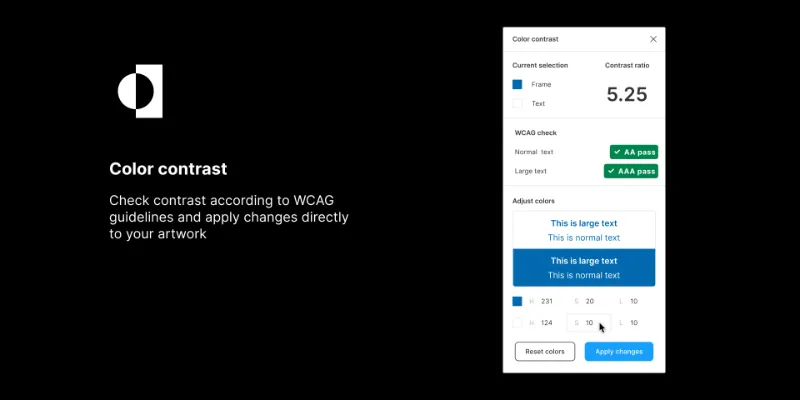
Check contrast according to WCAG guidelines and apply changes directly to your artwork.
How to use
- Select any 1 or 2 layers
- Check the contrast
- Make changes if needed
- Apply the changes to your designs
---
Any feedback is welcome at olka@hey.com
What's new
Version 5 · released Jun 7, 2026
- Added data security info
Permissions and privacy
Network access
Color contrast declares no network access, so it runs entirely inside Figma and can't send your file anywhere.
Extra permissions
None beyond the standard access to the file you run it in.
Read from the plugin's published manifest.
Where Color contrast ranks
Color contrast alternatives
- 1

Stark
by Stark
577K users10KFreeFix Color Contrast and Typography issues and add WCAG annotations for a smooth design to dev handoff
- 2

Contrast
by Alex Carr
515K users8.3KFreeQuickly check and scan for contrast issues on gradients, images, blends, and fills.
- 3

A11y
by Kelly Gorr
315K users4.7KFreeText color accessibility
- 4
UI Color Palette /one・WCAG Color Palette Manager for Apps & Websites
by Aurélien Grimaud
92K users814Free + $8/mo upgradeColor Palettes that meet WCAG Guidelines and Operations (tailored for individuals)
- 5

Contrast
by Roman Nurik
72K users341FreeQuickly run a visual contrast report on your design.
- 6
Contrast Checker
by Lucas Amorim
54K users186FreeCheck contrast in your UI design
Color contrast FAQ
What does Color contrast do?
Color contrast checker. It's a Figma plugin by Aleksandra Walczak that runs in Figma Design.
Is Color contrast free?
Yes. Color contrast is free to install and run from the Figma Community, with no paid tier listed.
Is Color contrast safe to use?
Figma plugins can only reach the internet through domains listed in their manifest. Color contrast declares no network access, so it runs entirely inside Figma and can't send your file anywhere. As with any plugin, check the developer's privacy policy before using it on client work.
How do I install Color contrast?
Open it on the Figma Community, or search for it in the Actions menu (Cmd/Ctrl + K) inside any file you can edit. See how to install Figma plugins.
What are the best alternatives to Color contrast?
By user count, the closest alternatives are Stark, Contrast by Alex Carr and A11y. Compare all of them on the best Figma plugins for accessibility.
Built this plugin?
Use this page as a landing page for Color contrast: link to it from your site, README or launch posts, or add a badge. Pick a style and copy the code.

Style
Label
Size
Code
<a href="https://figmaplugins.co/plugins/color-contrast/" target="_blank" rel="noopener"><img src="https://figmaplugins.co/badges/featured-dark.svg" alt="Color contrast on figmaplugins.co" width="220" height="48"></a>