
On this page
About ColorBox
ColorBox is a free Figma plugin published by Kevyn Arnott in 2020. It works in Figma Design and has 26,912 users and 403 likes on the Figma Community. It ranks #15 in Variables & Tokens and #15 in Accessibility on our lists.
In the developer's words
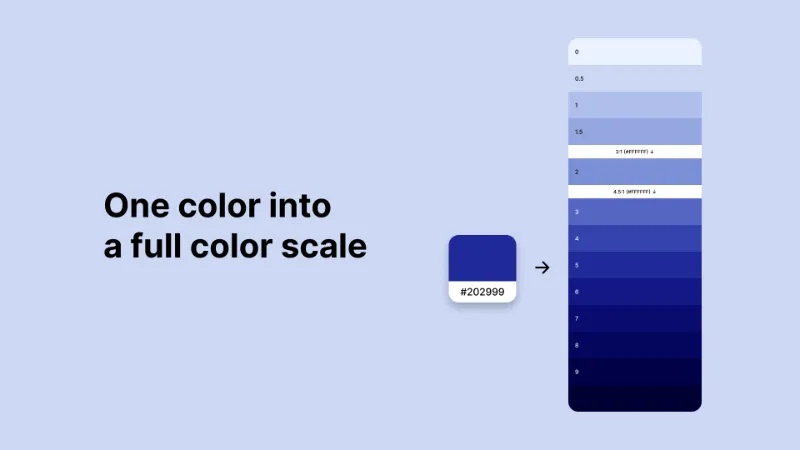
ColorBox helps you generate consistent, accessible color palettes and scales for your design system.
Create usable color ramps from a single color, export them as Figma styles or variables, and quickly set up light and dark mode without guesswork.
Use ColorBox when defining a design system, fixing inconsistent palettes, or standardizing colors across teams.
What's new
Version 18 · released Jan 5, 2026
The developer didn't publish release notes for this version.
Permissions and privacy
Network access
ColorBox can only connect to the domain declared in its manifest: colorbox.io.
- colorbox.io
Extra permissions
None beyond the standard access to the file you run it in.
Read from the plugin's published manifest.
Where ColorBox ranks
ColorBox alternatives
- 1

Tokens Studio for Figma
by Jan Six
369K users7.6KFree + paid featuresThe scalable design tokens solution for Figma
- 2

Design System Organizer
by Arthur
205K users3.1KFree + paid featuresExtended swap for variables/styles/components, export variables/styles, bulk-audit library & mockups
- 3

Styles & Variables Organizer
by Chenmu Wu
140K users3.3KFree + $15 upgradeApply styles and variables to all your designs with one click!
- 4

Export/Import Variables
by Honza Toman
91K users1.7KFreeExport variables from one file and import them to another. Supports modes, references, and scopes.
- 5

Styles to Variables
by Yann-Edern Gillet
90K users1.1KFreeConvert your Figma Styles into Variables
- 6

Variables Pro
by Figterate
82K users479FreeVariables Pro | Swap, Import, Export Variables
ColorBox FAQ
What does ColorBox do?
Generate accessible color scales, palettes, and variables for your design system. It's a Figma plugin by Kevyn Arnott that runs in Figma Design.
Is ColorBox free?
Yes. ColorBox is free to install and run from the Figma Community, with no paid tier listed.
Is ColorBox safe to use?
Figma plugins can only reach the internet through domains listed in their manifest. ColorBox can only connect to the domain declared in its manifest: colorbox.io. As with any plugin, check the developer's privacy policy before using it on client work.
How do I install ColorBox?
Open it on the Figma Community, or search for it in the Actions menu (Cmd/Ctrl + K) inside any file you can edit. See how to install Figma plugins.
What are the best alternatives to ColorBox?
By user count, the closest alternatives are Tokens Studio for Figma, Design System Organizer and Styles & Variables Organizer. Compare all of them on the best Figma plugins for variables & tokens.
Built this plugin?
Use this page as a landing page for ColorBox: link to it from your site, README or launch posts, or add a badge. Pick a style and copy the code.

Style
Label
Size
Code
<a href="https://figmaplugins.co/plugins/colorbox/" target="_blank" rel="noopener"><img src="https://figmaplugins.co/badges/featured-dark.svg" alt="ColorBox on figmaplugins.co" width="220" height="48"></a>