
On this page
About Confetti Genie
Confetti Genie is a free Figma plugin published by Abhijit Chirde in 2021. It works in Figma Buzz, Figma Design, Figma Slides and FigJam and has 41,207 users and 369 likes on the Figma Community. It ranks #12 in Figma Slides on our lists.
In the developer's words
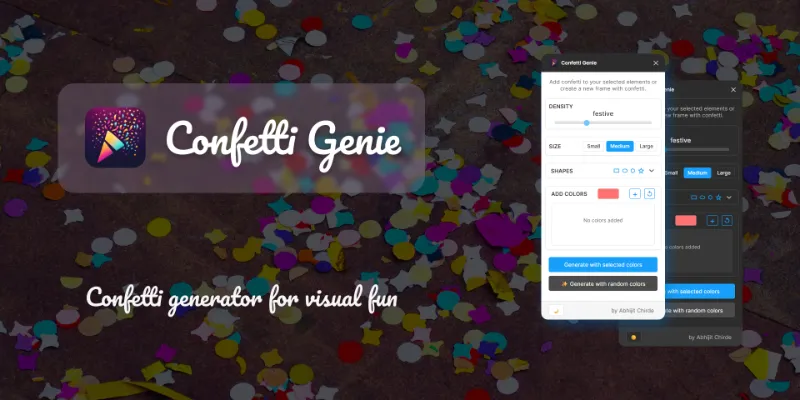
Generate beautiful, random confetti patterns on your canvas with customizable shapes, colors, density, and size.
Works Across All Figma Apps!
⭐ Shape Variety
- Rectangles - Classic rectangular pieces
- Ellipses - Circular confetti elements
- Polygons - Multi-sided geometric shapes (3-6 sides)
- Stars - Sparkling star shapes (4-6 points)
You can select one or more shape types, or use all of them together for maximum variety. All shapes are enabled by default.
🎨 Color Control
- Custom Colors: Add your own color palette using the color picker. Build a collection of colors that match your brand or design theme
- Random Colors: Let Confetti Genie generate vibrant, random colors for a spontaneous celebration effect
- Color Palette Management: Add multiple colors, remove individual colors, or reset to default
⚙️ Tips & Best Practices
- Density Guidelines: Use lower density (30-80) for subtle accents, medium (80-150) for balanced designs, and high (150-300) for maximum celebration impact
- Color Harmony: For brand consistency, add your brand colors to the palette. For fun, spontaneous designs, use random colors
- Size Considerations: Larger sizes work great for backgrounds and hero sections, while smaller sizes are perfect for subtle decorative elements
- Shape Combinations: Mix different shapes for variety, or use a single shape type for a more uniform look
- Multiple Targets: You can select multiple frames at once - confetti will be generated in all selected targets
What's new
Version 24 · released Nov 15, 2025
The developer didn't publish release notes for this version.
Permissions and privacy
Network access
Confetti Genie declares no network access, so it runs entirely inside Figma and can't send your file anywhere.
Extra permissions
None beyond the standard access to the file you run it in.
Read from the plugin's published manifest. Questions about data handling go to the developer's support page.
Where Confetti Genie ranks
Confetti Genie alternatives
- 1

Icons8
by Icons8 Team
2.2M users9.4KFree + paid featuresAll our graphics at your fingertips.
- 2

LottieFiles
by LottieFiles
990K users15KFreeAnimate Your Designs with Lottie Animations
- 3

Artboard Mockups
by Artboard Studio
935K users9.1KFree + paid featuresDevice mockups, branding mockups, apparel mockups and more
- 4

Vectary
by VECTARY
792K users10KFree + paid featuresLoad your 3D models, set your view and materials as you desire and export it to a frame!
- 5

Mockuuups Studio
by Mockuuups
587K users5.7KFree + paid featuresMockup generator with 5100+ mockups.
- 6

Jitter
by Jitter
507K users12KFreeAnimate your Figma designs, export to video / GIF / Lottie, handoff animation specs to developers
Confetti Genie FAQ
What does Confetti Genie do?
Generate confetti in all Figma apps. It's a Figma plugin by Abhijit Chirde that runs in Figma Buzz, Figma Design, Figma Slides and FigJam.
Is Confetti Genie free?
Yes. Confetti Genie is free to install and run from the Figma Community, with no paid tier listed.
Is Confetti Genie safe to use?
Figma plugins can only reach the internet through domains listed in their manifest. Confetti Genie declares no network access, so it runs entirely inside Figma and can't send your file anywhere. As with any plugin, check the developer's privacy policy before using it on client work.
How do I install Confetti Genie?
Open it on the Figma Community, or search for it in the Actions menu (Cmd/Ctrl + K) inside any file you can edit. See how to install Figma plugins.
What are the best alternatives to Confetti Genie?
By user count, the closest alternatives are Icons8, LottieFiles and Artboard Mockups. Compare all of them on the best Figma plugins for figma slides.
Built this plugin?
Use this page as a landing page for Confetti Genie: link to it from your site, README or launch posts, or add a badge. Pick a style and copy the code.

Style
Label
Size
Code
<a href="https://figmaplugins.co/plugins/confetti-genie/" target="_blank" rel="noopener"><img src="https://figmaplugins.co/badges/featured-dark.svg" alt="Confetti Genie on figmaplugins.co" width="220" height="48"></a>