
On this page
About 设计标注 Design Mark
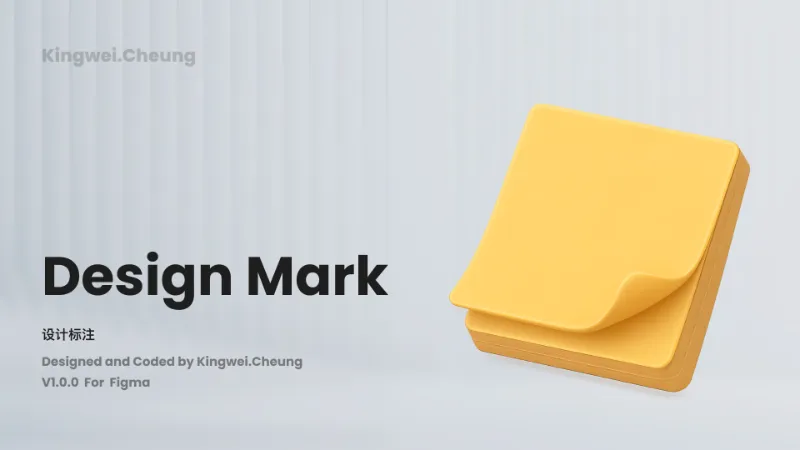
设计标注 Design Mark is a free Figma plugin published by KingweiCheung in 2023. It works in Figma Design and has 3,885 users and 128 likes on the Figma Community. It ranks #16 in Annotations on our lists.
In the developer's words
Introduction
Mark Symbols is a specialized annotation tool designed for UI/UX designers. It meets your needs for manual annotations, key point identification, and more within your design drafts. Now supporting both Figma and Sketch, this plugin offers a comprehensive solution for adding precise dimensions, spacing annotations, and auxiliary content to your design projects.
Function Description
- Dimension and Spacing Annotations: Easily add measurements and spacing indicators to your designs.
- Design Key Point Markings: Highlight important elements within your design.
- Auxiliary Content for Design Plans: Provide additional contextual information to enhance your design documentation.
Usage
- Select Your Frame: Choose the area or frame in your design where you want to add annotations.
- Apply Annotations: Use the plugin’s interface to select the type of annotation you need (dimensions, spacing, key points).
- Adjust and Customize: Fine-tune the placement and appearance of your annotations to match your design style.
Notes
- Ensure your design elements are grouped correctly to avoid misplacement of annotations.
- This plugin is optimized for both Figma and Sketch; functionality may vary slightly between platforms.
- For complex designs, it’s recommended to annotate incrementally to maintain performance.
- For more usage instructions or the Sketch version, visit: https://marksymbols.kingwei.ltd/
介绍
【Mark Symbols】是一款专为UI/UX设计师打造的标注工具。它能够满足您在设计稿中进行手动标注、关键点标识等需求。该插件现已支持Figma和Sketch两款主流设计平台,为您的设计项目提供精准的尺寸、间距标注以及辅助内容标识等功能。
功能说明
- 尺寸及间距标注: 轻松为您的设计添加尺寸和间距标识。
- 设计要点标注: 突出显示设计中的重要元素。
- 设计方案辅助内容: 提供额外的上下文信息以增强设计文档。
使用方法
- 选择框架: 选择您希望添加标注的设计区域或框架。
- 应用标注: 使用插件界面选择您需要的标注类型(尺寸、间距、关键点)。
- 调整和自定义: 根据您的设计风格微调标注的位置和外观。
注意事项
- 确保您的设计元素正确分组,以避免标注错位。
- 该插件已针对Figma和Sketch进行了优化,不同平台之间的功能可能略有不同。
- 对于复杂设计,建议逐步添加标注以保持性能。
- 关于工具的更多使用说明,或sketch版本可查看:https://marksymbols.kingwei.ltd/
What's new
Version 7 · released Apr 26, 2026
- This update adds support for Spanish, Portuguese (Brazil), French, Russian, Japanese, German, Indonesian, Vietnamese, Turkish, Bengali, Swahili, Thai, Filipino, and Urdu, plus RTL support for Arabic and Hebrew, with accurate translations and no impact on existing features.
Permissions and privacy
Network access
设计标注 Design Mark declares no network access, so it runs entirely inside Figma and can't send your file anywhere.
Extra permissions
None beyond the standard access to the file you run it in.
Read from the plugin's published manifest.
Where 设计标注 Design Mark ranks
设计标注 Design Mark alternatives
- 1

Measure
by Philip
158K users3.2KFreeAdd measurement lines and additional helpful information to your designs
- 2

Redlines
by Danny Keane
141K users3.8KFree - 3

Specs Classic
by Directed Edges Plugins
136K users5.5KFree + $8/mo upgradeGenerate component specs including anatomy, props and layout & spacing
- 4

DesignDoc [Spectral]: Measures, Annotations, and Handoff
by Marka Plugin Dev
132K users3KFree📐 Effortlessly hand off your Figma designs to the development team
- 5

Accessibility Assistant
by Eugene Gavriloff
38K users1.6KFreeAdd reader output and focus order to your layout
- 6
Annotate Design
by Alexandru Buncea
35K users485FreeQuickly add annotations to your designs
设计标注 Design Mark FAQ
What does 设计标注 Design Mark do?
Easily add dimensions and key points to your designs. It's a Figma plugin by KingweiCheung that runs in Figma Design.
Is 设计标注 Design Mark free?
Yes. 设计标注 Design Mark is free to install and run from the Figma Community, with no paid tier listed.
Is 设计标注 Design Mark safe to use?
Figma plugins can only reach the internet through domains listed in their manifest. 设计标注 Design Mark declares no network access, so it runs entirely inside Figma and can't send your file anywhere. As with any plugin, check the developer's privacy policy before using it on client work.
How do I install 设计标注 Design Mark?
Open it on the Figma Community, or search for it in the Actions menu (Cmd/Ctrl + K) inside any file you can edit. See how to install Figma plugins.
What are the best alternatives to 设计标注 Design Mark?
By user count, the closest alternatives are Measure, Redlines and Specs Classic. Compare all of them on the best Figma plugins for annotations.
Built this plugin?
Use this page as a landing page for 设计标注 Design Mark: link to it from your site, README or launch posts, or add a badge. Pick a style and copy the code.

Style
Label
Size
Code
<a href="https://figmaplugins.co/plugins/design-mark/" target="_blank" rel="noopener"><img src="https://figmaplugins.co/badges/featured-dark.svg" alt="设计标注 Design Mark on figmaplugins.co" width="220" height="48"></a>