
About Faker
Faker is a free Figma plugin published by Cory Etzkorn in 2020. It works in Figma Design and FigJam and has 50,286 users and 767 likes on the Figma Community. It ranks #18 in Mock Data & Content on our lists.
In the developer's words
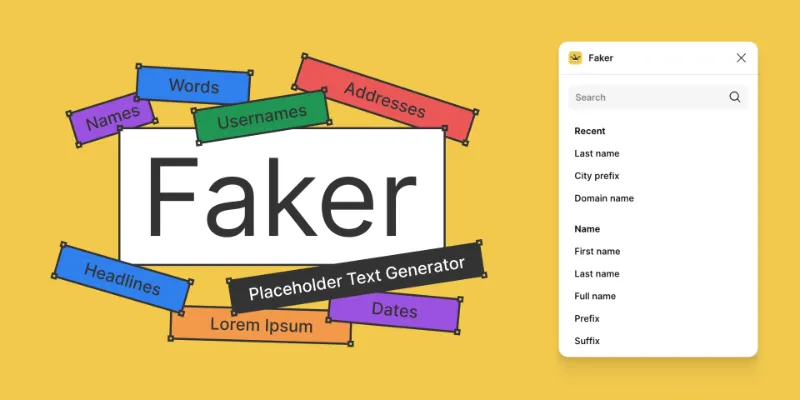
Quickly generate realistic placeholder text. Names, emails, URLs, headlines, and more.
To use
1. Select one or more objects
2. Open the plugin and select a placeholder text option
Any text nodes in the selection will be replaced with the Faker text of your choice.
Data included
- Names
- Addresses
- Companies
- Phone numbers
- Dates
- Lorem Ipsum
- Internet text
- Commerce text
- Finance text
- Random text
- Computer system text
- Hacker text
This plugin is based on faker.js
What's new
Version 5 · released May 2, 2020
- Updated cover art and icon.
Permissions and privacy
Network access
This plugin's manifest doesn't declare its network access, which is common for older plugins. Figma shows a warning on the Community page for plugins like this.
Extra permissions
None beyond the standard access to the file you run it in.
Read from the plugin's published manifest. Questions about data handling go to the developer's support page.
Where Faker ranks
Faker alternatives
- 1

Lorem Ipsum
by divRIOTS
1.2M users11KFreeFill your designs with placeholders in a click: text, images and even data!
- 2

Content Reel
by Eugene Gavriloff
1.1M users17KFreeDesign layouts more efficiently by pulling text strings, images, and icons.
- 3

Avatars
by Dylan Feltus
457K users2.7KFreeRealistic avatars, one click.
- 4

User Profile
by Janis Rozenfelds
427K users3KFreeEnables designers to display beautiful generated avatars.
- 5

UI Faces
by Aleksandar Tasevski
379K users2.7KFreeFree, AI-generated avatars for your creative projects.
- 6

LORE
by Robert Coyle
244K users619FreeThe Lorem Ipsum Generator
Faker FAQ
What does Faker do?
Realistic placeholder text. Names, emails, URLs, headlines, and more. It's a Figma plugin by Cory Etzkorn that runs in Figma Design and FigJam.
Is Faker free?
Yes. Faker is free to install and run from the Figma Community, with no paid tier listed.
How do I install Faker?
Open it on the Figma Community, or search for it in the Actions menu (Cmd/Ctrl + K) inside any file you can edit. See how to install Figma plugins.
What are the best alternatives to Faker?
By user count, the closest alternatives are Lorem Ipsum, Content Reel and Avatars by Dylan Feltus. Compare all of them on the best Figma plugins for mock data & content.
Built this plugin?
Use this page as a landing page for Faker: link to it from your site, README or launch posts, or add a badge. Pick a style and copy the code.

Style
Label
Size
Code
<a href="https://figmaplugins.co/plugins/faker/" target="_blank" rel="noopener"><img src="https://figmaplugins.co/badges/featured-dark.svg" alt="Faker on figmaplugins.co" width="220" height="48"></a>Want it featured on figmaplugins.co? Submit it for review