
On this page
About Figma Exporter
Figma Exporter is a free Figma plugin published by JerryKhw in 2022. It works in Figma Design and Dev Mode and has 112,135 users and 490 likes on the Figma Community. It ranks #4 in Developers and #20 in Import & Export on our lists.
In the developer's words
Figma Exporter
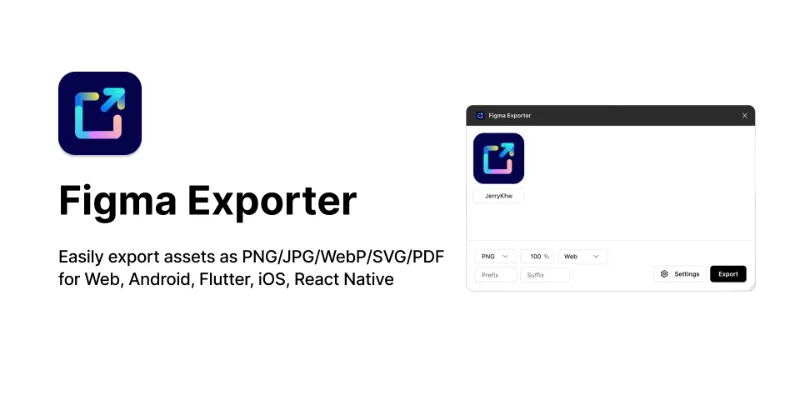
Easily export assets as PNG/JPG/WebP/SVG/PDF for Web, Android, Flutter, iOS, React Native
Issues & Features · ☕ Support the Project
Features
- 🎨 Multiple Export Formats: Export as PNG, JPG, WebP, SVG, or PDF
- 📱 Platform Optimized: Tailored exports for Web, Android, Flutter, iOS, and React Native
- ⚡ Batch Export: Export multiple assets at once
- 🔧 Customizable Settings: Configure export parameters to fit your needs
Installation
1. Open Figma
2. Go to Plugins > Browse plugins in Community
3. Search for "Figma Exporter"
4. Click Install
⚠️ Note: This plugin requires write access to your Figma file to function properly.
How to Use
1. Select the frames or components you want to export
2. Right-click and choose Plugins > Figma Exporter
3. Choose your export format and platform settings
4. Click Export to download your assets
Export Structure
When exporting for different platforms, assets are organized as follows:
├── Web
│ └── img.png
├── Android
│ ├── drawable-mdpi
│ │ └── img.png
│ ├── drawable-hdpi
│ │ └── img.png
│ ├── drawable-xhdpi
│ │ └── img.png
│ ├── drawable-xxhdpi
│ │ └── img.png
│ └── drawable-xxxhdpi
│ └── img.png
├── iOS
│ ├── img.png
│ ├── img@2x.png
│ └── img@3x.png
├── Flutter
│ ├── 1.5x
│ │ └── img.png
│ ├── 2x
│ │ └── img.png
│ ├── 3x
│ │ └── img.png
│ ├── 4x
│ │ └── img.png
│ └── img.png
└── React Native
├── img.png
├── img@2x.png
└── img@3x.png
What's new
Version 20 · released Apr 6, 2026
- Added multilingual support (en, ja, fr, de, es, es-419, ko, pt-BR, zh-CN, zh-TW)
Permissions and privacy
Network access
Figma Exporter declares no network access, so it runs entirely inside Figma and can't send your file anywhere.
Extra permissions
None beyond the standard access to the file you run it in.
Read from the plugin's published manifest.
Where Figma Exporter ranks
Figma Exporter alternatives
- 1

Zeplin
by Zeplin Crew
291K users2.9KFree + paid featuresDesign tools are for designing. Zeplin is for clear, structured design delivery.
- 2

Inspect Styles
by max.denaro
136K users3.9KFreeInspect styles from Figma and transform to CSS
- 3

DesignDoc [Spectral]: Measures, Annotations, and Handoff
by Marka Plugin Dev
132K users3KFree📐 Effortlessly hand off your Figma designs to the development team
- 4

Tailwind CSS Color Generator
by Erik de Vries
108K users3.6KFreeCreate custom Tailwind CSS color scales based on a given Hex code or HSL color
- 5

Jira
by Figma Community
81K users552FreeConnect Figma Designs to Jira Issues
- 6

Design Tokens
by Lukas Oppermann
62K users1.9KFreeExport design tokens to JSON or GitHub.
Figma Exporter FAQ
What does Figma Exporter do?
Easily export assets as PNG/JPG/WebP/SVG/PDF for Web, Android, Flutter, iOS, React Native. It's a Figma plugin by JerryKhw that runs in Figma Design and Dev Mode.
Is Figma Exporter free?
Yes. Figma Exporter is free to install and run from the Figma Community, with no paid tier listed.
Is Figma Exporter safe to use?
Figma plugins can only reach the internet through domains listed in their manifest. Figma Exporter declares no network access, so it runs entirely inside Figma and can't send your file anywhere. As with any plugin, check the developer's privacy policy before using it on client work.
How do I install Figma Exporter?
Open it on the Figma Community, or search for it in the Actions menu (Cmd/Ctrl + K) inside any file you can edit. See how to install Figma plugins.
What are the best alternatives to Figma Exporter?
By user count, the closest alternatives are Zeplin, Inspect Styles and [DesignDoc [Spectral]: Measures, Annotations, and Handoff](/plugins/designdoc-spectral-measures-annotations-and-handoff/). Compare all of them on the best Figma plugins for developers.
Built this plugin?
Use this page as a landing page for Figma Exporter: link to it from your site, README or launch posts, or add a badge. Pick a style and copy the code.

Style
Label
Size
Code
<a href="https://figmaplugins.co/plugins/figma-exporter/" target="_blank" rel="noopener"><img src="https://figmaplugins.co/badges/featured-dark.svg" alt="Figma Exporter on figmaplugins.co" width="220" height="48"></a>