The best Figma plugins for developers in 2026
Zeplin is the most-used Figma plugin for developers, with 291K users. Below it, most of the list is small tools that each answer one question a developer asks of a design file: what's the CSS, where are the assets, and what are the token values.
Top 20 picks


Inspect Styles
#1 · 136K users
Quick answer
Our top picks
- #2
Best for grabbing CSS
Inspect Styles
by max.denaro
Inspect Styles shows the styles of any selected layer as CSS and also shows its SVG code. It's quick for developers who want CSS without switching into Dev Mode. It runs in Figma Design only, so it won't appear in the Dev Mode plugins tab.136K 3.9KFree - #4
Best for multi-platform asset export

Figma Exporter
by JerryKhw
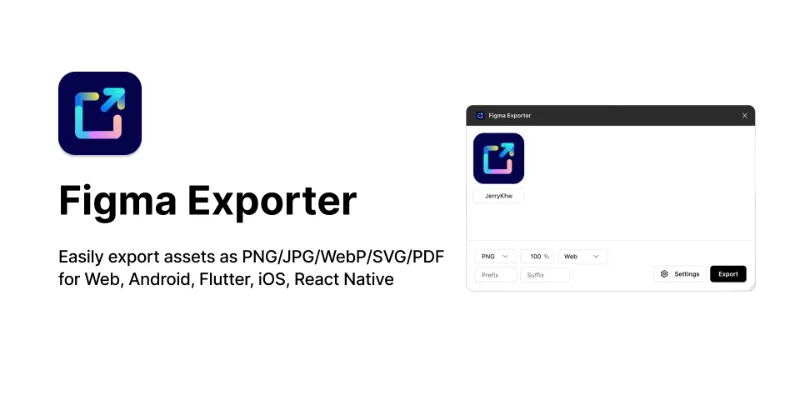
Figma Exporter exports PNG, JPG, WebP, SVG or PDF with presets for Web, Android, Flutter, iOS and React Native. It runs in both Figma Design and Dev Mode. Native export settings already handle scales and formats, so its value is in the platform presets and batch exports.112K 490Free - #7
Best for syncing tokens to a repo

Design Tokens
by Lukas Oppermann
Design Tokens exports Figma styles and custom tokens to Style Dictionary-ready JSON, or syncs them to GitHub. It fits teams already running Style Dictionary in their build. If your system now lives in Figma variables, compare it with Figma's native DTCG export and variables2css before choosing.62K 1.9KFree
The full list
The 20 most-used Figma plugins for developers
- 01

Zeplin
Design tools are for designing. Zeplin is for clear, structured design delivery.
Free + paid · 2.9K likes
291K2.9KFree + paid - 02136K3.9KFree
- 03

DesignDoc [Spectral]: Measures, Annotations, and Handoff
📐 Effortlessly hand off your Figma designs to the development team
Free · 3K likes
132K3KFree - 04
Figma Exporter
Easily export assets as PNG/JPG/WebP/SVG/PDF for Web, Android, Flutter, iOS, React Native
Free · 490 likes
112K490Free - 05

Tailwind CSS Color Generator
Create custom Tailwind CSS color scales based on a given Hex code or HSL color
Free · 3.6K likes
108K3.6KFree - 06
 81K552Free
 - 0762K1.9KFree
- 08
 61K1KFree
 - 09
 56K375Free
 - 10
 53K606Free
 - 11
 46K291Free
 - 12

Pretty Shadows
Create stunning and visually captivating shadows using the power of CSS.
Free · 286 likes
43K286Free - 13
 43K1.4KFree
 - 14
 41K1.3KFree
 - 15

Design Systems
Generate complete design systems from Bootstrap, Tailwind, Material UI & more — with AI-powered layo
Free · 174 likes
40K174Free - 16

SVG Converter
Boosting your workflow efficiency: transforming your icons into code instantly!
Free · 123 likes
39K123Free - 17
 35K525Free
 - 18
 32K144Free
 - 19
 28K361Free
 - 20

variables2css
Convert Figma Variables to CSS, Sass, Tailwind, Json, Javascript (Styled-Components), Less or Stylus
Free · 353 likes
28K353Free
Buying guide
What to look for
Developers with a Dev or Full seat already get Dev Mode's inspect panel, code snippets and asset export. The plugins here fill gaps around that: exporting assets for Android, Flutter or React Native at the right sizes, turning styles and variables into Tailwind or CSS, and linking frames to Jira or Storybook. Full design-to-code converters have their own ranking on our Figma to code list.
Tokens are the part worth automating first. Copying hex values from an inspect panel works until the palette changes; exporting tokens to JSON, CSS or a Tailwind theme gives both sides one source of truth. Figma now exports variables as DTCG JSON natively, and plugins cover the formats it doesn't.
- 01
Runs where you work
Some plugins run only in Figma Design, others in Dev Mode too. If you live in Dev Mode, check the plugin page's editor list before installing.
- 02
Output matches your stack
CSS, SCSS, Tailwind config, Style Dictionary JSON, Swift or Android resources: pick a plugin that writes the format your build already uses.
- 03
Reads variables, not raw values
Code that references
--color-accentsurvives a rebrand; code with#3B82F6doesn't. Prefer tools that output variable and style names. - 04
Read-only by default
Developers usually don't want to change the file. Inspection and export plugins that only read the design are safe to run on shared files.
- 05
Repo connection
For tokens, a plugin that can push to GitHub or produce a file you commit beats one you copy from by hand every sprint.
FAQ
Frequently asked questions
What is the best Figma plugin for developers?
Zeplin has the most users at 291K, but it's a handoff app, not a quick utility. For daily work, most developers want a CSS inspector, an asset exporter and a token exporter, like the three picks above.
Do developers need Dev Mode to use Figma plugins?
No. Plugins in Figma Design work on any plan. Dev Mode plugins need a Dev or Full seat on a paid plan, and only plugins built for Dev Mode show up there.
How do I export Figma variables for developers?
In the Variables view, right-click a collection and choose Export modes to get DTCG JSON files, one per mode. For CSS or Tailwind, use a plugin or run the JSON through Style Dictionary. Our export variables guide has the steps.
How do I export Figma assets for Android and iOS?
Add export settings to a layer (PNG, JPG, SVG or PDF at 1x, 2x, 3x and so on) and export from the right sidebar or Dev Mode. Figma Exporter adds presets for Android, iOS, Flutter and React Native.
How do I connect Figma to Jira or GitHub?
Figma publishes Jira and GitHub plugins that run in Dev Mode and link frames to issues and pull requests. More handoff tools are on our Dev Mode plugins list.
Keep exploring
Related lists and guides




Figma to Code
turning designs into code
See the top picks

Dev Handoff
developer handoff and Dev Mode
See the top picks

Variables & Tokens
variables and design tokens
See the top picksGuides
- How to Open Figma in Dev ModeOpen Figma Dev Mode with Shift+D or the toolbar toggle. Which plans and seats get it, why you see "can't access Dev Mode", and how to inspect without it.
- How to Export Figma Variables to JSON (and CSS, Tailwind or CSV)Export Figma variables to JSON natively, convert them to CSS or Tailwind with Style Dictionary, and move variables between files with Variable Master.
- Figma Annotations: How They Work and Who Can See ThemHow Figma annotations work in Design and Dev Mode, which seats can add and view them, how they differ from comments, and when an annotation plugin helps.
- How to Make Design Specs in FigmaWhat a Figma design spec should include, how to build a component spec template by hand, what Dev Mode already covers, and how to generate specs with Autospec.