
On this page
About Figma Variables to JSON
Figma Variables to JSON is a free Figma plugin published by Aleksi Vuorio in 2024. It works in Figma Design and has 16,073 users and 296 likes on the Figma Community. It ranks #14 in Variables & Tokens on our lists.
In the developer's words
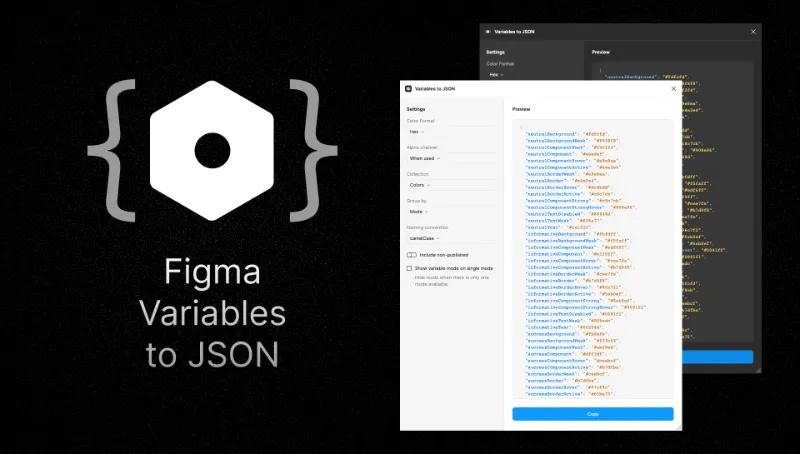
Introducing a cutting-edge Figma plugin designed to seamlessly bridge the design-to-development workflow. This plugin re-imagines local variable exports, offering a beautifully formatted JSON output.
Key Features
- All variables are supported: Color, number, string, boolean, (alias)
- Color Format Options: Select from HEX, RGB, HSL, or CSS-friendly RGB formats, catering to diverse project needs.
- Alpha Channel Support: Define colors with precision, incorporating transparency for impeccable design rendition across platforms.
- Flexible Collection Selection: Choose which collection to export.
- Intelligent Grouping: Organize variables by name or mode.
- Customizable Naming Convention: Adapt the output JSON key format to fit language naming conventions, improving readability and codebase integration.
- Inclusion of Published Variables: Option to include published variables in exports, ensuring all necessary design tokens are at hand.
- Resolves references: Automatically resolves variables from another collections.
- Responsive UI with Live Preview: Features a responsive, resizable UI with a live preview of JSON output. Hot reload capabilities ensure immediate affects of data changes, allowing for real-time adjustments.
Embrace the future of design collaboration with this Figma plugin, where creativity and coding meet elegantly.
What's new
Version 8 · released Aug 7, 2024
- Fix: variable value resolve on single mode. Resolved to first variable value instead of variable x mode
Permissions and privacy
Network access
Figma Variables to JSON declares no network access, so it runs entirely inside Figma and can't send your file anywhere.
Extra permissions
None beyond the standard access to the file you run it in.
Read from the plugin's published manifest.
Where Figma Variables to JSON ranks
Figma Variables to JSON alternatives
- 1

Styles & Variables Organizer
by Chenmu Wu
134K users3.2KFree + $15 upgradeApply styles and variables to all your designs with one click!
- 2

Export/Import Variables
by Honza Toman
85K users1.7KFreeExport variables from one file and import them to another. Supports modes, references, and scopes.
- 3

Design Tokens
by Lukas Oppermann
62K users1.9KFreeExport design tokens to JSON or GitHub.
- 4

Figma Tailwindcss
by Jan D'Hollander
53K users606FreeExport design tokens to tailwind theme
- 5

Kigen
by vijay verma
34K users1.7KFreeCreate Design System Variables, Tokens, Styles and more with documentation
- 6

variables2css
by Kai-Uwe Hella
28K users353FreeConvert Figma Variables to CSS, Sass, Tailwind, Json, Javascript (Styled-Components), Less or Stylus
Figma Variables to JSON FAQ
What does Figma Variables to JSON do?
Export variables to a nicely formatted JSON. It's a Figma plugin by Aleksi Vuorio that runs in Figma Design.
Is Figma Variables to JSON free?
Yes. Figma Variables to JSON is free to install and run from the Figma Community, with no paid tier listed.
Is Figma Variables to JSON safe to use?
Figma plugins can only reach the internet through domains listed in their manifest. Figma Variables to JSON declares no network access, so it runs entirely inside Figma and can't send your file anywhere. As with any plugin, check the developer's privacy policy before using it on client work.
How do I install Figma Variables to JSON?
Open it on the Figma Community, or search for it in the Actions menu (Cmd/Ctrl + K) inside any file you can edit. See how to install Figma plugins.
What are the best alternatives to Figma Variables to JSON?
By user count, the closest alternatives are Styles & Variables Organizer, Export/Import Variables and Design Tokens. Compare all of them on the best Figma plugins for variables & tokens.
Built this plugin?
Use this page as a landing page for Figma Variables to JSON: link to it from your site, README or launch posts, or add a badge. Pick a style and copy the code.

Style
Label
Size
Code
<a href="https://figmaplugins.co/plugins/figma-variables-to-json/" target="_blank" rel="noopener"><img src="https://figmaplugins.co/badges/featured-dark.svg" alt="Figma Variables to JSON on figmaplugins.co" width="220" height="48"></a>