
About Flippy
Flippy is a free Figma plugin with a paid upgrade ($8) published by Briston in 2025. It works in Figma Design and FigJam and has 1,583 users and 13 likes on the Figma Community.
In the developer's words
Flipy - GIF Maker & Flipbook Animation Tool
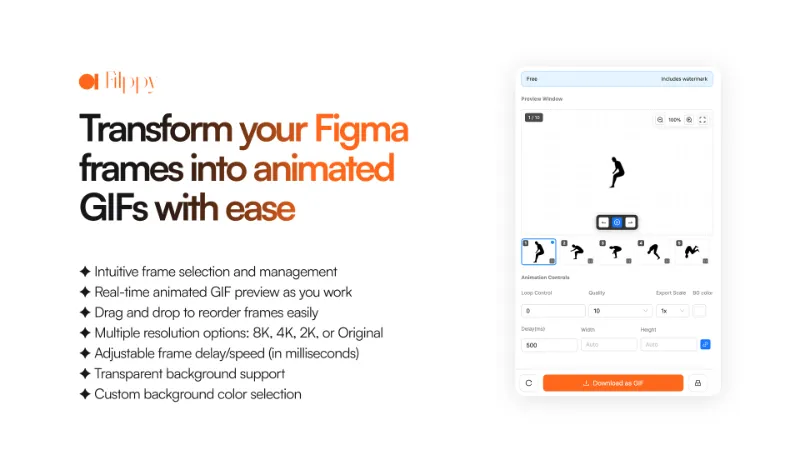
Create animated GIFs directly from your Figma frames without switching tools. Transform your static designs into engaging animations for prototypes, social media, and presentations.
Features:
- Frame-Based Animation - Select multiple frames and turn them into smooth flipbook-style GIFs
- Live Preview Window - Watch your animation come to life as you build it
- Drag & Drop Frame Management - Reorder frames with simple drag-and-drop controls
- Export Quality Control - Choose from Original, 2K, 4K, or 8K resolution outputs
- Speed & Timing Controls - Adjust frame delays in milliseconds for perfect pacing
- Background Customization - Export with transparent backgrounds or custom colors
- Loop Control Settings - Set infinite loops or specific repeat counts
It's your one-stop solution for bringing Figma designs to life without complex animation software.
How to use Flipy:
- Select any number of frames from your Figma file
- Plugin preview window displays your selected frames and shows live animation preview
- Use drag-and-drop to reorder frames and adjust timing controls
- Customize export settings: quality, background, canvas size, and loop count
- Click "Download as GIFF" to generate your animation
What's new
Version 5 · released Apr 12, 2026
- Added Presets feature and file info
Permissions and privacy
Network access
Flippy can only connect to the domain declared in its manifest: cdn.jsdelivr.net.
- cdn.jsdelivr.net
Extra permissions
- Reads your Figma name and avatar
- Can offer paid features through Figma's checkout
Read from the plugin's published manifest.
Flippy alternatives
- 1

LottieFiles
by LottieFiles
1M users15KFreeAnimate Your Designs with Lottie Animations
- 2

Jitter
by Jitter
533K users12KFreeAnimate your Figma designs, export to video / GIF / Lottie, handoff animation specs to developers
- 3

Figmotion
by L
518K users7.5KFreeBringing motion to your Figma designs
- 4

Motion
by Pavel Babkin
381K users5.7KFree + paid featuresAnimate UI in Figma. Export to video, GIF, SVG.
- 5

ProtoPie
by ProtoPie ENG
201K users3.5KFree + paid featuresHigh-fidelity prototyping for Figma. Import Figma designs and add dynamic, conditional interactions.
- 6

Aninix
by Tony Pinkevych
167K users2.4KFree + paid featuresCreate motion design within Figma. Export Lottie animations, GIFs, or mp4.
Flippy FAQ
What does Flippy do?
Transform your Figma frames into animated GIFs with ease. It's a Figma plugin by Briston that runs in Figma Design and FigJam.
Is Flippy free?
Partly. Flippy is free to install and use, and a paid upgrade on the Figma Community ($8 one-time) unlocks the rest.
Is Flippy safe to use?
Figma plugins can only reach the internet through domains listed in their manifest. Flippy can only connect to the domain declared in its manifest: cdn.jsdelivr.net. As with any plugin, check the developer's privacy policy before using it on client work.
How do I install Flippy?
Open it on the Figma Community, or search for it in the Actions menu (Cmd/Ctrl + K) inside any file you can edit. See how to install Figma plugins.
What are the best alternatives to Flippy?
By user count, the closest alternatives are LottieFiles, Jitter and Figmotion.
Built this plugin?
Use this page as a landing page for Flippy: link to it from your site, README or launch posts, or add a badge. Pick a style and copy the code.

Style
Label
Size
Code
<a href="https://figmaplugins.co/plugins/flippy/" target="_blank" rel="noopener"><img src="https://figmaplugins.co/badges/featured-dark.svg" alt="Flippy on figmaplugins.co" width="220" height="48"></a>Want it featured on figmaplugins.co? Submit it for review