
On this page
About GIF Export by willabs
GIF Export is a free Figma plugin published by willabs in 2025. It works in Figma Buzz, Figma Design, Figma Slides and FigJam and has 4,493 users and 43 likes on the Figma Community. It ranks #17 in GIF & Video on our lists.
In the developer's words
Turn your designs into animated GIFs in just a few clicks.
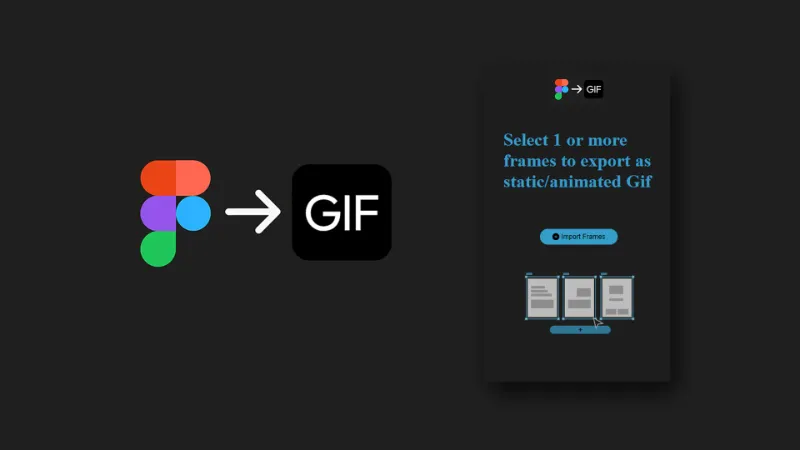
This plugin is designed for designers who need to quickly export simple animations from multiple frames in Figma. With an intuitive interface, you can import your frames, adjust the time between frames, set compression, and create instant previews — all without leaving Figma.
Ideal for creating animated banners, UI mockups, visual demos, and more. With compression support, local preview, and optimized export, you have full control over the final size and fluidity of your GIF.
Key features:
- Import multiple frames directly from Figma
- Configure delay between frames and infinite loop option
- Adjustable compression for quality and size control
- Preview directly in the plugin before exporting
- Local export with real-time preview
Lightweight, practical, and focused on productivity — your shortcut to creating GIFs directly from Figma.
What's new
Version 5 · released Nov 12, 2025
The developer didn't publish release notes for this version.
Permissions and privacy
Network access
GIF Export can only connect to the 2 domains declared in its manifest: willabs.com.br and cdn.jsdelivr.net.
- willabs.com.br
- cdn.jsdelivr.net
Extra permissions
- Reads your Figma name and avatar
Read from the plugin's published manifest.
Where GIF Export ranks
GIF Export alternatives
- 1

Motion
by Pavel Babkin
367K users5.6KFree + paid featuresAnimate UI in Figma. Export to video, GIF, SVG.
- 2

Export to GIF/Video
by Evan at CreativeFlow
311K users3KFree + paid featuresExport animations to GIF or Video in one-click
- 3

GIF Export
by Appcano
306K users2.7KFreeExport gifs or frames with gifs in them!
- 4

Animated Gif Maker
by Dustin Gamester
99K users969FreeGenerate and export animaged gifs without leaving Figma
- 5

SVG Animate
by Tobias Strebitzer
76K users571Free + $9/mo upgradeBring your Figma creations to life with stunning animations and seamless export to web and video.
- 6

Bannerify Banner Studio
by Hypermatic
76K users1.1KFree + paid featuresAnimate and export production ready banners from Figma to HTML, GIFs and Videos
GIF Export FAQ
What does GIF Export do?
Export animated or static GIFs directly from Figma without complications. It's a Figma plugin by willabs that runs in Figma Buzz, Figma Design, Figma Slides and FigJam.
Is GIF Export free?
Yes. GIF Export is free to install and run from the Figma Community, with no paid tier listed.
Is GIF Export safe to use?
Figma plugins can only reach the internet through domains listed in their manifest. GIF Export can only connect to the 2 domains declared in its manifest: willabs.com.br and cdn.jsdelivr.net. As with any plugin, check the developer's privacy policy before using it on client work.
How do I install GIF Export?
Open it on the Figma Community, or search for it in the Actions menu (Cmd/Ctrl + K) inside any file you can edit. See how to install Figma plugins.
What are the best alternatives to GIF Export?
By user count, the closest alternatives are Motion, Export to GIF/Video and GIF Export by Appcano. Compare all of them on the best Figma plugins for gif & video.
Built this plugin?
Use this page as a landing page for GIF Export: link to it from your site, README or launch posts, or add a badge. Pick a style and copy the code.

Style
Label
Size
Code
<a href="https://figmaplugins.co/plugins/gif-export-willabs/" target="_blank" rel="noopener"><img src="https://figmaplugins.co/badges/featured-dark.svg" alt="GIF Export by willabs on figmaplugins.co" width="220" height="48"></a>