
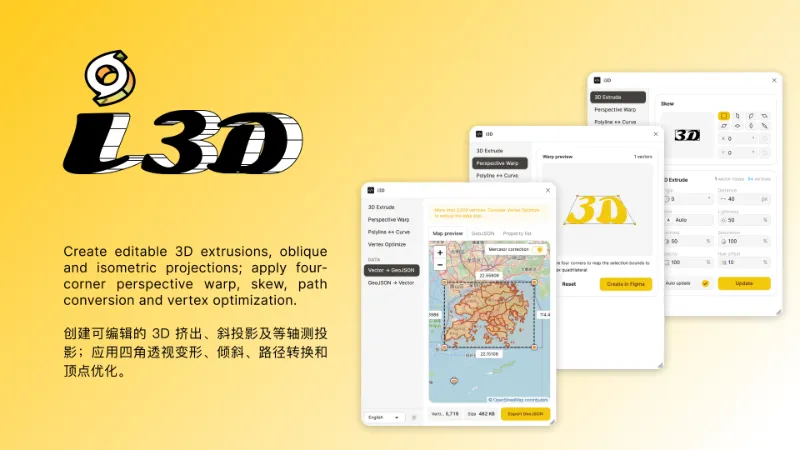
About i3D
i3D is a free Figma plugin published by Tutu in 2024. It works in Figma Design and has 91,836 users and 741 likes on the Figma Community.
In the developer's words
- It is an enhanced version of the oblique plugin;
- Due to the special gradient transformation logic of Figma, the gradient transformation algorithm of this plugin at non-vertical or horizontal angles is not perfect.
What's new
Version 16 · released Aug 24, 2026
- 修复圆角bug
Permissions and privacy
Network access
i3D can only connect to the 3 domains declared in its manifest: figma.com, tile.openstreetmap.org/ and www.openstreetmap.org/copyright.
- figma.com
- tile.openstreetmap.org/
- www.openstreetmap.org/copyright
Extra permissions
None beyond the standard access to the file you run it in.
Read from the plugin's published manifest.
i3D alternatives
- 1

Icons8
by Icons8 Team
2.3M users9.7KFree + paid featuresAll our graphics at your fingertips.
- 2

Remove BG
by Aaron Iker
1.7M users17KFree + paid featuresRemove the background of images automatically with just a single click.
- 3

Mockup Plugin
by ls.graphics
1.6M users20KFree + paid featuresMost installed mockup plugin. 3800+ device & branding mockups
- 4

Material Design Icons
by Icons8 Team
1.5M users12KFree + paid featuresInstant easy access to the entire Material Design Icons library
- 5

Icons8 Background Remover
by Icons8 Team
1.3M users14KFreeRemove background from one or many images at once!
- 6

Content Reel
by Eugene Gavriloff
1.1M users17KFreeDesign layouts more efficiently by pulling text strings, images, and icons.
i3D FAQ
What does i3D do?
Create editable 3D extrusions, oblique and isometric projections; apply four-corner perspective warp. It's a Figma plugin by Tutu that runs in Figma Design.
Is i3D free?
Yes. i3D is free to install and run from the Figma Community, with no paid tier listed.
Is i3D safe to use?
Figma plugins can only reach the internet through domains listed in their manifest. i3D can only connect to the 3 domains declared in its manifest: figma.com, tile.openstreetmap.org/ and www.openstreetmap.org/copyright. As with any plugin, check the developer's privacy policy before using it on client work.
How do I install i3D?
Open it on the Figma Community, or search for it in the Actions menu (Cmd/Ctrl + K) inside any file you can edit. See how to install Figma plugins.
What are the best alternatives to i3D?
By user count, the closest alternatives are Icons8, Remove BG and Mockup Plugin.
Built this plugin?
Use this page as a landing page for i3D: link to it from your site, README or launch posts, or add a badge. Pick a style and copy the code.

Style
Label
Size
Code
<a href="https://figmaplugins.co/plugins/i-3d/" target="_blank" rel="noopener"><img src="https://figmaplugins.co/badges/featured-dark.svg" alt="i3D on figmaplugins.co" width="220" height="48"></a>Want it featured on figmaplugins.co? Submit it for review