
On this page
About Image Tracer
Image Tracer is a free + paid features Figma plugin published by Dave in 2019. It works in Figma Design and has 809,123 users and 7,844 likes on the Figma Community. It ranks #2 in SVG & Vector and #11 in Visual Assets on our lists.
In the developer's words
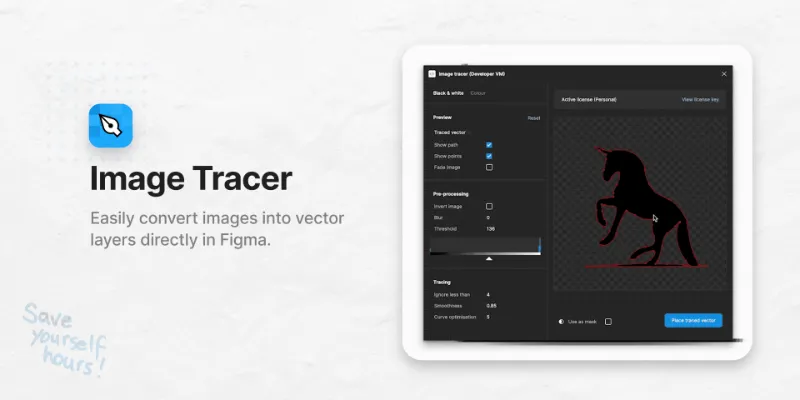
Easily convert images into vector layers directly in Figma. 😎
- Make infinitely scalable images
- Convert to coloured vector layers
- Quickly trace as a mask
- Restyle your images
- Plus more...
Learn more at the website.
Get a license from here.
When you run Image tracer; it will take whatever layers you have selected and combine them together into one image (regardless of if they’re already a vector or not) — then it will attempt to trace it into a new vector layer.
You can view the image it is tracing, by changing the dropdown in the options popup from ‘Original image’ to ‘Processed image’.
Read more about the settings in the documentation.
What's new
Version 6 · released Feb 12, 2025
- Fixed an issue where sometimes it would say "Invalid license key" even when it was valid.
Permissions and privacy
Network access
Image Tracer can only connect to the domain declared in its manifest: api.gumroad.com.
- api.gumroad.com
Extra permissions
None beyond the standard access to the file you run it in.
Read from the plugin's published manifest.
Where Image Tracer ranks
Image Tracer alternatives
- 1

To Path
by last night
866K users12KFree - 2

Vectorize Bitmap
by Patrik Schiller
242K users1.3KFreeA tool for converting raster images to vector images
- 3

Vectorized
by HurryFlash
214K users1.2KFreeConvert bitmap-type images into vector graphics
- 4

Vectorize
by Liam McCabe
212K users1.2KFree - 5

BlendingMe
by Anashkin Andrey
159K users2.4KFreeBlendingMe is a user-friendly plugin that allows you to blend two paths, lines, ellipses, rectangles
- 6

Vectorizer
by Design is Blank
129K users268Free + paid featuresConvert any image to vector!
Image Tracer FAQ
What does Image Tracer do?
Easily convert images into vector layers directly in Figma. It's a Figma plugin by Dave that runs in Figma Design.
Is Image Tracer free?
Image Tracer is free to install, but some features are unlocked through a paid plan on the developer's site.
Is Image Tracer safe to use?
Figma plugins can only reach the internet through domains listed in their manifest. Image Tracer can only connect to the domain declared in its manifest: api.gumroad.com. As with any plugin, check the developer's privacy policy before using it on client work.
How do I install Image Tracer?
Open it on the Figma Community, or search for it in the Actions menu (Cmd/Ctrl + K) inside any file you can edit. See how to install Figma plugins.
What are the best alternatives to Image Tracer?
By user count, the closest alternatives are To Path, Vectorize Bitmap and Vectorized by HurryFlash. Compare all of them on the best Figma plugins for svg & vector.
Built this plugin?
Use this page as a landing page for Image Tracer: link to it from your site, README or launch posts, or add a badge. Pick a style and copy the code.

Style
Label
Size
Code
<a href="https://figmaplugins.co/plugins/image-tracer/" target="_blank" rel="noopener"><img src="https://figmaplugins.co/badges/featured-dark.svg" alt="Image Tracer on figmaplugins.co" width="220" height="48"></a>