
About inima
inima is a free Figma plugin published by Tutu in 2024. It works in Figma Design and has 35,236 users and 479 likes on the Figma Community. It ranks #18 in Animation on our lists.
In the developer's words
Updated June 9, 2026
- Fixed the issue of blank frames near keyframes;
- Added support for MP4, WEBM, and alpha channel MP4 (requires HTML playback);
- Added support for elastic animations.
——————————————————————
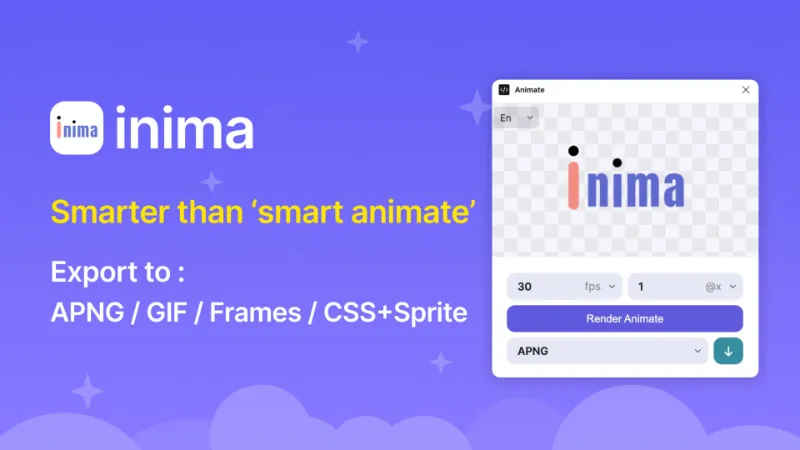
Animate supports animation transitions for almost all numerical property changes. You can use it to create richer animation effects than 'smart animate' and easily export them to multiple animation media formats.
The usage is very simple: edit your prototype in figma (must be smart animate), click "render" in the plug-in to see the effect, and then choose the required format to download.
playground file: https://www.figma.com/community/file/1418815354398456073
——————————————
2026年6月9日更新:
- 修复关键帧附近空白帧问题;
- 新增MP4 \ WEBM \ 透明通道MP4支持(需html播放);
- 新增支持弹性动画。
——————————————
Animate 支持为几乎所有数值类属性变化进行动画过渡,您可以用它创建比‘smart animate’更丰富的动画效果并轻松的将其输出为多种动画媒体格式。
使用方法非常简单:在figma中编辑好你的原型(必须是smart animate),在插件中点击“渲染”来查看效果,然后选择所需格式以下载。
What's new
Version 28 · released Jun 9, 2026
The developer didn't publish release notes for this version.
Permissions and privacy
Network access
inima can only connect to the 3 domains declared in its manifest: cdnjs.cloudflare.com, unpkg.com and cdn.jsdelivr.net.
- cdnjs.cloudflare.com
- unpkg.com
- cdn.jsdelivr.net
Extra permissions
None beyond the standard access to the file you run it in.
Read from the plugin's published manifest.
Where inima ranks
inima alternatives
- 1

LottieFiles
by LottieFiles
990K users15KFreeAnimate Your Designs with Lottie Animations
- 2

Figmotion
by L
513K users7.4KFreeBringing motion to your Figma designs
- 3

Jitter
by Jitter
507K users12KFreeAnimate your Figma designs, export to video / GIF / Lottie, handoff animation specs to developers
- 4

Motion
by Pavel Babkin
367K users5.6KFree + paid featuresAnimate UI in Figma. Export to video, GIF, SVG.
- 5

Export to GIF/Video
by Evan at CreativeFlow
311K users3KFree + paid featuresExport animations to GIF or Video in one-click
- 6

Aninix
by Tony Pinkevych
160K users2.4KFree + paid featuresCreate motion design within Figma. Export Lottie animations, GIFs, or mp4.
inima FAQ
What does inima do?
almost all property motion supported, export to apng/gif/frames/css sprite,. It's a Figma plugin by Tutu that runs in Figma Design.
Is inima free?
Yes. inima is free to install and run from the Figma Community, with no paid tier listed.
Is inima safe to use?
Figma plugins can only reach the internet through domains listed in their manifest. inima can only connect to the 3 domains declared in its manifest: cdnjs.cloudflare.com, unpkg.com and cdn.jsdelivr.net. As with any plugin, check the developer's privacy policy before using it on client work.
How do I install inima?
Open it on the Figma Community, or search for it in the Actions menu (Cmd/Ctrl + K) inside any file you can edit. See how to install Figma plugins.
What are the best alternatives to inima?
By user count, the closest alternatives are LottieFiles, Figmotion and Jitter. Compare all of them on the best Figma plugins for animation.
Built this plugin?
Use this page as a landing page for inima: link to it from your site, README or launch posts, or add a badge. Pick a style and copy the code.

Style
Label
Size
Code
<a href="https://figmaplugins.co/plugins/inima/" target="_blank" rel="noopener"><img src="https://figmaplugins.co/badges/featured-dark.svg" alt="inima on figmaplugins.co" width="220" height="48"></a>