
On this page
About Logo & Illustration Maker
Logo & Illustration Maker is a free Figma plugin published by Berry in 2024. It works in Figma Design and FigJam and has 53,289 users and 196 likes on the Figma Community. It ranks #6 in Illustrations and #17 in AI on our lists.
In the developer's words
Create a logo or illustration in 30 seconds (using AI)!
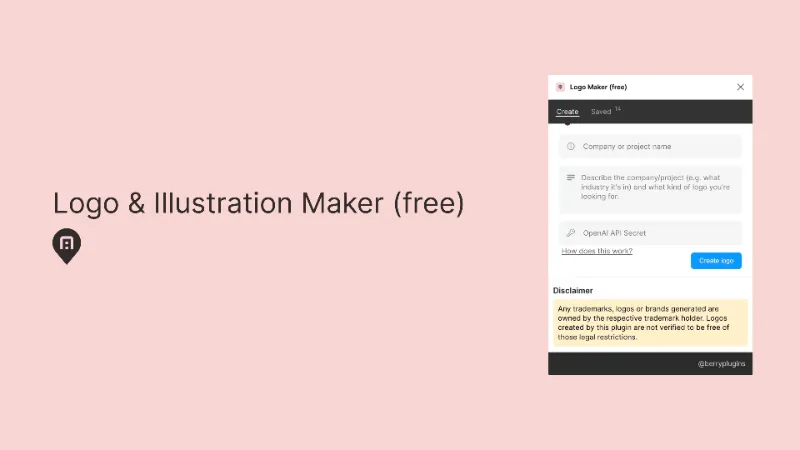
This one is a bit different: sign up for an OpenAI API secret, and then use this Logo & Illustration Maker plugin to generate your own AI (and Dall-e 3) logos & illustrations. Just enter the name of your company or project, and a description of it, and this Figma Plugin will do it's best to generate a brand new logo or illustration for it. More details:
👋🏻 First things first:
- This is free to use. You just have to enter your own OpenAI API Secret (you can get one here: https://platform.openai.com/api-keys)
- By doing it this way, this plugin can remain free: you just pay directly for the OpenAI charges (it's around $0.04 each).
- All logos & illustrations generated by Dall-e can be used (so long as they don't infringe on any existing trademarks etc).
- These are AI generated logos & illutrations
- This Logo & Illustration Maker works best when you describe your brand
🤔 More:
- Track the history of all the logos & illustrations you generated, and quickly go back to them.
- Be descriptive: enter the style you're looking for and what your company or project does.
🛟 Feedback:
- We'd love any ideas or questions you have: feedback@berryplugins.com
- Leave a comment if you want to tell people how great this plugin is
🎉🎉🎉
What's new
Version 29 · released Dec 24, 2024
- Bug fix
Permissions and privacy
Network access
Logo & Illustration Maker can only connect to the 6 domains declared in its manifest: *.amazonaws.com/, *.berryplugins.com/, *.cloudfront.net/, *.gumroad.com/, *.mixpanel.com/ and *.sentry.io/.
- *.amazonaws.com/
- *.berryplugins.com/
- *.cloudfront.net/
- *.gumroad.com/
- *.mixpanel.com/
- *.sentry.io/
Extra permissions
- Reads your Figma name and avatar
Read from the plugin's published manifest.
Where Logo & Illustration Maker ranks
Logo & Illustration Maker alternatives
- 1

Icons8
by Icons8 Team
2.2M users9.4KFree + paid featuresAll our graphics at your fingertips.
- 2

Illustrations
by Manthankumar Satani
476K users5.1KFreeFree Popular Illustration libraries for everyone.
- 3

Flaticon by Magnific
by Freepik: Integrations
357K users1.9KFree + paid featuresSearch through 5,000,000+ pixel-perfect icons, stickers and vectors (from Freepik)
- 4

Fast Isometric
by Ren Yi
125K users2.3KFreeFast isometric shapes creator. Accelerate your 3D illustration.
- 5

Isometric Studio
by Ren Yi
94K users1.8KFreeNative Isometric Drawing Tool
- 6

Pictographic: Free illustrations
by Pictographic
27K users562Free80,000+ free illustrations over 10 styles
Logo & Illustration Maker FAQ
What does Logo & Illustration Maker do?
Create a logo or illustration, powered by OpenAI and Dall-e. It's a Figma plugin by Berry that runs in Figma Design and FigJam.
Is Logo & Illustration Maker free?
Yes. Logo & Illustration Maker is free to install and run from the Figma Community, with no paid tier listed.
Is Logo & Illustration Maker safe to use?
Figma plugins can only reach the internet through domains listed in their manifest. Logo & Illustration Maker can only connect to the 6 domains declared in its manifest: *.amazonaws.com/, *.berryplugins.com/, *.cloudfront.net/, *.gumroad.com/, *.mixpanel.com/ and *.sentry.io/. As with any plugin, check the developer's privacy policy before using it on client work.
How do I install Logo & Illustration Maker?
Open it on the Figma Community, or search for it in the Actions menu (Cmd/Ctrl + K) inside any file you can edit. See how to install Figma plugins.
What are the best alternatives to Logo & Illustration Maker?
By user count, the closest alternatives are Icons8, Illustrations and Flaticon by Magnific. Compare all of them on the best Figma plugins for illustrations.
Built this plugin?
Use this page as a landing page for Logo & Illustration Maker: link to it from your site, README or launch posts, or add a badge. Pick a style and copy the code.

Style
Label
Size
Code
<a href="https://figmaplugins.co/plugins/logo-and-illustration-maker/" target="_blank" rel="noopener"><img src="https://figmaplugins.co/badges/featured-dark.svg" alt="Logo & Illustration Maker on figmaplugins.co" width="220" height="48"></a>