
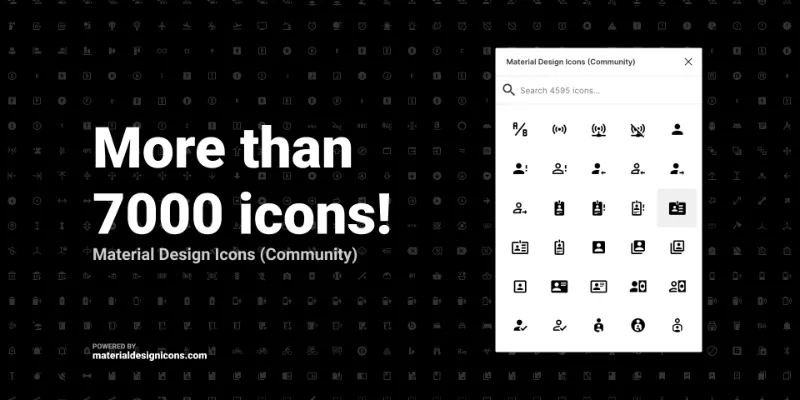
About Material Design Icons by Ahmad Al Haddad
Material Design Icons is a free Figma plugin published by Ahmad Al Haddad in 2019. It works in Figma Design and has 200,908 users and 907 likes on the Figma Community.
In the developer's words
Browse, find, use icons from MaterialDesignIcons.com right from inside Figma!
FEATURES
• All 7000+ icons from MaterialDesignIcons.com
• Always latest icons.
SPECIAL THANKS TO
materialdesignicons.com, jsdelivr.com, fuse.js, react-window
What's new
Version 2 · released Nov 14, 2019
The developer didn't publish release notes for this version.
Permissions and privacy
Network access
This plugin's manifest doesn't declare its network access, which is common for older plugins. Figma shows a warning on the Community page for plugins like this.
Extra permissions
None beyond the standard access to the file you run it in.
Read from the plugin's published manifest.
Material Design Icons alternatives
- 1

Icons8
by Icons8 Team
2.3M users9.7KFree + paid featuresAll our graphics at your fingertips.
- 2

Remove BG
by Aaron Iker
1.7M users17KFree + paid featuresRemove the background of images automatically with just a single click.
- 3
Mockup Plugin
by ls.graphics
1.6M users20KFree + paid featuresMost installed mockup plugin. 3800+ device & branding mockups
- 4

Material Design Icons
by Icons8 Team
1.5M users12KFree + paid featuresInstant easy access to the entire Material Design Icons library
- 5

Icons8 Background Remover
by Icons8 Team
1.3M users14KFreeRemove background from one or many images at once!
- 6

Content Reel
by Eugene Gavriloff
1.1M users17KFreeDesign layouts more efficiently by pulling text strings, images, and icons.
Material Design Icons FAQ
What does Material Design Icons do?
More than 7000 open source icons. It's a Figma plugin by Ahmad Al Haddad that runs in Figma Design.
Is Material Design Icons free?
Yes. Material Design Icons is free to install and run from the Figma Community, with no paid tier listed.
How do I install Material Design Icons?
Open it on the Figma Community, or search for it in the Actions menu (Cmd/Ctrl + K) inside any file you can edit. See how to install Figma plugins.
What are the best alternatives to Material Design Icons?
By user count, the closest alternatives are Icons8, Remove BG and Mockup Plugin.
Built this plugin?
Use this page as a landing page for Material Design Icons: link to it from your site, README or launch posts, or add a badge. Pick a style and copy the code.

Style
Label
Size
Code
<a href="https://figmaplugins.co/plugins/material-design-icons-cdes/" target="_blank" rel="noopener"><img src="https://figmaplugins.co/badges/featured-dark.svg" alt="Material Design Icons by Ahmad Al Haddad on figmaplugins.co" width="220" height="48"></a>Want it featured on figmaplugins.co? Submit it for review