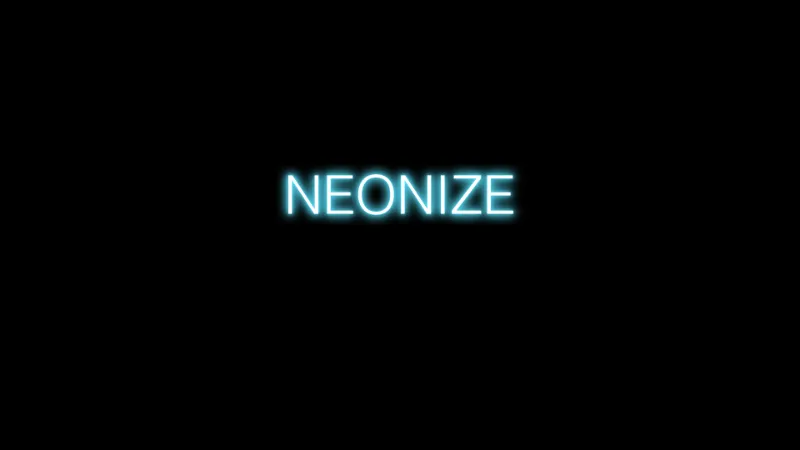
About Neonize
Neonize is a free Figma plugin published by Samora in 2023. It works in Figma Design and has 42,738 users and 278 likes on the Figma Community. It ranks #18 in Effects & Textures on our lists.
In the developer's words
Enhance your designs with luminous glows
What Neonize Offers
- Glow Color: Using our in-built color picker on the plugin, select any color of your choice to alter the glow color.
- Glow Intensity: A range slider that adjusts the intensity of the glow on your selections..
- Selection Types: The plugin can only be used on rectangles, ellipses, polygons, lines, stars, arrows, vectors, and text.
How to Use Neonize
- Select a Node: Choose the design element you want to enhance. Valid nodes: rectangle, ellipse, polygon, line, star, arrows, vector, text.
- Adjust glow intensity:Drag the knob on the slider to intensify the glow brightness on the selected shape or text.
- Pick a Color: Use the color picker on the plugin to select the desired glow color.
Limitations
- Neonize is optimized to work on specific target types. This includes rectangle, ellipse, polygon, line, star, arrows, vector, text.
- The plugin has not yet been tested properly to enhance multiple nodes simultaneously, and could mean that unexpected results could be rendered when attempting to run Neonize on several nodes at the same time.
Upcoming updates:
- User interface will be updated to a more appealing design
- Button to apply effects
- Button to reset affects.
- Feature to multiple the intensity glow.
Feedback:User experience is of utmost priority to me. For any feedback, you are more then welcome to use the comment section. By leaving your comments, this helps me to improve Neonize for more users that use the plugin.
Contact:
Feel free to contact me.
Website: samoramabuya.com
Email: samora.sm.sam@gmail.com
Twitter: @SamoraMabuya1
Linkedin: linkedin.com/in/samoramabuya/
Discord: whatswithandy
What's new
Version 8 · released Jan 14, 2024
- Opacity slider: In the latest update, I've introduced an additional slider for more precise control over your designs. User can now adjust the opacity of the glow size, giving you even more flexibility to create stunning visuals.
Permissions and privacy
Network access
Neonize declares no network access, so it runs entirely inside Figma and can't send your file anywhere.
Extra permissions
None beyond the standard access to the file you run it in.
Read from the plugin's published manifest.
Where Neonize ranks
Neonize alternatives
- 1
Noise
by Dustin Mierau
702K users11KFree + $5 upgradePixel perfect noise texture generation for Figma.
- 2
Noise & Texture
by Rogie King
639K users15KFreeGenerate dynamic seamless noise, textures, patterns and animated shaders. Add compound effects.
- 3

Beautiful Shadows
by Alex Widua
569K users11KFreeCreate smooth and beautiful shadows
- 4

Morph
by Milan Maheshwari
348K users7KFreeCreate awesome effects like Skeuomorph, Neon, Glass, Mesh Gradients, & more!
- 5

Filter / effects
by Andreslav Kozlov
342K users4KFree + paid featuresModify images more than 50 different effects right in Figma!
- 6
Noisy Gradients
by vijay verma
322K users6KFreeCreate beautiful grainy gradient backgrounds
Neonize FAQ
What does Neonize do?
Brighten Your Creativity with Dynamic Glow Effects. It's a Figma plugin by Samora that runs in Figma Design.
Is Neonize free?
Yes. Neonize is free to install and run from the Figma Community, with no paid tier listed.
Is Neonize safe to use?
Figma plugins can only reach the internet through domains listed in their manifest. Neonize declares no network access, so it runs entirely inside Figma and can't send your file anywhere. As with any plugin, check the developer's privacy policy before using it on client work.
How do I install Neonize?
Open it on the Figma Community, or search for it in the Actions menu (Cmd/Ctrl + K) inside any file you can edit. See how to install Figma plugins.
What are the best alternatives to Neonize?
By user count, the closest alternatives are Noise, Noise & Texture and Beautiful Shadows. Compare all of them on the best Figma plugins for effects & textures.
Built this plugin?
Use this page as a landing page for Neonize: link to it from your site, README or launch posts, or add a badge. Pick a style and copy the code.

Style
Label
Size
Code
<a href="https://figmaplugins.co/plugins/neonize/" target="_blank" rel="noopener"><img src="https://figmaplugins.co/badges/featured-dark.svg" alt="Neonize on figmaplugins.co" width="220" height="48"></a>