
On this page
About office.to.design
office.to.design is a free Figma plugin published by divRIOTS in 2024. It works in Figma Design, Figma Slides and FigJam and has 23,739 users and 292 likes on the Figma Community. It ranks #20 in Website to Figma on our lists.
In the developer's words
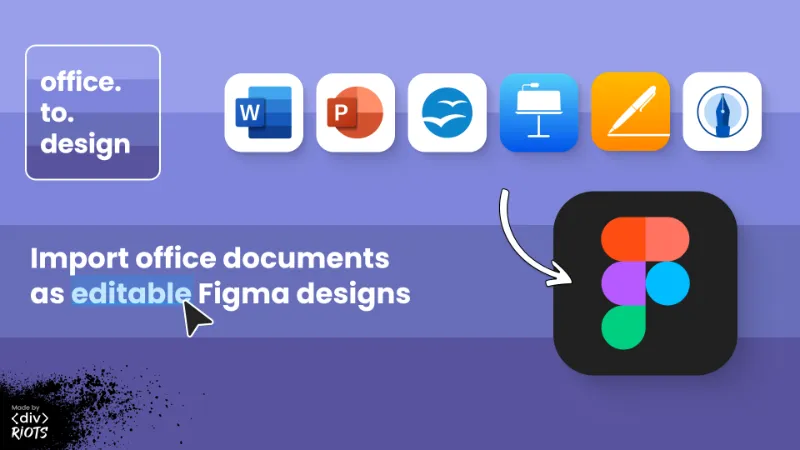
Import any office document as fully editable Figma designs.
Convert Word docs, PowerPoint presentations, Apple Keynote and more office documents into Figma designs!
Here are the major file formats currently supported:
- Microsoft PowerPoint (.pot, .potx, .ppt, .pptm, .pptx, .pps, .ppsx)
- Microsoft Word (.doc, .docm, .docx, .dotx, .dot)
- Apple Keynote and Pages (.key, .pages)
- OpenOffice, StarOffice and OpenDocument (.odp, .odt)
- Microsoft Works (.wps)
- WordPerfect (.wpd)
- AbiWord (.abw, .zabw)
- Lotus Word Pro (.lwp)
- Hangul Word Processor (.hwp)
How to import office documents into Figma:
- Run this Figma plugin, office.to.design
- Upload your file, or drag-and-drop it into the plugin
- Click “Import”
- Your document will be imported into Figma as fully-editable layers or high-res images!
Why use office.to.design?
- Bring any type of document right into Figma.
- Fast, high-quality conversion from Microsoft Office to Figma, OpenOffice to Figma, Apple Pages to Figma, and more.
- Use old, but relevant files for new designs!
FREE
- 5 imports
- Imports as editable layers: First 3 pages only
‹div›RIOTS ONE subscription
- Full features
- Multiple files at once
- Access to all ‹div›RIOTS ONE plugins, services and APIs
- Learn more at https://divRIOTS.com/one
------------------------------
Brought to you by ‹div›RIOTS
------------------------------
What's new
Version 53 · released Jun 4, 2026
The developer didn't publish release notes for this version.
Permissions and privacy
Network access
office.to.design can only connect to the 2 domains declared in its manifest: office.to.design and *.divriots.com.
- office.to.design
- *.divriots.com
Extra permissions
- Reads your Figma name and avatar
Read from the plugin's published manifest.
Where office.to.design ranks
office.to.design alternatives
- 1

html.to.design
by divRIOTS
2.4M users37KFree + $18/mo upgradeConvert any website into fully editable Figma designs
- 2

Convertify Sketch/Adobe/Google
by Hypermatic
519K users5.1KFree + paid featuresExport to Sketch, XD, After Effects, PSD, InDesign — or — Import XD, Illustrator, PSD, InDesign, PDF
- 3

PDF to Figma
by Gautham 🌶
314K users2.6KFreeImport a PDF file into Figma as an image
- 309K users5.8KFree
Capture, Transform, Create! Transform Screenshot into Stunning Editable Figma Designs with Ease!
- 5

Web to Figma
by Web to Figma
244K users3.4KFree + paid featuresImport any website or HTML code to Figma editable design. Goodbye screenshots.
- 6
pdf.to.design
by divRIOTS
215K users2.5KFreeConvert any PDF document into Figma designs. 100% PRIVATELY.

office.to.design FAQ
What does office.to.design do?
Import any office document as fully editable Figma designs. It's a Figma plugin by divRIOTS that runs in Figma Design, Figma Slides and FigJam.
Is office.to.design free?
Yes. office.to.design is free to install and run from the Figma Community, with no paid tier listed.
Is office.to.design safe to use?
Figma plugins can only reach the internet through domains listed in their manifest. office.to.design can only connect to the 2 domains declared in its manifest: office.to.design and *.divriots.com. As with any plugin, check the developer's privacy policy before using it on client work.
How do I install office.to.design?
Open it on the Figma Community, or search for it in the Actions menu (Cmd/Ctrl + K) inside any file you can edit. See how to install Figma plugins.
What are the best alternatives to office.to.design?
By user count, the closest alternatives are html.to.design, Convertify Sketch/Adobe/Google and PDF to Figma. Compare all of them on the best Figma plugins for website to figma.
Built this plugin?
Use this page as a landing page for office.to.design: link to it from your site, README or launch posts, or add a badge. Pick a style and copy the code.

Style
Label
Size
Code
<a href="https://figmaplugins.co/plugins/office-to-design/" target="_blank" rel="noopener"><img src="https://figmaplugins.co/badges/featured-dark.svg" alt="office.to.design on figmaplugins.co" width="220" height="48"></a>