
About Pallete'r
Pallete'r is a free Figma plugin published by Briston in 2024. It works in Figma Design and FigJam and has 2,725 users and 34 likes on the Figma Community.
In the developer's words
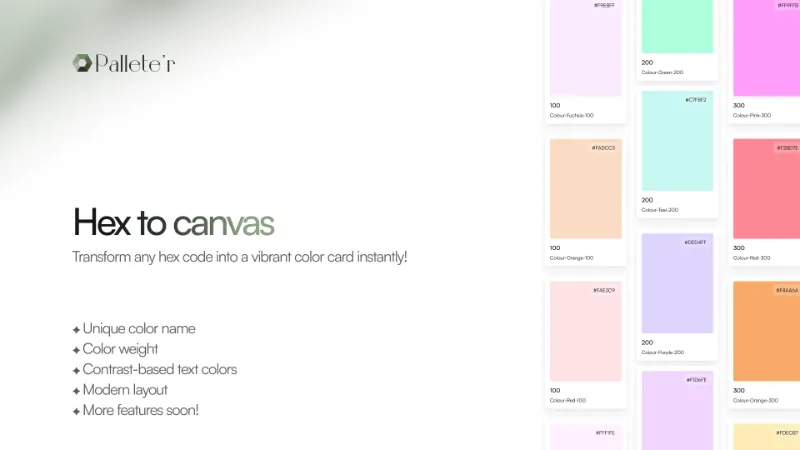
Transform Hex Codes into Stunning Color Cards with Ease!
Our plugin is a tool that allows you to create vibrant and professional color cards from any hex code. Whether you're a designer looking for a quick way to add color pallets to your design system or canvas, this plugin is designed to meet your needs with its features and sleek design.
Key Features:
- Each hex code you enter is paired with a unique and creative color name
- The plugin calculates and displays the color's weight
- Plugin adjusts the text color on the card based on contrast,
- Enjoy a sleek interface that makes creating and viewing color cards a delightful experience.
More Features Soon: Stay tuned for upcoming updates! We're continuously working new features and templates that helps you to move the hex code in to color cards in a single click.
What's new
Version 5 · released Nov 15, 2024
- Template 2 has been made for public use.
- Updated the name of the card to hold the hex code.
Permissions and privacy
Network access
Pallete'r can only connect to the 2 domains declared in its manifest: api.color.pizza and www.thecolorapi.com.
- api.color.pizza
- www.thecolorapi.com
Extra permissions
None beyond the standard access to the file you run it in.
Read from the plugin's published manifest.
Pallete'r FAQ
What does Pallete'r do?
Transform any hex code into a vibrant color card instantly. It's a Figma plugin by Briston that runs in Figma Design and FigJam.
Is Pallete'r free?
Yes. Pallete'r is free to install and run from the Figma Community, with no paid tier listed.
Is Pallete'r safe to use?
Figma plugins can only reach the internet through domains listed in their manifest. Pallete'r can only connect to the 2 domains declared in its manifest: api.color.pizza and www.thecolorapi.com. As with any plugin, check the developer's privacy policy before using it on client work.
How do I install Pallete'r?
Open it on the Figma Community, or search for it in the Actions menu (Cmd/Ctrl + K) inside any file you can edit. See how to install Figma plugins.
Built this plugin?
Use this page as a landing page for Pallete'r: link to it from your site, README or launch posts, or add a badge. Pick a style and copy the code.

Style
Label
Size
Code
<a href="https://figmaplugins.co/plugins/pallete-r/" target="_blank" rel="noopener"><img src="https://figmaplugins.co/badges/featured-dark.svg" alt="Pallete'r on figmaplugins.co" width="220" height="48"></a>