
About Shape move
Shape move is a free + paid features Figma plugin published by Vladislav in 2022. It works in Figma Design and has 30,659 users and 1,299 likes on the Figma Community.
In the developer's words
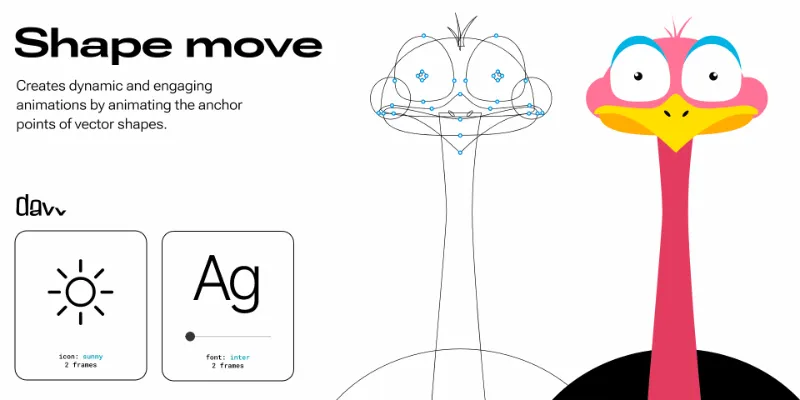
The plugin Shape move is specifically designed to allow you to create more dynamic and engaging animations within designs by animating the anchor points of vector shapes. An anchor point is a fixed point on a graphic object that serves as a reference for scaling, rotating, and positioning. You are able to customize the timing and easing of the animations, as well as the duration and delay of each animation.
Export is supported in the following formats: SVG, GIF, and Webm formats.
Video - https://www.youtube.com/watch?v=pKeFlW58mCE
Learn more and get the pro account- [https://davv.store/shape_move](https://davv.store/shape_move)
There is no subscription! You pay once and get unlimited access.
Free plan features:
✣ easing of the animation: ease, ease-in, ease-out, ease-in-out, linear, random
✣ animation duration in ms
✣ looping
✣ boomerang
✣ delay types: key time offset, random delay, delay
✣ offset in ms
✣ random offset in ms
Pro account features additionally to free plan features:
✣ library of 20+ preconfigured templates
✣ export (svg, gif, webm)
Contacts:
Feel free to reach out to us with any question - info@davv.store.
What's new
Version 8 · released Jan 20, 2024
The developer didn't publish release notes for this version.
Permissions and privacy
Network access
Shape move's manifest allows network access to any domain ("*"), so Figma doesn't limit where it can send data.
- davv.store
- *
Extra permissions
- Reads your Figma name and avatar
Read from the plugin's published manifest.
Shape move alternatives
- 1

LottieFiles
by LottieFiles
1M users15KFreeAnimate Your Designs with Lottie Animations
- 2

Jitter
by Jitter
533K users12KFreeAnimate your Figma designs, export to video / GIF / Lottie, handoff animation specs to developers
- 3

Figmotion
by L
518K users7.5KFreeBringing motion to your Figma designs
- 4

Motion
by Pavel Babkin
381K users5.7KFree + paid featuresAnimate UI in Figma. Export to video, GIF, SVG.
- 5

ProtoPie
by ProtoPie ENG
201K users3.5KFree + paid featuresHigh-fidelity prototyping for Figma. Import Figma designs and add dynamic, conditional interactions.
- 6

Aninix
by Tony Pinkevych
167K users2.4KFree + paid featuresCreate motion design within Figma. Export Lottie animations, GIFs, or mp4.
Shape move FAQ
What does Shape move do?
Animates anchor points. It's a Figma plugin by Vladislav that runs in Figma Design.
Is Shape move free?
Shape move is free to install, but some features are unlocked through a paid plan on the developer's site.
Is Shape move safe to use?
Figma plugins can only reach the internet through domains listed in their manifest. Shape move's manifest allows network access to any domain ("*"), so Figma doesn't limit where it can send data. As with any plugin, check the developer's privacy policy before using it on client work.
How do I install Shape move?
Open it on the Figma Community, or search for it in the Actions menu (Cmd/Ctrl + K) inside any file you can edit. See how to install Figma plugins.
What are the best alternatives to Shape move?
By user count, the closest alternatives are LottieFiles, Jitter and Figmotion.
Built this plugin?
Use this page as a landing page for Shape move: link to it from your site, README or launch posts, or add a badge. Pick a style and copy the code.

Style
Label
Size
Code
<a href="https://figmaplugins.co/plugins/shape-move/" target="_blank" rel="noopener"><img src="https://figmaplugins.co/badges/featured-dark.svg" alt="Shape move on figmaplugins.co" width="220" height="48"></a>Want it featured on figmaplugins.co? Submit it for review