
On this page
About Spaciiing
Spaciiing is a free Figma plugin published by Cheng-Yi in 2022. It works in Figma Design and Figma Slides and has 8,830 users and 266 likes on the Figma Community. It ranks #13 in Annotations on our lists.
In the developer's words
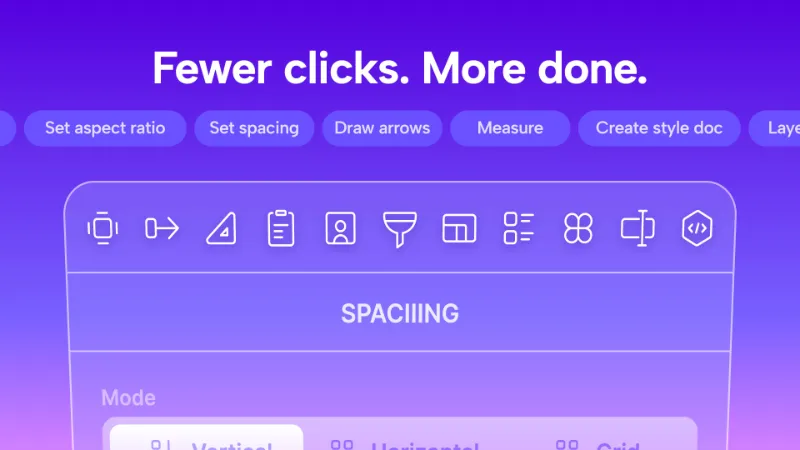
Set spacing. Measure your design. Create userflow.
- Set spacing based on 8pt grid system
- Hand off your design with effortless measurement creation
- Bulk draw userflow arrows in once, no need to draw it one by one
- Save arrow appearance as styles
- Import/ Export arrow styles, use same styles across your team
- One click to update arrow position after creation. Nothing to worry when reorganizing frames.
- One click to apply common userflow terms without typing manually.
- Support Figma design/slides
...and much more!
············································
Why Spaciiing is your best choice for productivity Figma plugin?
- Spaciiing is one of the few plugins that support both Figma design/ Figma slides on the market.
- This plugin is lightweight, optimized for best Figma performance.
- Provides multiple languages interface.
- No unnecessary network request. Your data keeps private locally and will never send to third-party apps.
- Always compatible with latest Figma updates.
············································
FREE to use
Enjoy all features within daily free usage limit.
If you find Spaciiing helpful, consider upgrade to PRO for unlimited usage. This also helps a lot for maintain plugin compatibility with latest Figma updates.
············································
What's included in PRO?
- Access all professional tools
- Remove daily usage quota limit
- No Spaciiing branding
- Access to all future updates
- Priority customer support
Buy lifetime (US$ 39):
https://hsiehchengyi.gumroad.com/l/spaciiing-pro-lifetime
Buy with subscription (US$ 3/month or US$ 36/year)**:**
https://hsiehchengyi.gumroad.com/l/spaciiing-pro
············································
What's new
Version 51 · released May 26, 2026
- New in this version:
- Renewed Preset Library Interface
- Updated Tailwind CSS presets to 4.2, with 4 new color palettes added
- Updated Ant Design presets to 6.0, corresponding color palettes has been changed
- You can now specify section's color in "Create section" shortcut
- Bug fixes
- Overall enhancements
Permissions and privacy
Network access
Spaciiing can only connect to the 4 domains declared in its manifest: www.figma.com, cdn.jsdelivr.net/, rsms.me and api.gumroad.com.
- www.figma.com
- cdn.jsdelivr.net/
- rsms.me
- api.gumroad.com
Extra permissions
- Reads your Figma name and avatar
- Reads your team's published libraries
Read from the plugin's published manifest.
Where Spaciiing ranks
Spaciiing alternatives
- 1

Measure
by Philip
158K users3.2KFreeAdd measurement lines and additional helpful information to your designs
- 2

Redlines
by Danny Keane
141K users3.8KFree - 3

Specs Classic
by Directed Edges Plugins
136K users5.5KFree + $8/mo upgradeGenerate component specs including anatomy, props and layout & spacing
- 4

DesignDoc [Spectral]: Measures, Annotations, and Handoff
by Marka Plugin Dev
132K users3KFree📐 Effortlessly hand off your Figma designs to the development team
- 5

Accessibility Assistant
by Eugene Gavriloff
38K users1.6KFreeAdd reader output and focus order to your layout
- 6

Annotate Design
by Alexandru Buncea
35K users485FreeQuickly add annotations to your designs
Spaciiing FAQ
What does Spaciiing do?
More than 10 editing tools packaged in one. It's a Figma plugin by Cheng-Yi that runs in Figma Design and Figma Slides.
Is Spaciiing free?
Yes. Spaciiing is free to install and run from the Figma Community, with no paid tier listed.
Is Spaciiing safe to use?
Figma plugins can only reach the internet through domains listed in their manifest. Spaciiing can only connect to the 4 domains declared in its manifest: www.figma.com, cdn.jsdelivr.net/, rsms.me and api.gumroad.com. As with any plugin, check the developer's privacy policy before using it on client work.
How do I install Spaciiing?
Open it on the Figma Community, or search for it in the Actions menu (Cmd/Ctrl + K) inside any file you can edit. See how to install Figma plugins.
What are the best alternatives to Spaciiing?
By user count, the closest alternatives are Measure, Redlines and Specs Classic. Compare all of them on the best Figma plugins for annotations.
Built this plugin?
Use this page as a landing page for Spaciiing: link to it from your site, README or launch posts, or add a badge. Pick a style and copy the code.

Style
Label
Size
Code
<a href="https://figmaplugins.co/plugins/spaciiing/" target="_blank" rel="noopener"><img src="https://figmaplugins.co/badges/featured-dark.svg" alt="Spaciiing on figmaplugins.co" width="220" height="48"></a>