
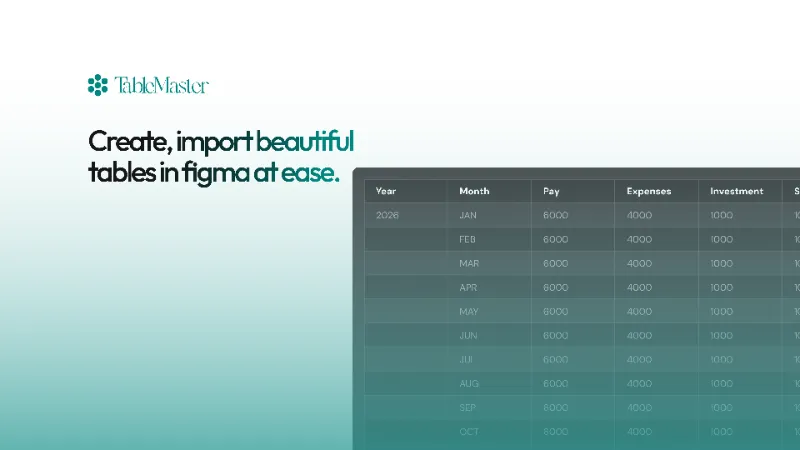
About Table Creator by Briston
Table Creator is a free Figma plugin with a paid upgrade ($8) published by Briston in 2026. It works in Figma Design and FigJam and has 1,453 users and 9 likes on the Figma Community.
In the developer's words
Table Builder - Import From Excel
Table Builder is a simple plugin that helps you make tables in Figma without all the headache. Instead of drawing boxes and lining them up manually, you just pick a template (or make your own) and it builds the whole thing for you.
Got data you need to display? Upload your Excel file or paste it in and it'll create the table with all your info already there. Customize the colors and fonts to match your design, or just grab one of the 50+ templates and you're done.
Core Features
- 50+ Pre-built Templates - AI designed tables across categories: Corporate, Tech, Creative, Nature, Luxury, Dark Mode, and more
- Visual Grid Selector - Intuitive interface for selecting table dimensions
- Multiple Import Options - Support for CSV, Excel files, paste data, and Google Sheets
- Complete Customization - Full control over colors, fonts, borders, spacing, and corner radius
- Save Custom Presets - Create and save your own table designs for reuse
- Favorites System - Mark and quickly access your favorite templates
- 20+ Google Fonts - Wide selection of typography options
- Dark & Light Modes - Templates optimized for both themes
- Responsive Design - Tables adapt to content automatically
- Alternate Row Colors - Toggle for improved readability
Advanced Features
- Granular Cell Control - Header and cell styling independent of each other
- Flexible Dimensions - Customize padding, height, and spacing
- Text Alignment - Left, center, or right alignment for headers and cells
- One-Click Templates - Instantly apply any of the 50+ design templates
- Visual Preview Cards - See exactly how tables will look before creating
How to Use Table Builder :
Step 1: Pick Your Style
- Click the Templates tab at the top
- Browse through the designs and click one you like
- Or click My Presets if you saved one before
- That's your starting point
Step 2: Set Your Table Size
- Go to Table tab
- Either type in the number of rows and columns you want
- Or use the little grid visual - just hover and click
Step 3: Make It Look Your Way (Optional)
- Go to Cells tab to change colors and borders
- Go to Text tab to change fonts and text size
- Skip this if you're happy with the template
Step 4: Add Your Data (Optional)
- Go to Import tab
- Choose to Paste Data, Upload File, or Google Sheet
- Drop your data in there
- Now your table has real content
Step 5: Create It
- Click the big Create Table button at the bottom
- Boom, your table appears in Figma
Want to Save a Design?
- Get a table looking exactly how you want
- Go to Presets tab
- Click the save icon (looks like a floppy disk)
- Name it, and it's saved for next time
Pro Tips
- Click the heart on any template to mark it as a favorite
- Hover over templates to see what they look like before clicking
- You can always tweak colors and fonts even after picking a template
- Use Google Sheets if you want live data that updates
That's it! Honestly, pick a template and hit create. If you need changes, tweak it and save it.
What's new
Version 3 · released Mar 19, 2026
- Updated Payment bug
Permissions and privacy
Network access
Table Creator can only connect to the domain declared in its manifest: corsproxy.io.
- corsproxy.io
Extra permissions
- Reads your Figma name and avatar
- Can offer paid features through Figma's checkout
Read from the plugin's published manifest.
Table Creator FAQ
What does Table Creator do?
Create and Import Beautiful Tables in Seconds. It's a Figma plugin by Briston that runs in Figma Design and FigJam.
Is Table Creator free?
Partly. Table Creator is free to install and use, and a paid upgrade on the Figma Community ($8 one-time) unlocks the rest.
Is Table Creator safe to use?
Figma plugins can only reach the internet through domains listed in their manifest. Table Creator can only connect to the domain declared in its manifest: corsproxy.io. As with any plugin, check the developer's privacy policy before using it on client work.
How do I install Table Creator?
Open it on the Figma Community, or search for it in the Actions menu (Cmd/Ctrl + K) inside any file you can edit. See how to install Figma plugins.
Built this plugin?
Use this page as a landing page for Table Creator: link to it from your site, README or launch posts, or add a badge. Pick a style and copy the code.

Style
Label
Size
Code
<a href="https://figmaplugins.co/plugins/table-creator-beingmani97/" target="_blank" rel="noopener"><img src="https://figmaplugins.co/badges/featured-dark.svg" alt="Table Creator by Briston on figmaplugins.co" width="220" height="48"></a>