
About Uizard
Uizard is a free Figma plugin published by Uizard in 2024. It works in Figma Design and has 58,554 users and 674 likes on the Figma Community. It ranks #14 in AI on our lists.
In the developer's words
Currently in Beta
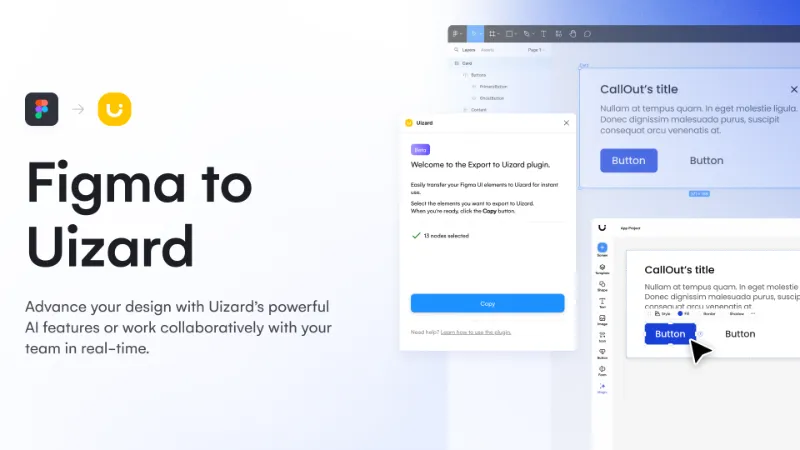
Export your Figma designs to Uizard and continue your project seamlessly within an easy-to-use, drag-and-drop editor.
Advance your design with Uizard’s powerful AI features or work collaboratively with your team in real-time.
- Generate new screens from text prompts
- Import screenshots and transform them into editable designs
- Switch the fidelity of your projects with wireframe mode
- Handoff your designs in React or CSS code
How to use the Figma to Uizard plugin
- Log into Figma and open up a new/existing project.
- Open the resources tab in the top navigation bar, or use the ‘shift+I’ shortcut.
- Click the ‘plugin’ option, and search for Uizard. Selecting it will open the plugin window in the editor.
- Select the elements you want to export to Uizard, and use the copy button in the plugin window.
- Manually open a Uizard project in a new tab, and paste the elements into the Uizard editor.
What's new
Version 5 · released Apr 2, 2024
- This release delivers a number of improvements to your Uizard import results:
- Added support: drop shadows, image styling (borders, corner radius, shadows), dashed borders
- Added support for ellipses with image fills
- Correctly position text elements that use vertical text align
- Gradient fills are represented with a single color rather than not showing at all in Uizard
Permissions and privacy
Network access
Uizard declares no network access, so it runs entirely inside Figma and can't send your file anywhere.
Extra permissions
None beyond the standard access to the file you run it in.
Read from the plugin's published manifest.
Where Uizard ranks
Uizard alternatives
- 1

Anima
by Anima
1.8M users17KFreeAnima - AI Powered Design to code
- 2

Builder.io
by Steve Sewell
1.3M users23KFreeExport designs to clean, responsive code or turn Figma screens into AI apps and prototypes.
- 337K users1.9KFree
Convert Figma to Fully Responsive HTML CSS / React / Vue / Tailwind with AI
- 309K users5.8KFree
Capture, Transform, Create! Transform Screenshot into Stunning Editable Figma Designs with Ease!
- 5

Relume
by Relume
302K users6.2KFreeWebsites designed & built faster with AI
- 148K users2.3KFree
Design. Develop. Deliver full-stack Web and Mobile apps



Uizard FAQ
What does Uizard do?
Export to Uizard for AI-powered drag & drop editing. It's a Figma plugin by Uizard that runs in Figma Design.
Is Uizard free?
Yes. Uizard is free to install and run from the Figma Community, with no paid tier listed.
Is Uizard safe to use?
Figma plugins can only reach the internet through domains listed in their manifest. Uizard declares no network access, so it runs entirely inside Figma and can't send your file anywhere. As with any plugin, check the developer's privacy policy before using it on client work.
How do I install Uizard?
Open it on the Figma Community, or search for it in the Actions menu (Cmd/Ctrl + K) inside any file you can edit. See how to install Figma plugins.
What are the best alternatives to Uizard?
By user count, the closest alternatives are Anima, Builder.io and Figma to Fully Responsive HTML & Clean Code 20x Faster with AI. Compare all of them on the best Figma plugins for ai.
Built this plugin?
Use this page as a landing page for Uizard: link to it from your site, README or launch posts, or add a badge. Pick a style and copy the code.

Style
Label
Size
Code
<a href="https://figmaplugins.co/plugins/uizard/" target="_blank" rel="noopener"><img src="https://figmaplugins.co/badges/featured-dark.svg" alt="Uizard on figmaplugins.co" width="220" height="48"></a>