
On this page
About Use Contrast
Use Contrast is a free Figma plugin published by Henrique Gusso in 2022. It works in Figma Design and has 30,763 users and 1,241 likes on the Figma Community. It ranks #11 in Accessibility on our lists.
In the developer's words
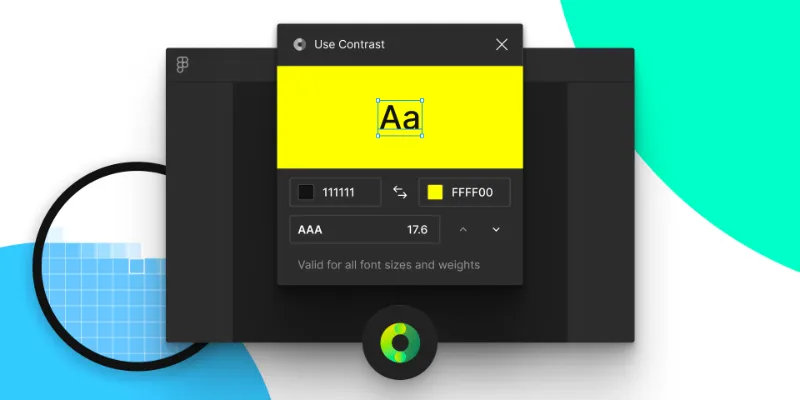
Use Contrast gives you quick access to proper color contrast ratios from the Web Content Accessibility Guidelines (WCAG). Select any text layer or object on the canvas to produce the score. Fine-tune your colors by using the plugin controls.
Learn about WCAG contrast guidelines.
→ https://usecontrast.com/guide
Known Issues
- Gradients not supported
- Transparency not supported
- Object strokes not supported
What's new
Version 12 · released Oct 28, 2022
- Fixed bug where background color was wrong on dark mode.
Permissions and privacy
Network access
This plugin's manifest doesn't declare its network access, which is common for older plugins. Figma shows a warning on the Community page for plugins like this.
Extra permissions
None beyond the standard access to the file you run it in.
Read from the plugin's published manifest.
Where Use Contrast ranks
Use Contrast alternatives
- 1

Stark
by Stark
577K users10KFreeFix Color Contrast and Typography issues and add WCAG annotations for a smooth design to dev handoff
- 2

Contrast
by Alex Carr
515K users8.3KFreeQuickly check and scan for contrast issues on gradients, images, blends, and fills.
- 3

A11y
by Kelly Gorr
315K users4.7KFreeText color accessibility
- 4

UI Color Palette /one・WCAG Color Palette Manager for Apps & Websites
by Aurélien Grimaud
92K users814Free + $8/mo upgradeColor Palettes that meet WCAG Guidelines and Operations (tailored for individuals)
- 5
Color contrast
by Aleksandra Walczak
82K users474FreeColor contrast checker
- 6

Contrast
by Roman Nurik
72K users341FreeQuickly run a visual contrast report on your design.
Use Contrast FAQ
What does Use Contrast do?
Quick access to color contrast ratios from WCAG. It's a Figma plugin by Henrique Gusso that runs in Figma Design.
Is Use Contrast free?
Yes. Use Contrast is free to install and run from the Figma Community, with no paid tier listed.
How do I install Use Contrast?
Open it on the Figma Community, or search for it in the Actions menu (Cmd/Ctrl + K) inside any file you can edit. See how to install Figma plugins.
What are the best alternatives to Use Contrast?
By user count, the closest alternatives are Stark, Contrast by Alex Carr and A11y. Compare all of them on the best Figma plugins for accessibility.
Built this plugin?
Use this page as a landing page for Use Contrast: link to it from your site, README or launch posts, or add a badge. Pick a style and copy the code.

Style
Label
Size
Code
<a href="https://figmaplugins.co/plugins/use-contrast/" target="_blank" rel="noopener"><img src="https://figmaplugins.co/badges/featured-dark.svg" alt="Use Contrast on figmaplugins.co" width="220" height="48"></a>