
On this page
About Visual Sitemap
Visual Sitemap is a free Figma plugin published by Mirko Santangelo in 2021. It works in FigJam and has 84,568 users and 813 likes on the Figma Community. It ranks #8 in Flowcharts & User Flows and #17 in FigJam on our lists.
In the developer's words
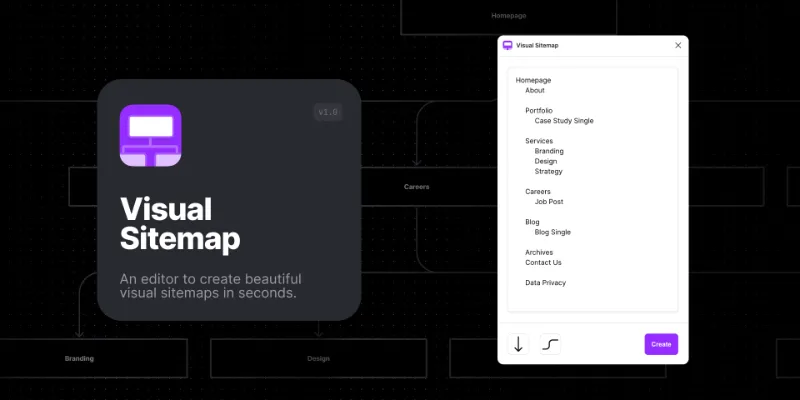
Easy-to-use text editor to design custom tree diagrams and sitemaps straight into FigJam.
Looking for extra design-fanciness? Copy/Paste a visual sitemap into Figma and gain access to the fullest level of customization.
—————————————————————————
HOW TO
- Open the plugin and start typing on the editor. You can copy/paste an existing list or start from scratch.
- Each list element will generate a separate node on the visual sitemap.
- To connect and create a hierarchy among the nodes, use
Tab ↹key and indent any list element.
—————————————————————————
Questions or Feature Requests?
Feel free to connect with me here.
What's new
Version 1 · released Aug 20, 2021
- [FIX] Fixed a visual issue with the rendering of text color.
Permissions and privacy
Network access
This plugin's manifest doesn't declare its network access, which is common for older plugins. Figma shows a warning on the Community page for plugins like this.
Extra permissions
None beyond the standard access to the file you run it in.
Read from the plugin's published manifest. Questions about data handling go to the developer's support page.
Where Visual Sitemap ranks
Visual Sitemap alternatives
- 1

Autoflow
by David Zhao
1.1M users14KFree + $39 upgradeAutomagically draw flow arrows! Create user flows and diagrams in a hand-drawn or minimalist style.
- 2

Arrow Connector
by Chenmu Wu
220K users2.2KFreeDraw connectors that updates automatically. Free forever!
- 3

Flowkit
by MDS
166K users1.2KFree + paid featuresThe fastest and easiest way to create user flows
- 4

Draw Connector
by Yuan Qing Lim
129K users1.3KFree + $39 upgradeDraw perfect orthogonal connectors between layers
- 5

Flow chart
by Jianping · LiYu · Yufei
117K users1.1KFree1. Link to any content(连接任意内容) 2. Draw a flowchart(绘制流程图)
- 6

Simpleflow
by Lichin
113K users1.9KFree + $10 upgrade🪄 Create flowcharts in Figma with native FigJam connectors — stay perfectly in sync as you design!
Visual Sitemap FAQ
What does Visual Sitemap do?
Create beautiful visual sitemaps in seconds. It's a Figma plugin by Mirko Santangelo that runs in FigJam.
Is Visual Sitemap free?
Yes. Visual Sitemap is free to install and run from the Figma Community, with no paid tier listed.
How do I install Visual Sitemap?
Open it on the Figma Community, or search for it in the Actions menu (Cmd/Ctrl + K) inside any file you can edit. See how to install Figma plugins.
What are the best alternatives to Visual Sitemap?
By user count, the closest alternatives are Autoflow, Arrow Connector and Flowkit. Compare all of them on the best Figma plugins for flowcharts & user flows.
Built this plugin?
Use this page as a landing page for Visual Sitemap: link to it from your site, README or launch posts, or add a badge. Pick a style and copy the code.

Style
Label
Size
Code
<a href="https://figmaplugins.co/plugins/visual-sitemap/" target="_blank" rel="noopener"><img src="https://figmaplugins.co/badges/featured-dark.svg" alt="Visual Sitemap on figmaplugins.co" width="220" height="48"></a>