
On this page
About WCAG Plugin
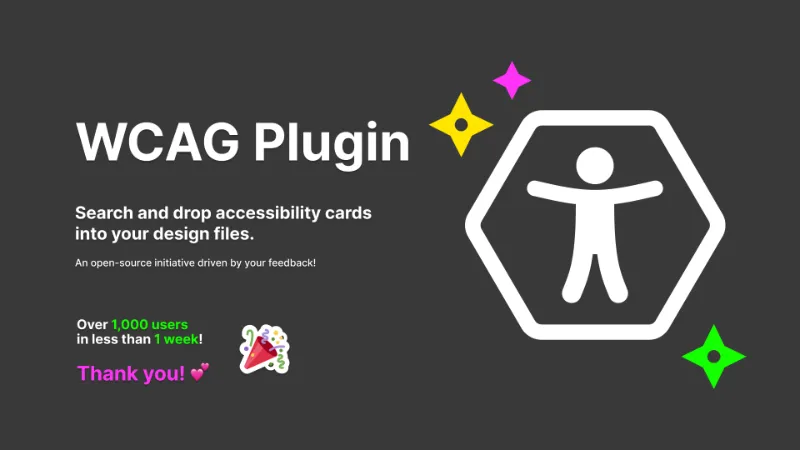
WCAG Plugin is a free Figma plugin published by Marcelo Paiva in 2024. It works in Figma Design and has 9,982 users and 647 likes on the Figma Community. It ranks #20 in Accessibility on our lists.
In the developer's words
This plugin enhances the accessibility of digital designs by integrating accessibility guidelines directly into your design processes and systems. The WCAG Plugin offers three key features:
🔎 Guideline Search - Quickly find relevant guidelines as a conversation starter and to ensure your designs are providing an equitable experience for all users.
🗂️ Notation Cards - Annotate Figma design files with WCAG guideline cards to increase your knowledge of accessibility requirements and best practices.
🔧 Utility Tokens - Import accessibility utility tokens as Figma variables to ensure accessible design decisions across various design elements and components.
Free and open-source:
This plugin is free and open-source, driven by a community of passionate contributors dedicated to making digital design more accessible for everyone.
Roadmap:
We are incredibly grateful for the enthusiastic support and feedback from our community. Your input has been invaluable in shaping the future of this plugin. Here’s what’s coming next:
New in Version 4:
- Filter by Version: Easily find guidelines based on specific WCAG versions.
- Filter by Level:Quickly access guidelines categorized by conformance levels (A, AA, AAA).
Ideas Added to our Backlog:
- Plain Language Explanations (WCAG Quotes): Simplified, user-friendly interpretations of the WCAG guidelines to enhance understanding and accessibility for all.
- Interactive Tutorials: Step-by-step guides and interactive walkthroughs to help users apply accessibility guidelines directly in their designs.
- Customizable Notation Cards: Allow users to add custom notes and highlight specific guidelines directly within Figma.
- Community Showcase: A platform to highlight exemplary accessible designs created by the community, fostering inspiration and sharing best practices.
- Localized Guideline Support: Provide translations and culturally relevant examples of WCAG guidelines to support a global user base.
We need your ideas and feedback:
Stay involved by visiting our Feedback page to share your thoughts and ideas. Together, we can continue to improve and make digital design more inclusive.
What's new
Version 4 · released Jun 15, 2024
- You can now filter search results by WCAG versions and levels!
Permissions and privacy
Network access
WCAG Plugin can only connect to the 3 domains declared in its manifest: raw.githubusercontent.com, cdn.jsdelivr.net and cdn.tailwindcss.com.
- raw.githubusercontent.com
- cdn.jsdelivr.net
- cdn.tailwindcss.com
Extra permissions
None beyond the standard access to the file you run it in.
Read from the plugin's published manifest.
Where WCAG Plugin ranks
WCAG Plugin alternatives
- 1

Stark
by Stark
577K users10KFreeFix Color Contrast and Typography issues and add WCAG annotations for a smooth design to dev handoff
- 2

Contrast
by Alex Carr
515K users8.3KFreeQuickly check and scan for contrast issues on gradients, images, blends, and fills.
- 3

A11y
by Kelly Gorr
315K users4.7KFreeText color accessibility
- 4

UI Color Palette /one・WCAG Color Palette Manager for Apps & Websites
by Aurélien Grimaud
92K users814Free + $8/mo upgradeColor Palettes that meet WCAG Guidelines and Operations (tailored for individuals)
- 5

Color contrast
by Aleksandra Walczak
82K users474FreeColor contrast checker
- 6

Contrast
by Roman Nurik
72K users341FreeQuickly run a visual contrast report on your design.
WCAG Plugin FAQ
What does WCAG Plugin do?
Search and drop accessibility cards into your design files. It's a Figma plugin by Marcelo Paiva that runs in Figma Design.
Is WCAG Plugin free?
Yes. WCAG Plugin is free to install and run from the Figma Community, with no paid tier listed.
Is WCAG Plugin safe to use?
Figma plugins can only reach the internet through domains listed in their manifest. WCAG Plugin can only connect to the 3 domains declared in its manifest: raw.githubusercontent.com, cdn.jsdelivr.net and cdn.tailwindcss.com. As with any plugin, check the developer's privacy policy before using it on client work.
How do I install WCAG Plugin?
Open it on the Figma Community, or search for it in the Actions menu (Cmd/Ctrl + K) inside any file you can edit. See how to install Figma plugins.
What are the best alternatives to WCAG Plugin?
By user count, the closest alternatives are Stark, Contrast by Alex Carr and A11y. Compare all of them on the best Figma plugins for accessibility.
Built this plugin?
Use this page as a landing page for WCAG Plugin: link to it from your site, README or launch posts, or add a badge. Pick a style and copy the code.

Style
Label
Size
Code
<a href="https://figmaplugins.co/plugins/wcag-plugin/" target="_blank" rel="noopener"><img src="https://figmaplugins.co/badges/featured-dark.svg" alt="WCAG Plugin on figmaplugins.co" width="220" height="48"></a>