
On this page
About Figma Draw A UI
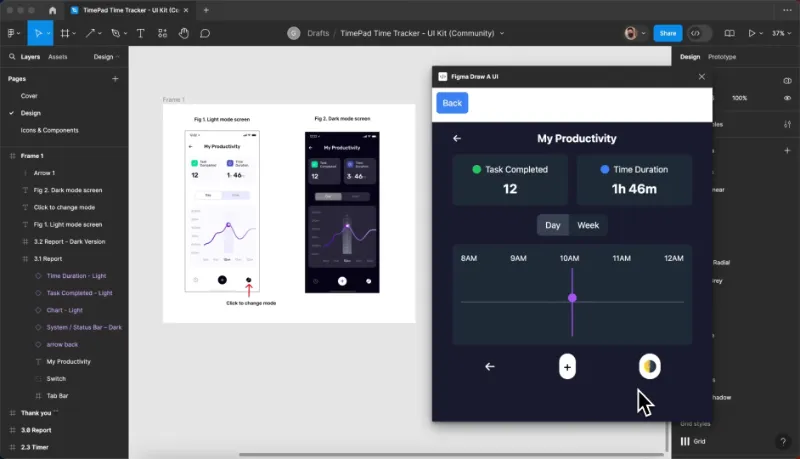
Figma Draw A UI is a free Figma plugin published by Sonny Lazuardi in 2023. It works in Figma Design and FigJam and has 5,119 users and 73 likes on the Figma Community. It ranks #20 in Prototyping on our lists.
In the developer's words
Convert your UI drawing into a real interactive working prototype.
NOTE: This plugin will not store the open AI key in the server. You can check the network restriction it will only call openAI domain.
What's new
Version 7 · released May 19, 2024
The developer didn't publish release notes for this version.
Permissions and privacy
Network access
Figma Draw A UI can only connect to the 4 domains declared in its manifest: api.openai.com, openai.com, cdn.tailwindcss.com and unpkg.com.
- api.openai.com
- openai.com
- cdn.tailwindcss.com
- unpkg.com
Extra permissions
None beyond the standard access to the file you run it in.
Read from the plugin's published manifest.
Where Figma Draw A UI ranks
Figma Draw A UI alternatives
- 1

ProtoPie
by ProtoPie
199K users3.4KFree + paid featuresHigh-fidelity prototyping for Figma. Import Figma designs and add dynamic, conditional interactions.
- 2

Attention Insight: AI heatmap, clarity score, focus map, contrast map
by Donatas Puidokas
78K users1.5KFree + paid featuresInstantly generate AI heatmaps with predictive eye-tracking technology. Boost conversions.
- 3

Axure
by Axure
49K users1.2KFreeImport and transform your designs into rich, interactive prototypes with the power of Axure RP
- 4

Prototyper
by Jordan Singer
43K users1.4KFreePowerful prototyping with code
- 5

Interactive Input Fields
by Florian Voit
24K users566Free + $6/mo upgradeEasily create highly interactive & custom input fields for your prototypes – directly in Figma.
- 6

Interactive Typing Input
by Philips
23K users207FreeVariable-controlled, scaleable, interactive input component for typing on prototype..
Figma Draw A UI FAQ
What does Figma Draw A UI do?
Convert your UI drawing into a real interactive working prototype. It's a Figma plugin by Sonny Lazuardi that runs in Figma Design and FigJam.
Is Figma Draw A UI free?
Yes. Figma Draw A UI is free to install and run from the Figma Community, with no paid tier listed.
Is Figma Draw A UI safe to use?
Figma plugins can only reach the internet through domains listed in their manifest. Figma Draw A UI can only connect to the 4 domains declared in its manifest: api.openai.com, openai.com, cdn.tailwindcss.com and unpkg.com. As with any plugin, check the developer's privacy policy before using it on client work.
How do I install Figma Draw A UI?
Open it on the Figma Community, or search for it in the Actions menu (Cmd/Ctrl + K) inside any file you can edit. See how to install Figma plugins.
What are the best alternatives to Figma Draw A UI?
By user count, the closest alternatives are ProtoPie, Attention Insight: AI heatmap, clarity score, focus map, contrast map and Axure. Compare all of them on the best Figma plugins for prototyping.
Built this plugin?
Use this page as a landing page for Figma Draw A UI: link to it from your site, README or launch posts, or add a badge. Pick a style and copy the code.

Style
Label
Size
Code
<a href="https://figmaplugins.co/plugins/figma-draw-a-ui/" target="_blank" rel="noopener"><img src="https://figmaplugins.co/badges/featured-dark.svg" alt="Figma Draw A UI on figmaplugins.co" width="220" height="48"></a>