The best Figma plugins for prototyping in 2026
ProtoPie is the most-used prototyping plugin for Figma, with 199K users, because it imports your Figma designs into ProtoPie so you can add dynamic and conditional interactions beyond what Figma's own prototypes handle. For testing a design before anyone clicks it, Attention Insight's AI heatmaps are the next most installed.
Top 20 picks


ProtoPie
#1 · 199K users
Quick answer
Our top picks
- #1
Best for high-fidelity interactions
ProtoPie
by ProtoPie
ProtoPie takes your Figma frames into ProtoPie, where you add dynamic and conditional interactions. It suits teams testing complex flows that Figma prototypes struggle with. The trade-off is a second tool and a second file to keep in sync; the plugin is free with in-app purchases.199K 3.4KFree + paid - #2
Best for pre-launch testing
Attention Insight: AI heatmap, clarity score, focus map, contrast map
by Donatas Puidokas
Attention Insight predicts where people will look using AI heatmaps, focus maps, clarity scores and contrast maps, without recruiting participants. It's useful for landing pages and ads before launch. Predictions aren't a substitute for testing with real users; treat them as a first pass. Free with in-app purchases.78K 1.5KFree + paid - #6
Best free typing input
Interactive Typing Input
by Philips
Interactive Typing Input builds a variable-controlled input component that stakeholders can actually type into during a prototype. It's free and has 23K users. It relies on Figma's variables, so read the setup notes before dropping it into a shared library.23K 207Free
The full list
The 20 most-used Figma plugins for prototyping
- 01
ProtoPie
High-fidelity prototyping for Figma. Import Figma designs and add dynamic, conditional interactions.
Free + paid · 3.4K likes
199K3.4KFree + paid - 02
Attention Insight: AI heatmap, clarity score, focus map, contrast map
Instantly generate AI heatmaps with predictive eye-tracking technology. Boost conversions.
Free + paid · 1.5K likes
78K1.5KFree + paid - 03

Axure
Import and transform your designs into rich, interactive prototypes with the power of Axure RP
Free · 1.2K likes
49K1.2KFree - 04
 43K1.4KFree
 - 05

Interactive Input Fields
Easily create highly interactive & custom input fields for your prototypes – directly in Figma.
Free + $6/mo · 566 likes
24K566Free + $6/mo - 06
Interactive Typing Input
Variable-controlled, scaleable, interactive input component for typing on prototype..
Free · 207 likes
23K207Free - 07
 19K47Free + $7
 - 08
 16K333Free
 - 09
 16K518Free
 - 10
 16K156Free
 - 11
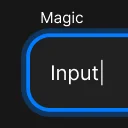
Interactive Input Fields & Form Prototyping with MagicInput
Bring realistic typing, validation & responsive input components to your Figma prototypes
Free · 77 likes
13K77Free - 12
 10K194Free
 - 13
 9.8K140Free
 - 149.3K61Free + paid
- 15

sprouts.design: AI inspiration & prototypes
A little AI-powered plugin to inspire you and easily sprout new prototypes in Figma
Free · 121 likes
8.8K121Free - 168.8K254Free
- 17
 8.1K105Free + paid
 - 18
 6.2K35Free
 - 19

Protofly
Save and reuse prototype interactions optimizing your prototyping workflow in Figma.
Free · 228 likes
5.2K228Free - 20
 5.1K73Free
Buying guide
What to look for
Native Figma prototyping covers a lot in 2026: interactive components, variables, conditional logic and Smart Animate. One plugin on this list, Slideshow, even tells you in its own listing that you probably don't need it anymore. The plugins that still rank fill specific gaps: real text input you can type into, game controller and keyboard navigation, JavaScript-driven prototypes (Prototyper), and moving designs into dedicated tools like ProtoPie, Axure and UXPin.
For usability testing, the list is thinner than you might expect because most testing platforms import Figma prototypes by link rather than through a plugin. The ones here (Marvel, Pathway, Attention Insight) are the exceptions. For motion-heavy prototypes, see animation plugins.
- 01
What native prototyping already does
Variables, conditionals, interactive components and Smart Animate are built in. Check the plugin adds something you can't wire up yourself in a reasonable time.
- 02
Stays in Figma or exports out
Input and navigation plugins keep the prototype in Figma. ProtoPie, Axure and UXPin move it to another tool, which adds power but also a sync step every time the design changes.
- 03
Testing data you can trust
Predictive heatmaps are fast and cheap; recorded sessions with real users are slower but show actual behaviour. Pick the one that matches the decision you need to make.
- 04
Device and input coverage
If you design for TV, consoles or keyboard-first apps, look for plugins that handle those inputs, like Prototyper for game controllers.
FAQ
Frequently asked questions
Can you type into a text field in a Figma prototype?
Not with a native text input. Plugins such as Interactive Typing Input build one for you from variables and key-press interactions, so testers can type with a real keyboard.
Is ProtoPie better than Figma for prototyping?
For complex, conditional interactions, ProtoPie goes further, at the cost of a second tool. For click-through flows and component states, Figma's native prototyping is usually enough and keeps everything in one file.
How do I run a usability test on a Figma prototype?
Most testing tools take a Figma prototype link directly. Marvel syncs frames through a plugin and records audio and video feedback. For a fast, participant-free check, Attention Insight predicts attention with AI.
Can I export a Figma prototype as HTML?
Demo Station exports a clickable HTML prototype you can host locally or in the cloud. For production code rather than a clickable demo, see Figma to code plugins.
Keep exploring
Related lists and guides




Animation
animation and motion design
See the top picks



Flowcharts & User Flows
flowcharts, user flows and connector arrows
See the top picks



Wireframing
wireframes and low-fidelity layouts
See the top picksGuides
- How to Make a Skeleton Loader in FigmaHow to design a skeleton loader in Figma: grey blocks with auto layout, a component with variants, a Smart Animate shimmer, and a plugin that converts frames.
- Why Is "Fixed" Greyed Out in My Figma Prototype?Fixed (stay in place) is disabled when the layer sits in an auto layout frame. Turn on Ignore auto layout or remove auto layout, then set the layer to Fixed.
- Figma Prototype Not Working? Why It Happens and How to Fix ItMost broken Figma prototypes come down to structure: designs outside frames, frames with no connections, nested targets. Fix On click, After delay and more.
- How to Add a Hover Effect in FigmaMake Default and Hover variants, connect them with While hovering, Change to and Smart animate. Plus why Figma hover states stick or don't fire, and the fix.
- How to Make a Frame Scroll in a Figma PrototypeFigma scrolling only works when content is bigger than the frame. Set Overflow, clip the content, and fix horizontal, vertical and Scroll to that won't work.
- How to View a Figma Prototype on Your PhoneOpen a Figma prototype on a phone with the mobile app, a shared link or Mirror. Plus how to fix a zoomed-in prototype, set the device, and fit it to any screen.