
About Gifmock
Gifmock is a free + paid features Figma plugin published by Steven Fabre in 2020. It works in Figma Design and has 50,369 users and 322 likes on the Figma Community. It ranks #11 in GIF & Video on our lists.
In the developer's words
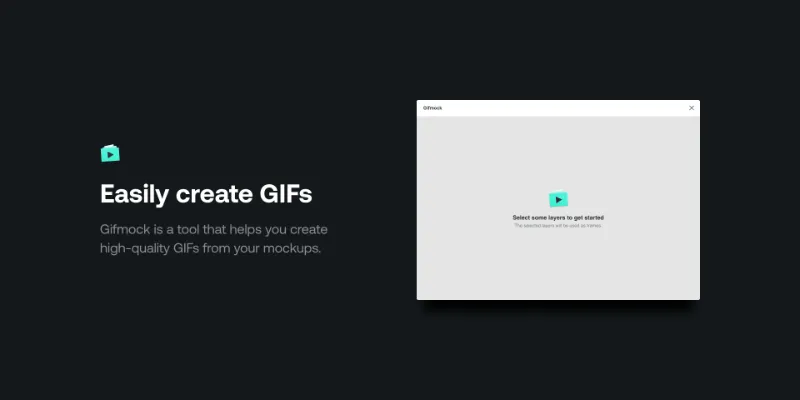
Gifmock is a tool that helps you create high-quality GIFs from static images and mockups.
gifmock.app
Here is how it works
1. Select layers to create GIF frames
2. Adjust the delay and position of your frames with pixel-perfect precision
3. Export
SMART CROPPING
Crop all your frames in a few clicks to highlight a specific part of your design.
PIXEL PREVIEW
Pan and zoom on the canvas to position your frames with pixel precision.
MEASUREMENT
Hold option to show distance from the edge when moving your frame.
RETINA SUPPORT
You can import and export at the resolution you like. 1x, 2x, 3x, you decide.
PER FRAME DELAY
Want to pause on a frame for a few seconds? Set the delay of your choice on any frame.
SECURE
Gifmock stores your GIF data on your machine. None of your content is saved on the cloud.
FRAME ORDERING
New frames are automatically ordered. Re-order them with a simple drag-and-drop.
RELIABLE
Established in 2017, Gifmock has a proven track record of being reliable.
What's new
Version 4 · released Apr 29, 2021
- Bug fix: respecting the "Don't repeat" property on the exported GIF
Permissions and privacy
Network access
This plugin's manifest doesn't declare its network access, which is common for older plugins. Figma shows a warning on the Community page for plugins like this.
Extra permissions
None beyond the standard access to the file you run it in.
Read from the plugin's published manifest.
Where Gifmock ranks
Gifmock alternatives
- 1

Motion
by Pavel Babkin
381K users5.7KFree + paid featuresAnimate UI in Figma. Export to video, GIF, SVG.
- 2

GIF Export
by Appcano
316K users2.8KFree + $10 upgradeExport gifs or frames with gifs in them!
- 3

Animated Gif Maker
by Dustin Gamester
103K users1KFreeGenerate and export animaged gifs without leaving Figma
- 4
Gifs
by Ahmad Al Haddad
97K users282FreeYour perfect design needs the perfect gif
- 5

Bannerify Banner Studio
by Hypermatic
78K users1.1KFree + paid featuresAnimate and export production ready banners from Figma to HTML, GIFs and Videos
- 6

SVG Animate
by Tobias Strebitzer
78K users584Free + $9/mo upgradeBring your Figma creations to life with stunning animations and seamless export to web and video.
Gifmock FAQ
What does Gifmock do?
Gifmock is a tool that helps you create high-quality GIFs from your Figma frames. It's a Figma plugin by Steven Fabre that runs in Figma Design.
Is Gifmock free?
Gifmock is free to install, but some features are unlocked through a paid plan on the developer's site.
How do I install Gifmock?
Open it on the Figma Community, or search for it in the Actions menu (Cmd/Ctrl + K) inside any file you can edit. See how to install Figma plugins.
What are the best alternatives to Gifmock?
By user count, the closest alternatives are Motion, GIF Export by Appcano and Animated Gif Maker. Compare all of them on the best Figma plugins for gif & video.
Built this plugin?
Use this page as a landing page for Gifmock: link to it from your site, README or launch posts, or add a badge. Pick a style and copy the code.

Style
Label
Size
Code
<a href="https://figmaplugins.co/plugins/gifmock/" target="_blank" rel="noopener"><img src="https://figmaplugins.co/badges/featured-dark.svg" alt="Gifmock on figmaplugins.co" width="220" height="48"></a>