On this page
About Interactive Typing Input
Interactive Typing Input is a free Figma plugin published by Philips in 2024. It works in Figma Design and has 23,039 users and 207 likes on the Figma Community. It ranks #6 in Prototyping on our lists.
In the developer's words
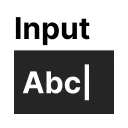
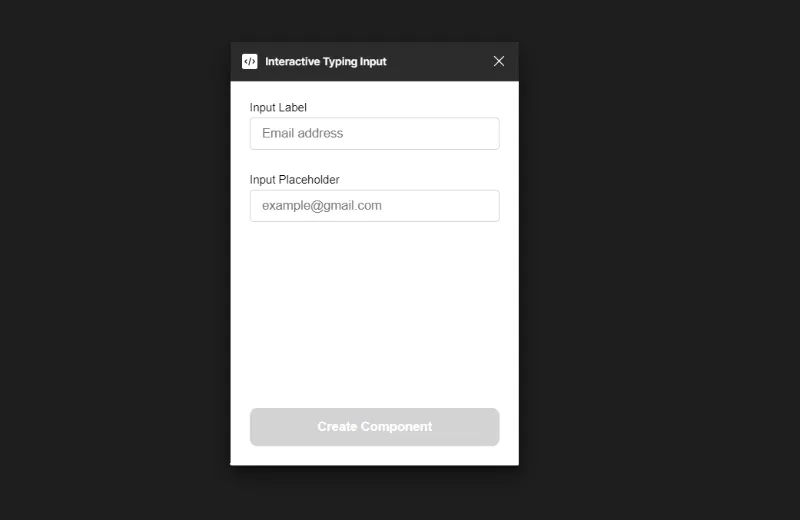
Through this plugin, user can create an interactive input component in matter of seconds, granting stakeholder a more authentic typing experience.
Important:
This doesn't work with accounts on Free Plan as it doesn't support multi action.
Features:
- Each component created from this plugin is configured with its own sets of variables, allowing user to reuse them across different application flows.
- The component is configured with keypress event, currently supporting alphabets, number, and certain characters (. , / @)
- The component supports backspace
- The component will reuse the same variable when you create another component with the same label as the previously deleted component, reducing variable waste
Limitation:
- When you create a component with the same label across different page, they will share the same variable, hence affecting the data integrity of the variable
- The component currently doesn't have any state yet. In another words, all input will actively show the input typed by user. You can resolve this issue by creating a [state] variant of the component to differentiate default and active state.
- Due to how it is engineered, the backspace doesn't really delete the characters, but simply undo to 1 step before, so you can technically just delete one character per change.
What's new
Version 5 · released Mar 14, 2024
- Reuploaded version 4 due technical issue
Permissions and privacy
Network access
Interactive Typing Input declares no network access, so it runs entirely inside Figma and can't send your file anywhere.
Extra permissions
None beyond the standard access to the file you run it in.
Read from the plugin's published manifest.
Where Interactive Typing Input ranks
Interactive Typing Input alternatives
- 1

ProtoPie
by ProtoPie
199K users3.4KFree + paid featuresHigh-fidelity prototyping for Figma. Import Figma designs and add dynamic, conditional interactions.
- 2

Attention Insight: AI heatmap, clarity score, focus map, contrast map
by Donatas Puidokas
78K users1.5KFree + paid featuresInstantly generate AI heatmaps with predictive eye-tracking technology. Boost conversions.
- 3

Axure
by Axure
49K users1.2KFreeImport and transform your designs into rich, interactive prototypes with the power of Axure RP
- 4

Prototyper
by Jordan Singer
43K users1.4KFreePowerful prototyping with code
- 5

Interactive Input Fields
by Florian Voit
24K users566Free + $6/mo upgradeEasily create highly interactive & custom input fields for your prototypes – directly in Figma.
- 6
Input Fields
by Migo
19K users47Free + $7 upgradeTurn your text layers to input fields in prototype
Interactive Typing Input FAQ
What does Interactive Typing Input do?
Variable-controlled, scaleable, interactive input component for typing on prototype.. It's a Figma plugin by Philips that runs in Figma Design.
Is Interactive Typing Input free?
Yes. Interactive Typing Input is free to install and run from the Figma Community, with no paid tier listed.
Is Interactive Typing Input safe to use?
Figma plugins can only reach the internet through domains listed in their manifest. Interactive Typing Input declares no network access, so it runs entirely inside Figma and can't send your file anywhere. As with any plugin, check the developer's privacy policy before using it on client work.
How do I install Interactive Typing Input?
Open it on the Figma Community, or search for it in the Actions menu (Cmd/Ctrl + K) inside any file you can edit. See how to install Figma plugins.
What are the best alternatives to Interactive Typing Input?
By user count, the closest alternatives are ProtoPie, Attention Insight: AI heatmap, clarity score, focus map, contrast map and Axure. Compare all of them on the best Figma plugins for prototyping.
Built this plugin?
Use this page as a landing page for Interactive Typing Input: link to it from your site, README or launch posts, or add a badge. Pick a style and copy the code.

Style
Label
Size
Code
<a href="https://figmaplugins.co/plugins/interactive-typing-input/" target="_blank" rel="noopener"><img src="https://figmaplugins.co/badges/featured-dark.svg" alt="Interactive Typing Input on figmaplugins.co" width="220" height="48"></a>