
About Master
Master is a free + paid features Figma plugin published by Gleb in 2019. It works in Figma Design and has 60,419 users and 2,295 likes on the Figma Community. It ranks #8 in Design Systems and #18 in Productivity on our lists.
In the developer's words
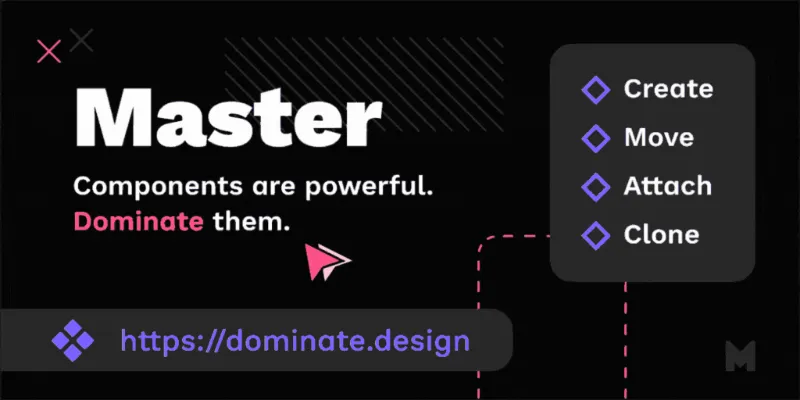
Create, attach, clone and move components in a couple of clicks without losing overrides! 🔥 Introductory video (5 min.) 👾 Interactive guide (15 min.) 📕 Plugin docs
→ Learn more and get the license
Free trial: You can successfully use the plugin up to five times per file.
💬 Feedback and questions are welcome: gleb@dominate.design
——————————
❖ Started a new project in Figma and realized you should've used Components instead of Frames too late? 🤬 Master plugin allows you to create new component from a set of any objects (and save all overrides):
1. Select any number of similar objects in your Figma file.
2. Run the Master plugin command “Create Component from Objects”
3. The new main Component will be created
4. Selected objects will become its Instances with all possible overrides applied!
❖ Also Master would help you “attach” objects of any kind to the existing Component, even if it is in another file:
1. Select one Instance or Component. Run “Pick Target Component” command, the plugin will remember selected Component.
2. Select Instances or other objects you want to turn into Instances of the saved Component.
3. Run the command called “Link Objects to Target Component”.
4. All objects will be replaced with Instances of the previously selected Component, keeping overrides where possible.
For more extensive documentation visit https://dominate.design/docs
——————————
❖ When to use Master plugin
• When you have created several copies of one Frame or Group for exploration and need to turn them into one Component.
• When realize you should have used Instances of one Component instead of regular objects too late.
• If you want to create a new master Component for a bunch of existing Instances (clone component).
• To create different versions of one component for different layouts or screen sizes.
• You want to create a local copy of a Component, Instances of which were imported from Team Library.
• If you need to quickly get the ability to manipulate multiple similar objects at once.
• Create new Master Component and put it to the side while keeping the Instance in place.
• If you create art with repeating parts and want change them all at once.
• When you want to “Smart Animate” one Component into another one.
• Your Instance was detached from Master Component when copying to another file? Reattach it with Master plugin.
• When you want to copy components to another file and they get detached.
• To avoid fixing issues with the components imported from Sketch manually.
• You used Blend plugin on an object and want to change all the copies at once.
——————————
❖ Technical info
• Selection can include Frames, Groups and Instances of other components. All of them should have similar sets of elements in them. Objects which have different structures will be ignored. Alternatively you can select a bunch of layers of the same type, like texts, ellipses or rectangles.
——————————
❖ About license
Your license purchase means a lot to me as an indie developer! With the license purchase you will be able to use the plugin as much as you want, while free trial version is limited to five successful uses per file. There is no subscription, no cost of updates, no hidden fees!
Please don't share your license code with anyone. If you are purchasing limited licenses (1, 2, 4 or 8 users), only share the license code with that amount of people. If you have any questions regarding the purchase or need help/financial support, feel free to reach out and I'll do my best to find a solution for you!
——————————
❖ Contact
Something is broken? Got feedback? Don't hesitate to send me an email!
— Gleb Sabirzyanov
What's new
Version 71 · released May 6, 2026
The developer didn't publish release notes for this version.
Permissions and privacy
Network access
Master can only connect to the 2 domains declared in its manifest: dominate.design and server.dominate.design.
- dominate.design
- server.dominate.design
Extra permissions
- Reads your Figma name and avatar
Read from the plugin's published manifest.
Where Master ranks
Master alternatives
- 1

Styler
by Andrei Iancu
229K users3.4KFreeBulk management of styles based on layer properties.
- 2

Design Lint
by Daniel Destefanis
142K users5.7KFreeFind and fix errors in your designs
- 3

Specs Classic
by Directed Edges Plugins
136K users5.5KFree + $8/mo upgradeGenerate component specs including anatomy, props and layout & spacing
- 4

Styles & Variables Organizer
by Chenmu Wu
134K users3.2KFree + $15 upgradeApply styles and variables to all your designs with one click!
- 5

Instance Finder
by Idan Arbel
96K users1.8KFree - 6

Color Style Guide
by hiloki
79K users1.4KFreeCreate the brillant Color Styleguide page using your local Color Styles.
Master FAQ
What does Master do?
Create, attach, clone and move components in a couple of clicks without losing overrides! 🔥. It's a Figma plugin by Gleb that runs in Figma Design.
Is Master free?
Master is free to install, but some features are unlocked through a paid plan on the developer's site.
Is Master safe to use?
Figma plugins can only reach the internet through domains listed in their manifest. Master can only connect to the 2 domains declared in its manifest: dominate.design and server.dominate.design. As with any plugin, check the developer's privacy policy before using it on client work.
How do I install Master?
Open it on the Figma Community, or search for it in the Actions menu (Cmd/Ctrl + K) inside any file you can edit. See how to install Figma plugins.
What are the best alternatives to Master?
By user count, the closest alternatives are Styler, Design Lint and Specs Classic. Compare all of them on the best Figma plugins for design systems.
Built this plugin?
Use this page as a landing page for Master: link to it from your site, README or launch posts, or add a badge. Pick a style and copy the code.

Style
Label
Size
Code
<a href="https://figmaplugins.co/plugins/master/" target="_blank" rel="noopener"><img src="https://figmaplugins.co/badges/featured-dark.svg" alt="Master on figmaplugins.co" width="220" height="48"></a>