The most useful Figma plugins for everyday work in 2026
Table Creator by Gavin McFarland is the most-used plugin in Figma's productivity category, with 795K users, because Figma Design still has no native table. After that, the most useful plugins are small fixers you run every week: Rename It for layer names, Downsize for heavy images, and Design Lint for missing styles.
Top 20 picks

Downsize
#1 · 147K users
Quick answer
Our top picks
- #5
Best for heavy files
Downsize
by Alex Einarsson
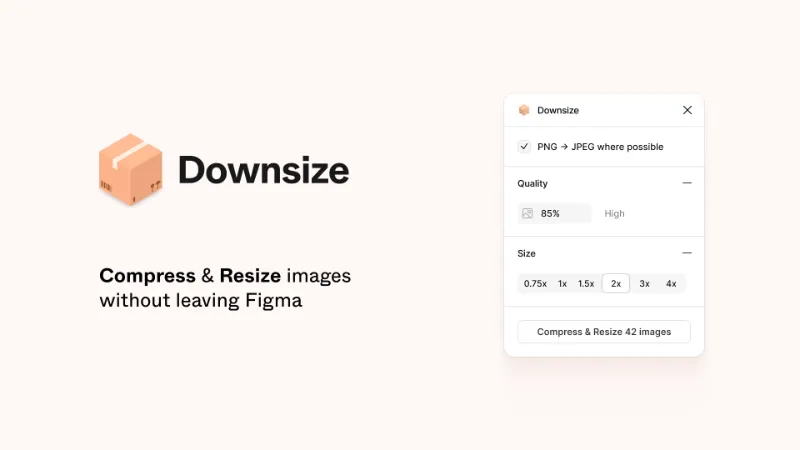
Downsize compresses and resizes images inside Figma, on a selection or across a page, so files load faster and use less memory. It works in Figma Design, FigJam and Figma Slides and is free. It trades image quality for size, so keep originals if you'll need print-resolution exports.147K 2.2KFree - #13
Best for recoloring templates

Find and Replace Colors
by Wei Zhong
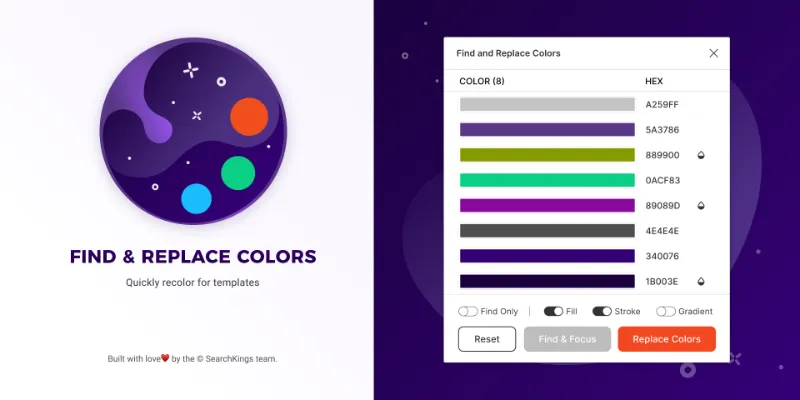
Find and Replace Colors swaps one color for another across your selection, which is useful when rebranding a template or adapting a mockup for a client. It's free and does one job. Figma's Selection colors panel handles simple swaps natively, so the plugin helps most on large, messy selections.97K 833Free - #12
Best paid pick for flows

Simpleflow
by Lichin
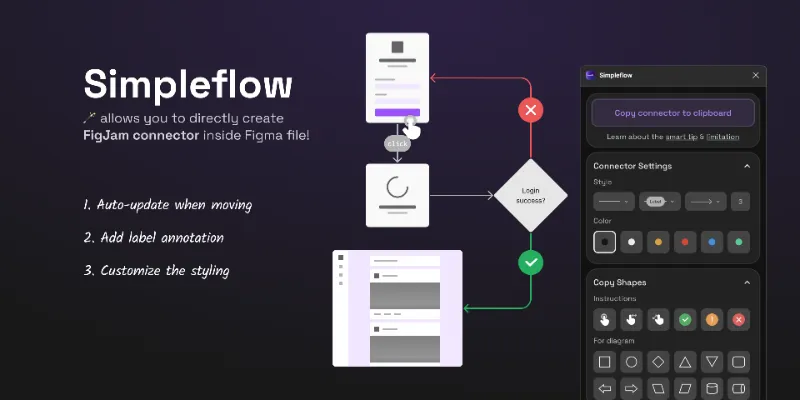
Simpleflow draws flowcharts in Figma Design files using native FigJam connectors that stay attached as you move frames. It suits designers who document user flows next to the screens themselves. It's paid, $10 in our data and not a subscription. Our flow arrows guide covers the free alternatives.107K 1.9KFree + $10
The full list
The 20 most-used Figma plugins for productivity
- 01

Table Creator
Easily create tables that can be edited, resized and maintained using your design system
Free · 6.5K likes
795K6.5KFree - 02
 201K1.1KFree + $5/mo
 - 03

Rename It
Free · 3.6K likes
197K3.6KFree - 04

Tablefy
Free · 245 likes
184K245Free - 05147K2.2KFree
- 06
 142K5.7KFree
 - 07

Detach Component
Free · 1.3K likes
140K1.3KFree - 08

Styles & Variables Organizer
Apply styles and variables to all your designs with one click!
Free + $15 · 3.2K likes
134K3.2KFree + $15 - 09

DesignDoc [Spectral]: Measures, Annotations, and Handoff
📐 Effortlessly hand off your Figma designs to the development team
Free · 3K likes
132K3KFree - 10
 124K3KFree + paid
 - 11
 113K1.2KFree
 - 12
Simpleflow
🪄 Create flowcharts in Figma with native FigJam connectors — stay perfectly in sync as you design!
Free + $10 · 1.9K likes
107K1.9KFree + $10 - 1397K833Free
- 14
 81K1.5KFree
 - 15
 77K2KFree
 - 16
 61K1.9KFree
 - 17

A Selector
Free · 970 likes
60K970Free - 18

Master
Create, attach, clone and move components in a couple of clicks without losing overrides! 🔥
Free + paid · 2.3K likes
60K2.3KFree + paid - 19

Propstar
Generate every possible instance for your components, all in a tidy labelled table.
Free + $7 · 2.7K likes
59K2.7KFree + $7 - 20
 52K761Free
Buying guide
What to look for
Figma has absorbed a lot of old plugin territory. Find and replace for text is built in (Cmd/Ctrl + F), batch renaming opens with Cmd/Ctrl + R, Select matching layers finds copies of a layer, and Rename layers with AI is included on paid plans. Try those first. The plugins that survive in this list either go further than the native feature or cover a gap, like tables or image compression.
This ranking follows Figma's own productivity category, so it mixes table builders, file cleanup, handoff helpers and flow tools. Our picks favour plugins with a narrow job that don't overlap with native features.
- 01
Doesn't duplicate Figma
Before installing, search the Actions menu (
Cmd/Ctrl+K) for the task. Renaming, finding text and tidying layouts are native now. - 02
Fast to run again
Plugins you use daily should work from the Actions menu or the rerun shortcut (
Cmd+Option+Pon Mac,Ctrl+Alt+Pon Windows) without a setup screen every time. - 03
Selection or whole page
Cleanup tools that act on the whole page are powerful and risky. Look for ones that respect your selection, and remember you can undo a plugin run.
- 04
One-time price or subscription
A few plugins in this list are paid. A one-off price suits a tool you'll use for years; a monthly fee needs to save you time every month.
FAQ
Frequently asked questions
What are the most useful Figma plugins?
By usage, table builders (Table Creator, Tablefy), renaming tools (Rename It), image compression (Downsize) and file cleanup (Design Lint, Clean Document) lead Figma's productivity category. The right set depends on which chores eat your week.
How do I run a Figma plugin quickly?
Open the Actions menu with Cmd/Ctrl + K, type the plugin's name and press Enter. To rerun the last plugin, press Cmd + Option + P on Mac or Ctrl + Alt + P on Windows. See how to install Figma plugins.
Do plugins slow Figma down?
A plugin only runs while you have it open, so installed plugins don't slow down your files. Large images do; Downsize can shrink them in place.
Can I make tables in Figma without a plugin?
Not in Figma Design, which has no table layer. You can build one with auto layout, or use a plugin from our table plugins list. FigJam and Figma Slides have native tables.
Keep exploring
Related lists and guides


Layer Management
renaming, sorting and cleaning up layers
See the top picks



Free
free plugins that cost nothing to use
See the top picks
Tables
tables and spreadsheet data
See the top picksGuides
- Figma Keyboard Shortcuts: The Full Mac and Windows ListEvery Figma keyboard shortcut Figma documents, for Mac and Windows: tools, layers, auto layout, components, text, zoom, prototyping and panels, in one list.
- How to Fix "Can't Open File: WebGL Isn't Supported" in FigmaFix Figma's "WebGL isn't supported" error: turn on graphics acceleration, check WebGL, update to a supported browser, and fix Edge tracking prevention.
- Figma Not Working? Every Fix, in the Order to Try ThemFigma not loading, showing a blank white screen or crashing? Check Figma's status, your browser version, WebGL, the desktop cache and file memory, in order.
- What Is the Figma Auto Layout Shortcut?The Figma auto layout shortcut is Shift+A on Mac and Windows. Here are the keys to remove and suggest auto layout, plus what to do for Ignore auto layout.
- What's the Figma Grid Shortcut?The Figma shortcuts to show or hide layout guides and the pixel grid on Mac and Windows, why Figma's own pages list two different keys, and when the grid shows.
- Figma shortcuts not working? How to fix themFigma shortcuts or Ctrl+Z not working? Figma assumes a US QWERTY keyboard. Set your real layout in Preferences, then check undo, redo and Show/Hide UI keys.