
On this page
About Units to Pixels
Units to Pixels is a free Figma plugin published by Kishan Vagale in 2024. It works in Figma Design and has 5,659 users and 31 likes on the Figma Community. It ranks #16 in PDF & Print on our lists.
In the developer's words
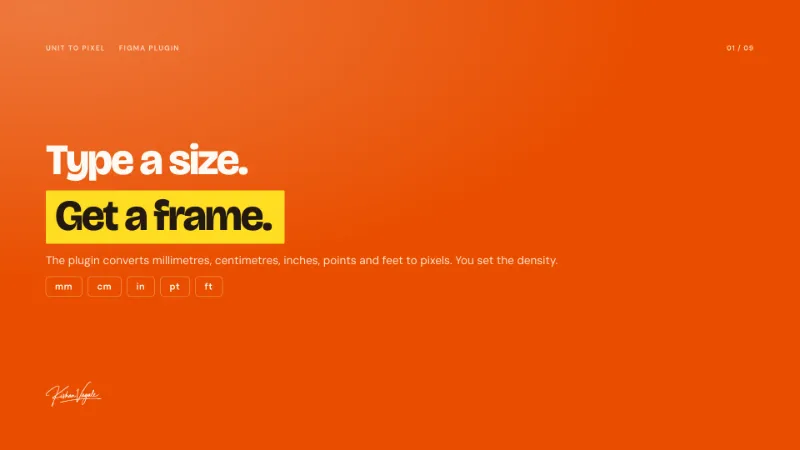
Unit to Pixelhelps designers bridge the gap between physical dimensions and digital design. Create frames sized in inches, centimeters, or feet and instantly convert them to pixel-perfect Figma frames with bleed and crop marks.
Ideal for
- Print design (posters, brochures, business cards)
- Signage and large-format graphics
- Product packaging
- Any project requiring real-world accuracy
Features
- Create frames using inches, centimeters, or feet
- Choose 72 or 96 PPI for accurate conversion
- Batch create multiple frames at once
- Lock aspect ratio for proportional scaling
- Check existing frame sizes in physical units
- Real-time pixel preview as you type
What's new
Version 6 · released Jan 24, 2026
- Added feedback collection
Permissions and privacy
Network access
Units to Pixels can only connect to the 30 domains declared in its manifest: us.i.posthog.com, us-assets.i.posthog.com, www.clarity.ms, a.clarity.ms, b.clarity.ms, c.clarity.ms, d.clarity.ms, e.clarity.ms, f.clarity.ms, g.clarity.ms, h.clarity.ms, i.clarity.ms, j.clarity.ms, k.clarity.ms, l.clarity.ms, m.clarity.ms, n.clarity.ms, o.clarity.ms, p.clarity.ms, q.clarity.ms, r.clarity.ms, s.clarity.ms, t.clarity.ms, u.clarity.ms, v.clarity.ms, w.clarity.ms, x.clarity.ms, y.clarity.ms, z.clarity.ms and c.bing.com.
- us.i.posthog.com
- us-assets.i.posthog.com
- www.clarity.ms
- a.clarity.ms
- b.clarity.ms
- c.clarity.ms
- d.clarity.ms
- e.clarity.ms
- f.clarity.ms
- g.clarity.ms
- h.clarity.ms
- i.clarity.ms
- j.clarity.ms
- k.clarity.ms
- l.clarity.ms
- m.clarity.ms
- n.clarity.ms
- o.clarity.ms
- p.clarity.ms
- q.clarity.ms
- r.clarity.ms
- s.clarity.ms
- t.clarity.ms
- u.clarity.ms
- v.clarity.ms
- w.clarity.ms
- x.clarity.ms
- y.clarity.ms
- z.clarity.ms
- c.bing.com
Extra permissions
- Reads your Figma name and avatar
Read from the plugin's published manifest.
Where Units to Pixels ranks
Units to Pixels alternatives
- 1

Print for Figma
by Ben Katz
253K users3.6KFree + $12/mo upgradeExport Figma to CMYK with Bleed, Crop Marks, DPI, and more ...
- 2

Compressed PDF and Image Exporter
by Taylor Osborn
136K users537Free + paid featuresExport compressed PDFs and images at efficient file sizes from Figma while controlling for quality.
- 3

Free Compressed PDF and Image Exporter
by Compressify
93K users719FreeExport compressed PNG, PDF, JPG, SVG, WebP & merge multiple frames into one PDF—fast & easy! 🚀
- 4

Printery
by Storyship
47K users412FreeCMYK PDF export with bleed, crop marks, ICC profiles, spot colors & DPI control.
- 5

Export PDF
by Kuntal
33K users356FreeExport your selected artboards into a High-Quality PDF—fast, reliable, and totally free!
- 6

MKitFPdf: PDF Export with TEXT and VECTOR objects
by MkitPlugins
28K users396FreeText and vector objects are retained, compresses the file size. Search engines can read the text!
Units to Pixels FAQ
What does Units to Pixels do?
Convert real-world measurements to Figma frames with precision with bleed and crop marks. It's a Figma plugin by Kishan Vagale that runs in Figma Design.
Is Units to Pixels free?
Yes. Units to Pixels is free to install and run from the Figma Community, with no paid tier listed.
Is Units to Pixels safe to use?
Figma plugins can only reach the internet through domains listed in their manifest. Units to Pixels can only connect to the 30 domains declared in its manifest: us.i.posthog.com, us-assets.i.posthog.com, www.clarity.ms, a.clarity.ms, b.clarity.ms, c.clarity.ms, d.clarity.ms, e.clarity.ms, f.clarity.ms, g.clarity.ms, h.clarity.ms, i.clarity.ms, j.clarity.ms, k.clarity.ms, l.clarity.ms, m.clarity.ms, n.clarity.ms, o.clarity.ms, p.clarity.ms, q.clarity.ms, r.clarity.ms, s.clarity.ms, t.clarity.ms, u.clarity.ms, v.clarity.ms, w.clarity.ms, x.clarity.ms, y.clarity.ms, z.clarity.ms and c.bing.com. As with any plugin, check the developer's privacy policy before using it on client work.
How do I install Units to Pixels?
Open it on the Figma Community, or search for it in the Actions menu (Cmd/Ctrl + K) inside any file you can edit. See how to install Figma plugins.
What are the best alternatives to Units to Pixels?
By user count, the closest alternatives are Print for Figma, Compressed PDF and Image Exporter and Free Compressed PDF and Image Exporter. Compare all of them on the best Figma plugins for pdf & print.
Built this plugin?
Use this page as a landing page for Units to Pixels: link to it from your site, README or launch posts, or add a badge. Pick a style and copy the code.

Style
Label
Size
Code
<a href="https://figmaplugins.co/plugins/units-to-pixels/" target="_blank" rel="noopener"><img src="https://figmaplugins.co/badges/featured-dark.svg" alt="Units to Pixels on figmaplugins.co" width="220" height="48"></a>