The best Figma PDF and print plugins in 2026
Print for Figma is the most-used print plugin, with 253K users, because it exports Figma designs as CMYK PDFs with bleed, crop marks and DPI settings, none of which Figma offers natively. If you only need smaller or merged PDFs for screen, the free Compressed PDF and Image Exporter does that without a subscription.
Top 20 picks

Print for Figma
#1 · 253K users
Quick answer
Our top picks
- #1
Most used for print
Print for Figma
by Ben Katz
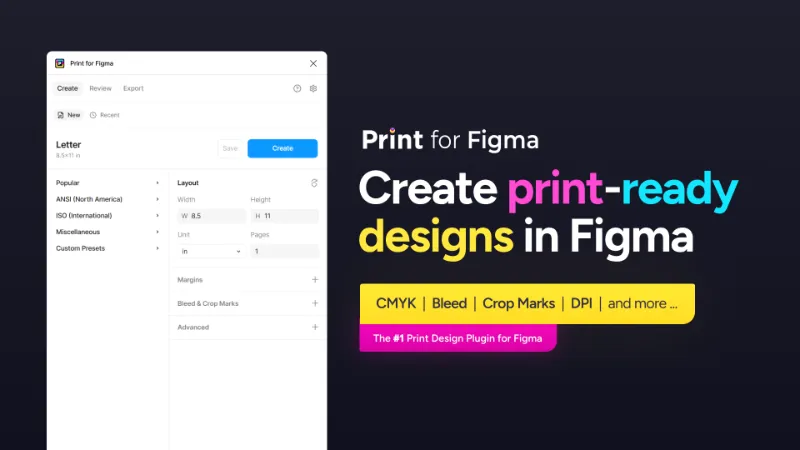
Print for Figma exports designs to CMYK PDF with bleed, crop marks and DPI control, so small print jobs don't need an Adobe detour. It has 253K users. It's a paid plugin billed as a subscription, with team seats sold separately.253K 3.6KFree + $12/mo - #4
Best free CMYK option

Printery
by Storyship
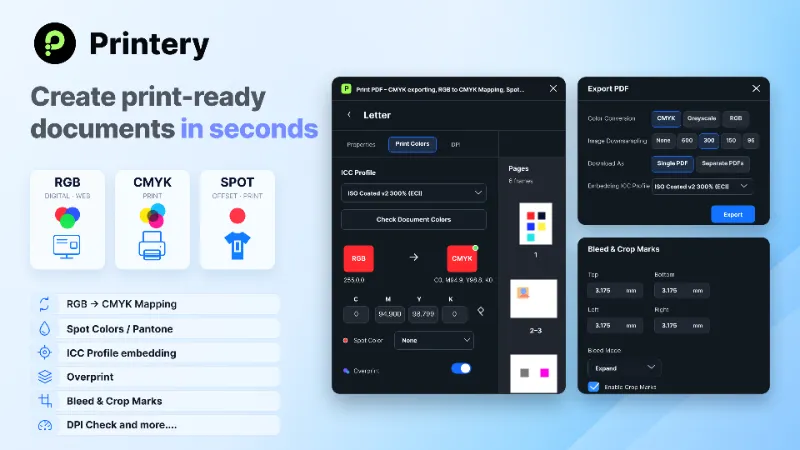
Printery turns designs into print-ready PDFs with CMYK conversion, bleed, crop marks, ICC profiles, spot colours, DPI control and multi-page export. It's listed as free on Figma Community and has 47K users. It's younger than Print for Figma, so run a test print before a large job.47K 412Free - #3
Best for small, merged PDFs

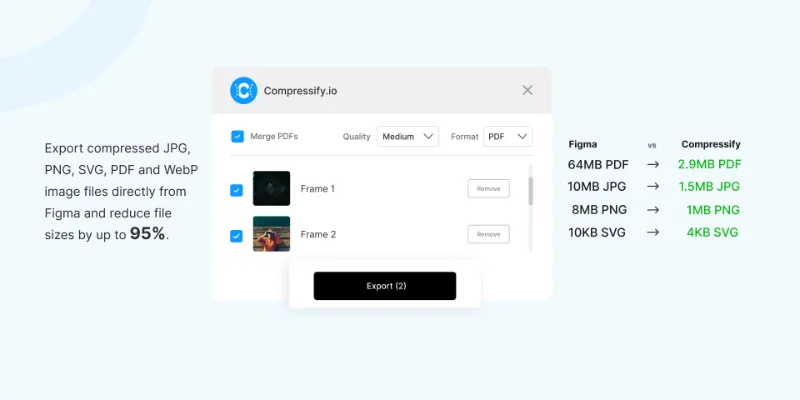
Free Compressed PDF and Image Exporter
by Compressify
Free Compressed PDF and Image Exporter shrinks PDFs and merges several frames into one document, alongside PNG, JPG, SVG and WebP export. It suits portfolios, proposals and anything sent by email. It's built for screen files, so it doesn't add CMYK or bleed.93K 719Free
The full list
The 20 most-used Figma plugins for pdf & print
- 01
Print for Figma
Export Figma to CMYK with Bleed, Crop Marks, DPI, and more ...
Free + $12/mo · 3.6K likes
253K3.6KFree + $12/mo - 02

Compressed PDF and Image Exporter
Export compressed PDFs and images at efficient file sizes from Figma while controlling for quality.
Free + paid · 537 likes
136K537Free + paid - 03
Free Compressed PDF and Image Exporter
Export compressed PNG, PDF, JPG, SVG, WebP & merge multiple frames into one PDF—fast & easy! 🚀
Free · 719 likes
93K719Free - 04
Printery
CMYK PDF export with bleed, crop marks, ICC profiles, spot colors & DPI control.
Free · 412 likes
47K412Free - 05

Export PDF
Export your selected artboards into a High-Quality PDF—fast, reliable, and totally free!
Free · 356 likes
33K356Free - 06

MKitFPdf: PDF Export with TEXT and VECTOR objects
Text and vector objects are retained, compresses the file size. Search engines can read the text!
Free · 396 likes
28K396Free - 07
 27K161Free
 - 08

Export & Resize Images
Multi-format export, print prep, DPI, CMYK, quality, compression, alpha channel, and lossless..
Free · 154 likes
20K154Free - 09
 18K146Free
 - 10
 16K55Free
 - 11

Printify
Print-ready layouts & CMYK export in Figma — Pro Annual Plan 50% OFF ($30/year)
Free · 76 likes
14K76Free - 12

Figma for Print
Create print-ready artboards with flexible units, DPI, layouts, and presets
Free · 182 likes
8.5K182Free - 13

Figma to PDF Export with links and multiple pages FREE
Export multiple frames to one PDF with internal and external links support. FREE
Free · 189 likes
8.4K189Free - 14
 7.4K137Free
 - 15
 6.3K53Free
 - 16

Units to Pixels
Convert real-world measurements to Figma frames with precision with bleed and crop marks
Free · 31 likes
5.7K31Free - 17
 5.5K23Free
 - 18
 4.1K50Free
 - 19
 4K38Free
 - 20
 3.9K66Free
Buying guide
What to look for
Figma exports PDFs out of the box, and File > Export frames to PDF combines every frame on the current page into one document. What it doesn't do is print production: files come out in RGB with no colour profile, bleed or crop marks. The plugins split along that line: print tools (Print for Figma, Printery, i Print CMYK, Pantone Hub) and PDF tools for screen (compressors, multi-frame exporters, clickable-link exporters).
Ask your printer what they need before picking. Many accept an RGB PDF and convert it themselves; others want CMYK with a specific ICC profile. For slide decks rather than print, see the Figma Slides list.
- 01
CMYK and ICC profiles
Figma works in RGB. If your printer wants CMYK, you need a plugin that converts with a real ICC profile, not only a colour swap. Ask the printer which profile to use.
- 02
Bleed and crop marks
Anything that prints to the edge needs bleed, usually 3 mm or 0.125 in, plus crop marks. Check the plugin lets you set both per document.
- 03
Vector text in the PDF
Some exporters rasterise pages. MKitFPdf keeps text and vectors, which gives sharper print and searchable text.
- 04
Page order and links
Figma's native export orders frames by position on the page. Plugins like Multi-Frame PDF Exporter let you reorder, and some keep clickable links.
- 05
File size
Image-heavy PDFs from Figma can be large. Compressors let you trade quality for size; keep the uncompressed version for the printer.
FAQ
Frequently asked questions
Can Figma export CMYK PDFs?
Not natively. Figma exports RGB PDFs without colour profiles, bleed or crop marks. Print for Figma and Printery add CMYK export, and i Print CMYK converts colours and images to CMYK.
How do I export multiple frames as one PDF in Figma?
Use File > Export frames to PDF, which puts every frame on the current page into one PDF, ordered by position. For a custom selection or order, use a plugin like Free Compressed PDF and Image Exporter.
How do I keep links working in a PDF exported from Figma?
Figma to PDF Export with links and multiple pages exports several frames as one PDF with internal and external links. It's free.
Is Figma good for print design?
For flyers, posters, cards and simple brochures, yes, with a print plugin for CMYK and bleed. For long documents with master pages and preflight checks, a dedicated layout app is still easier.
How do I match Pantone colours in Figma?
Pantone Hub lets you browse Pantone libraries and match your colours to the nearest Pantone. Confirm spot colours with your printer, since screen previews aren't exact.
Keep exploring
Related lists and guides




Import & Export
importing and exporting files
See the top picks



GIF & Video
GIFs and video export
See the top picks



Figma Slides
Figma Slides presentations
See the top picksGuides
- How to Export a Figma Design as a PDFExport Figma frames as PDF from the Export section or File > Export, keep file size down, and combine several frames into one PDF with a plugin.
- How to Change Export DPI in Figma (and Get 300 DPI)Figma has no DPI setting: exports are 72 DPI times the scale. For 300 DPI, export at about 4.17x or set a pixel width. What to do about PDF and CMYK too.
- How to Use Rulers and Guides in FigmaTurn on rulers in Figma, drag out guides, remove the red guide lines, and measure the distance between layers with Option or Alt. Plus a note on units.