
On this page
About Storybook Connect
Storybook Connect is a free Figma plugin published by Chromatic Deploys in 2021. It works in Figma Design and Dev Mode and has 60,777 users and 1,042 likes on the Figma Community. It ranks #7 in Design Systems, #8 in Dev Handoff and #8 in Developers on our lists.
In the developer's words
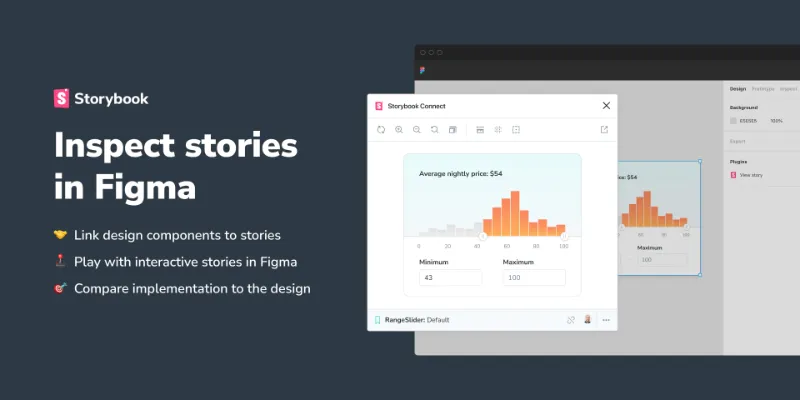
Embed stories into your Figma workspace to cross-reference the live implementation in one place. Open the Storybook Connect window to start interacting with the real components.
With the Storybook Connect Plugin you can:
- Link design components to stories
- Play with interactive stories in Figma
- Compare implementation to the design
Link components
When you link a component or a variant to a story that link propagates to every instance in Figma. Your collaborators can also see the story link.
Compare implementation to the design
The plugin comes with a compact yet powerful story embed that includes familiar tools like the Outline, Measure, Backgrounds, and more.
Open Storybook from the sidebar
See which components are linked by glancing at the Storybook Connect section in Figma’s sidebar.
Open Storybook in Dev mode
See which components are linked by glancing at the Storybook Connect section in Figma’s sidebar
Requires a Chromatic account for access control & security, sign up for free here.
Join the Storybook discord here and visit the #figma-plugin channel for support!
What's new
Version 28 · released Jun 23, 2025
The developer didn't publish release notes for this version.
Permissions and privacy
Network access
Storybook Connect can only connect to the domain declared in its manifest: *.chromatic.com.
- *.chromatic.com
Extra permissions
None beyond the standard access to the file you run it in.
Read from the plugin's published manifest.
Where Storybook Connect ranks
Storybook Connect alternatives
- 1

Styler
by Andrei Iancu
229K users3.4KFreeBulk management of styles based on layer properties.
- 2

Design Lint
by Daniel Destefanis
142K users5.7KFreeFind and fix errors in your designs
- 3

Specs Classic
by Directed Edges Plugins
136K users5.5KFree + $8/mo upgradeGenerate component specs including anatomy, props and layout & spacing
- 4

Styles & Variables Organizer
by Chenmu Wu
134K users3.2KFree + $15 upgradeApply styles and variables to all your designs with one click!
- 5

Instance Finder
by Idan Arbel
96K users1.8KFree - 6

Color Style Guide
by hiloki
79K users1.4KFreeCreate the brillant Color Styleguide page using your local Color Styles.
Storybook Connect FAQ
What does Storybook Connect do?
Inspect Storybook stories in Figma. It's a Figma plugin by Chromatic Deploys that runs in Figma Design and Dev Mode.
Is Storybook Connect free?
Yes. Storybook Connect is free to install and run from the Figma Community, with no paid tier listed.
Is Storybook Connect safe to use?
Figma plugins can only reach the internet through domains listed in their manifest. Storybook Connect can only connect to the domain declared in its manifest: *.chromatic.com. As with any plugin, check the developer's privacy policy before using it on client work.
How do I install Storybook Connect?
Open it on the Figma Community, or search for it in the Actions menu (Cmd/Ctrl + K) inside any file you can edit. See how to install Figma plugins.
What are the best alternatives to Storybook Connect?
By user count, the closest alternatives are Styler, Design Lint and Specs Classic. Compare all of them on the best Figma plugins for design systems.
Built this plugin?
Use this page as a landing page for Storybook Connect: link to it from your site, README or launch posts, or add a badge. Pick a style and copy the code.

Style
Label
Size
Code
<a href="https://figmaplugins.co/plugins/storybook-connect/" target="_blank" rel="noopener"><img src="https://figmaplugins.co/badges/featured-dark.svg" alt="Storybook Connect on figmaplugins.co" width="220" height="48"></a>