Best Figma gradient plugins, including mesh gradients
Morph tops our Figma gradient ranking with 348K users, though it's a wider effects toolkit that includes mesh gradients alongside neon, glass and skeuomorphic styles. For gradient backgrounds specifically, the most-used single-purpose tool is Noisy Gradients (322K users), which generates colourful gradients with optional grain.
Top 20 picks
Noisy Gradients
#1 · 322K users
Quick answer
Our top picks
- #2
Most used gradient generator
Noisy Gradients
by vijay verma
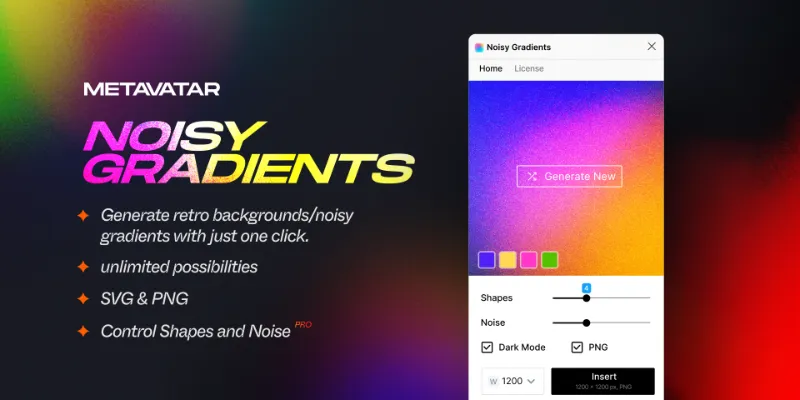
Noisy Gradients generates gradient backgrounds in bold colour mixes, with an option to add noise on top for the grainy look. It's free and runs in Figma Design and FigJam. It generates compositions for you, so you shuffle through results rather than placing each colour stop.322K 6KFree - #5
Best for smooth UI gradients

Easing Gradients
by Alex Widua
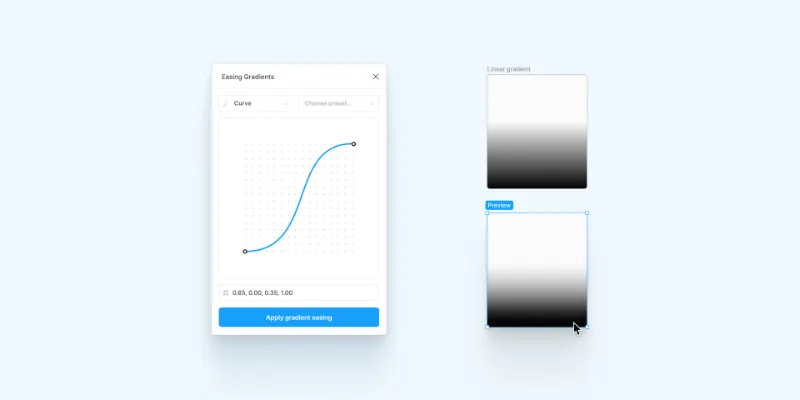
Easing Gradients smooths a gradient fill using cubic-bézier or step easing functions, the same curves used for animation timing. It's the tool for scrims over photos and long fades where a plain linear gradient shows a visible edge. It's free with 2K likes, and it works on standard gradient fills, so it has no mesh or grain features.100K 1.6KFree - #7
Best for animated gradients

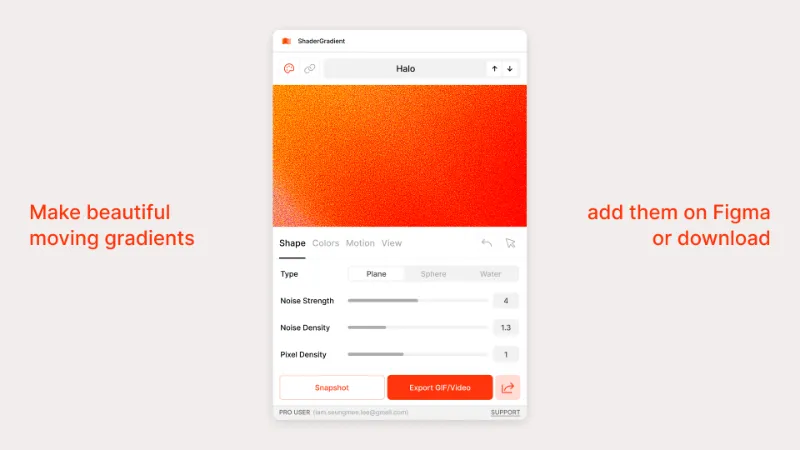
ShaderGradient
by seungmee lee
ShaderGradient lets you change colours, shape, motion, lighting and grain on 3D-looking gradients, then take a static snapshot or add the moving version as a GIF. It runs in Figma Design, Slides and FigJam. Animated GIFs get heavy, so keep them for presentations and prototypes.59K 1.9KFree
The full list
The 20 most-used Figma plugins for gradients
- 01
 348K7KFree
 - 02322K6KFree
- 03
 212K2.5KFree
 - 04
 212K3.2KFree
 - 05
Easing Gradients
Free · 1.6K likes
100K1.6KFree - 06
 97K1.7KFree
 - 0759K1.9KFree
- 08

Supa Gradient
Free · 919 likes
45K919Free - 09
 43K163Free
 - 10
MeshFlow Gradients
Generate amazingly smooth and complex gradients with effortless control.
Free · 214 likes
42K214Free - 11
 37K408Free
 - 12
 25K65Free
 - 13

Easing Gradient
Smooth gradients by adding color stops approximating easing functions
Free · 391 likes
24K391Free - 14
 20K653Free
 - 15
 12K447Free
 - 16
 9.2K702Free
 - 17
 8.8K119Free
 - 18
 7.8K13Free
 - 19
Precise Gradients
Precision in design with Precise Gradients. Snap points, distribute evenly, and round values
Free · 120 likes
7.6K120Free - 20
 7.1K29Free
Buying guide
What to look for
Figma Design itself has linear, radial, angular and diamond gradients, a Noise effect for grain, and shaders, in open beta in 2026, that include a mesh gradient fill with colour points you edit on the canvas. That covers much of what people used to install plugins for. Plugins still add eased transitions, generative compositions, animated gradients and photo gradient maps.
Many of these plugins output an image rather than a live gradient fill. That's fine for a hero background, less so for a button you want to theme with variables later.
- 01
Live fill or image
A live gradient fill stays editable and can use your colour variables. An image output is fixed once placed, so regenerating it is the only way to change it.
- 02
Mesh control
For mesh gradients, look at how many colour points you get and whether you edit them on the canvas or only through sliders. MeshFlow Gradients lists more than 30 controls.
- 03
Grain at export size
Noise that looks right at 1x can look different at 2x or 3x. Export a test at your real size before handing assets off.
- 04
Motion
If the gradient needs to move, check for GIF or video output and watch the file size.
FAQ
Frequently asked questions
Can you make a mesh gradient in Figma?
Yes. Figma's shaders, in open beta, include a mesh gradient fill with editable colour points. Plugins like MeshFlow Gradients, Gradient Morph and Photo Gradient, which builds mesh gradients from images, give you other styles.
How do I add grain to a gradient in Figma?
Add a Noise effect to the layer from the Effects section; you can choose mono, duo or multi-colour noise and set its scale. Noisy Gradients and Grainy Gradient generate grainy gradients in one step. More grain tools are on our effects and textures page.
Why does my Figma gradient look harsh?
Linear colour stops can create a visible edge where the blend starts or stops. Easing Gradients adds stops along an easing curve for a smoother fade, and a light layer of noise can hide banding.
Can I animate a gradient in Figma?
ShaderGradient adds moving gradients to the canvas as GIFs. For exporting animations yourself, see our guide to making a GIF in Figma.
How do I make a gradient map in Figma?
Figma has no native gradient map. Gradient Map applies a Photoshop-style gradient map to images directly in Figma.