
On this page
About AutoHTML
AutoHTML is a free Figma plugin with a paid upgrade ($6/mo) published by Thomas Deser in 2022. It works in Figma Design and Dev Mode and has 194,324 users and 899 likes on the Figma Community. It ranks #10 in Figma to Code on our lists.
In the developer's words
New: Styled Components!
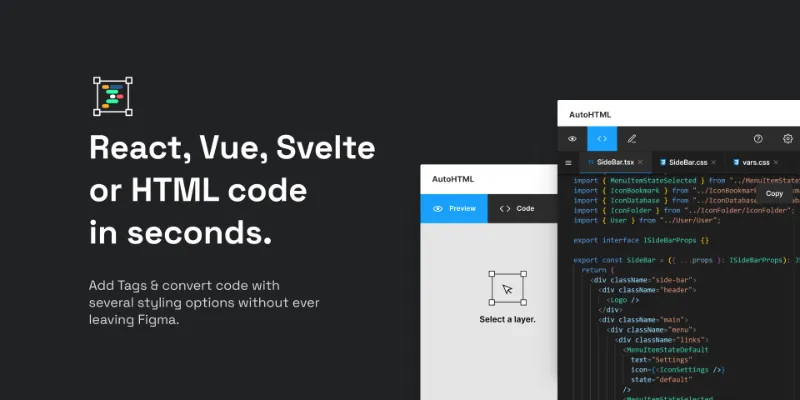
Export React, Vue, Svelte, Angular or HTML with Tailwind or CSS Styling.
Works in Dev Mode & Design Mode. No registration required - simply run the plugin and select a frame!
Check out the Demo File.
Have any questions?
Join Slack for support, questions or feedback.
Report Issues and Bugs here.
Tipps:
- Use Auto layoutandconstraints.
- Color styles, text styles,andeffect styles will be transferred as CSS variables or Tailwind config.
- The CSS classes are named after the layers in Figma.
- To maximize the plugin's potential, avoid using groups and keep the layers as simple as possible.
Advanced Tipps for React/Vue/Svelte/Angular:
- Boolean, text and instance swapcomponent properties will be exported if you select a component.
- Enable the "Nested Components" option in the settings to create components from all instances within your current selection.
- Variants can be exported as well.
- Receive a Zip folder containing all component files and a
package.json. - Install the dependencies (Node.js required) using
npm iand start coding.
Please note: The generated code is not production-ready but serves as a starting point for developers.
What's new
Version 87 · released Jun 23, 2025
- New:
- Styled Components
- Bugfix:
- Tiny bugfix related to variables
Permissions and privacy
Network access
AutoHTML's manifest allows network access to any domain ("*"), so Figma doesn't limit where it can send data.
- *
Extra permissions
- Can offer paid features through Figma's checkout
Read from the plugin's published manifest.
Where AutoHTML ranks
AutoHTML alternatives
- 1

Figma to Code
by Bernardo Ferrari
2.3M users8.5KFreeCode Conversion Made Easy: Figma to Web & Apps
- 2

Anima
by Anima
1.8M users17KFreeAnima - AI Powered Design to code
- 3

Builder.io
by Steve Sewell
1.3M users23KFreeExport designs to clean, responsive code or turn Figma screens into AI apps and prototypes.
- 4

Figma to HTML
by Figma2HTML
670K users6.7KFreeConvert Figma design to HTML
- 5

Figma to HTML with Framer
by Framer
612K users11KFreeConvert your Figma design to HTML code in seconds with Framer.
- 6

Locofy Lightning
by Locofy.ai
594K users5.3KFreeConvert Figma designs to code in a flash: React, React Native, Flutter, HTML/CSS, Angular, Next, Vue
AutoHTML FAQ
What does AutoHTML do?
React, Vue, Svelte, Angular, Tailwind, HTML & CSS Converter. It's a Figma plugin by Thomas Deser that runs in Figma Design and Dev Mode.
Is AutoHTML free?
Partly. AutoHTML is free to install and use, and a paid upgrade on the Figma Community ($6/mo) unlocks the rest.
Is AutoHTML safe to use?
Figma plugins can only reach the internet through domains listed in their manifest. AutoHTML's manifest allows network access to any domain ("*"), so Figma doesn't limit where it can send data. As with any plugin, check the developer's privacy policy before using it on client work.
How do I install AutoHTML?
Open it on the Figma Community, or search for it in the Actions menu (Cmd/Ctrl + K) inside any file you can edit. See how to install Figma plugins.
What are the best alternatives to AutoHTML?
By user count, the closest alternatives are Figma to Code, Anima and Builder.io. Compare all of them on the best Figma plugins for figma to code.
Built this plugin?
Use this page as a landing page for AutoHTML: link to it from your site, README or launch posts, or add a badge. Pick a style and copy the code.

Style
Label
Size
Code
<a href="https://figmaplugins.co/plugins/autohtml/" target="_blank" rel="noopener"><img src="https://figmaplugins.co/badges/featured-dark.svg" alt="AutoHTML on figmaplugins.co" width="220" height="48"></a>